

Asymmetry Engine
Tri-view asymmetry analysis — front, side and back at the same phase, run through the MMSx pose brain, gated for capture quality.
What is Asymmetry Engine?
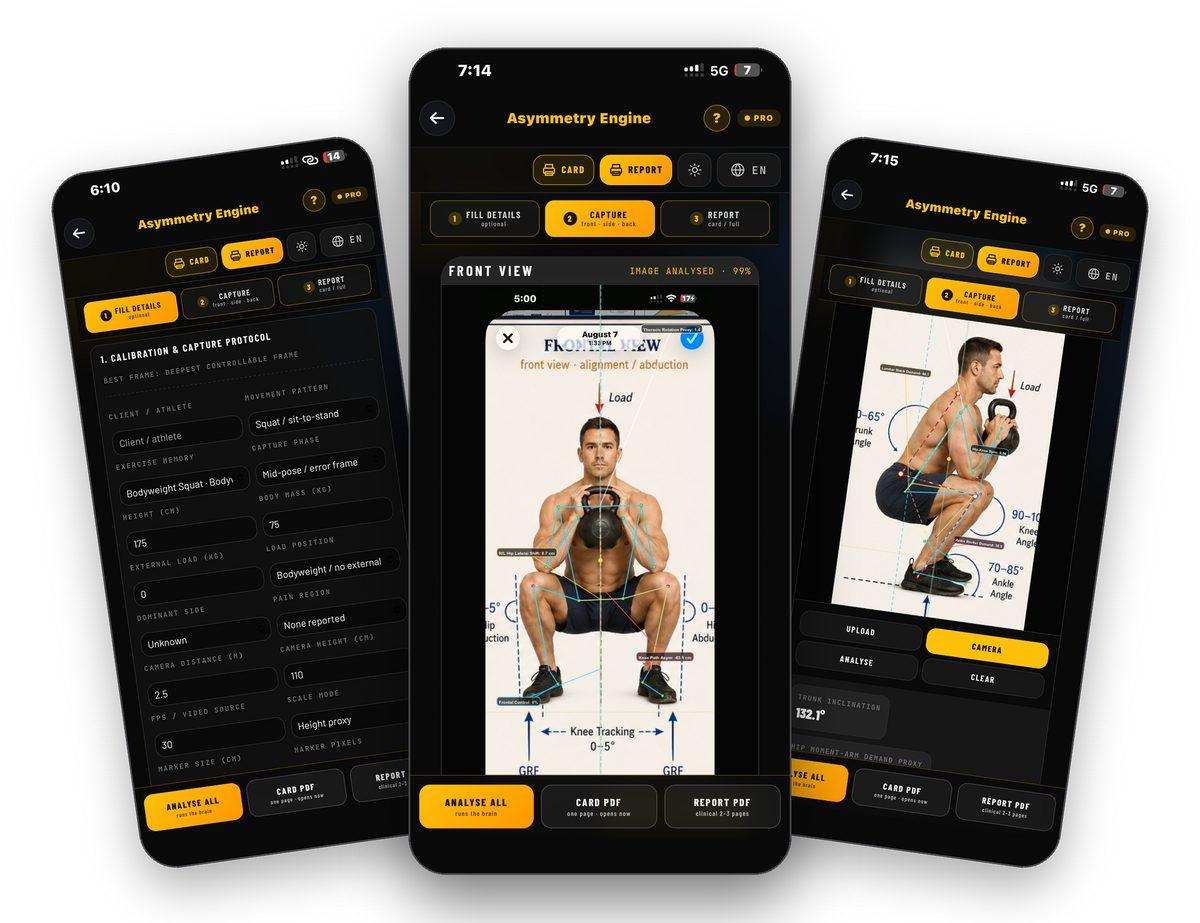
Asymmetry Engine is TrainersEye MMSx Body Mechanic — a tri-view asymmetry decision engine. Fill in the calibration and capture protocol, capture or upload the front, side and back view of the same rep at the same phase and load, and the MMSx pose brain analyses all three: hip and pelvic shift, knee path, frontal control and thoracic rotation from the front; trunk inclination, lumbar stack demand, hip-knee sync and ankle rocker from the side; pelvic shift, Achilles and rear-foot stack from the back. The report gates its own accuracy — capture, true view, phase lock — and issues a decision: GREEN, RED, or RECAPTURE when the evidence is not good enough, with a corrective plan drawn from the flaw library and a retest protocol. Educational clinical decision-support only; not a medical diagnosis.
Three views, one phase
Front, side and back of the same rep, same depth, same load — captured with the camera or uploaded.
The MMSx pose brain
Pose landmarks detected in the app, calibration gates and MMSx rule-based force-path reasoning.
Gated, not guessed
Every report carries a clinical accuracy gate — final, capture, true view, phase lock — and asks for a recapture before it will issue a final RED or GREEN.
Card or clinical report
A one-page card that opens at once, or the two-to-three-page clinical report with executive decision, tri-view evidence, corrective plan and retest protocol.
Where to find it
Open the TrainersEye app, go to the Dashboard and tap Asymmetry Engine. It is part of the Pro plan. The question mark at the top opens help on every screen.
This guide in thirteen steps
Open the tool
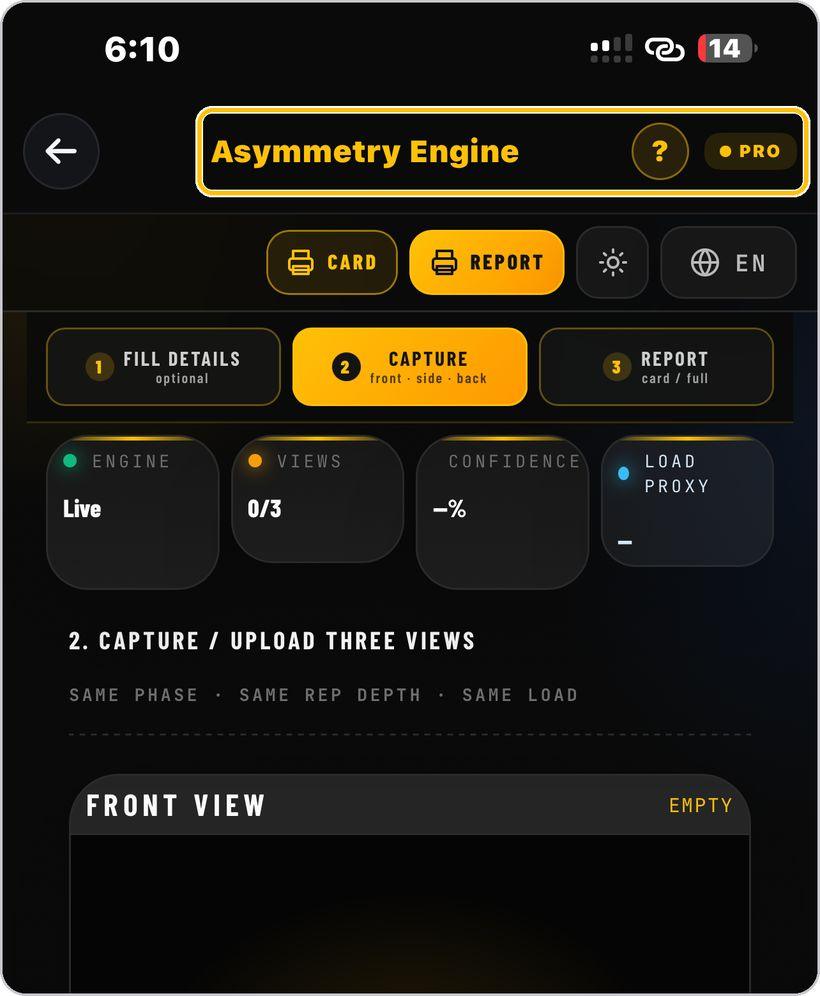
From the Dashboard, tap Asymmetry Engine — TrainersEye MMSx Body Mechanic, powered by MMSx Authority Institute. It is a Pro-plan tool.
Card, Report, look and language
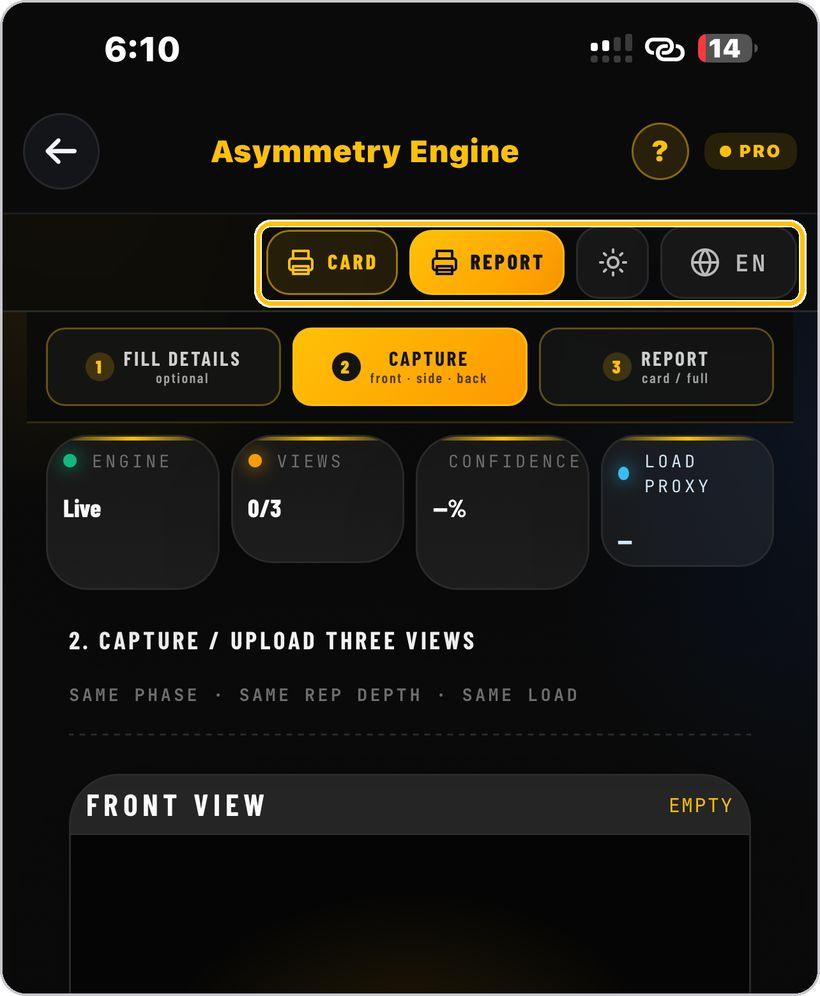
The header prints the one-page Card or the full Report, switches the light and dark look, and sets the language — English, Hindi, Spanish or Arabic.
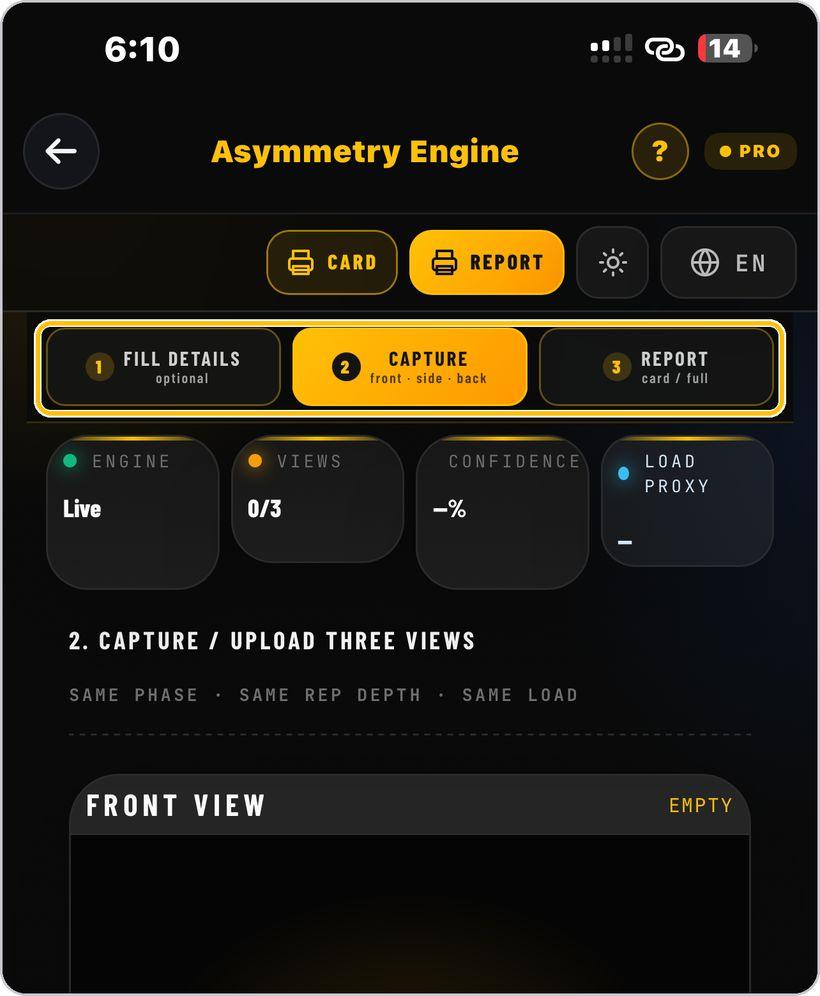
The three steps
Fill Details, Capture and Report — the stepper across the top. Fill Details is optional but sharpens every number; Capture takes the three views; Report gives the card or the full document.
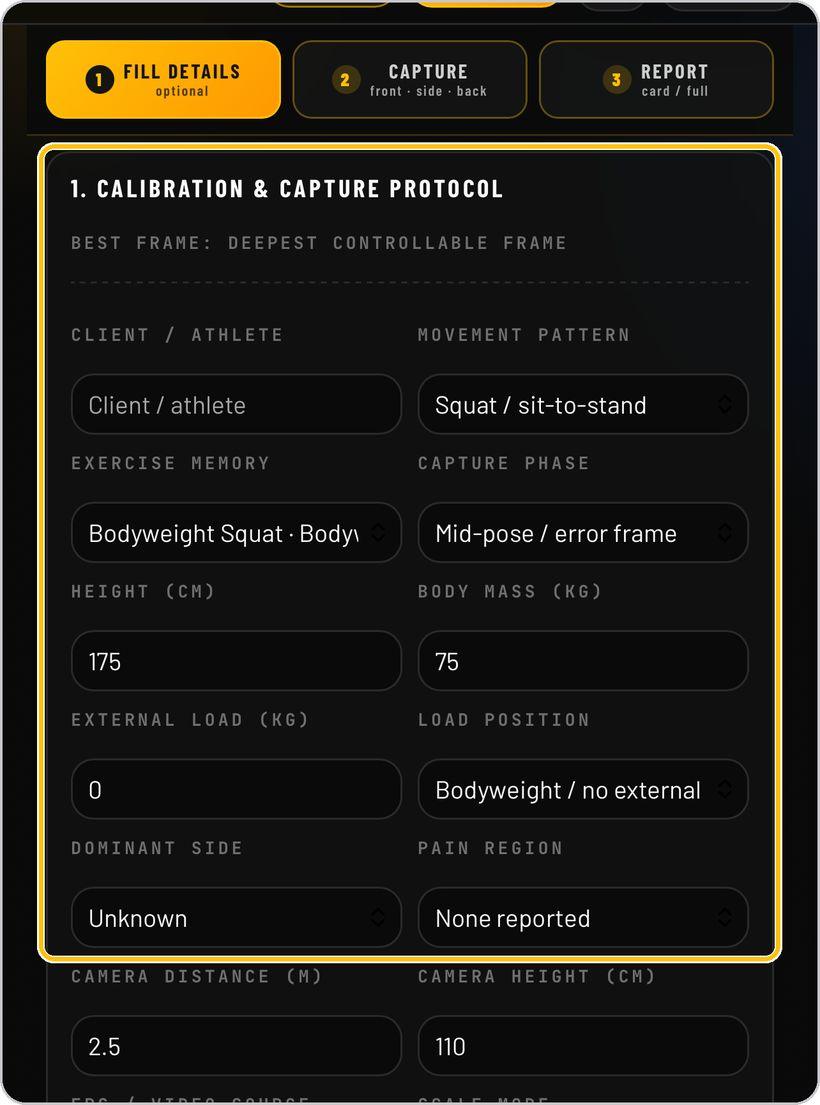
Fill details — the capture protocol
Enter the client, the movement pattern and exercise, the capture phase — the deepest controllable frame — height, body mass, external load and load position, dominant side and pain region.
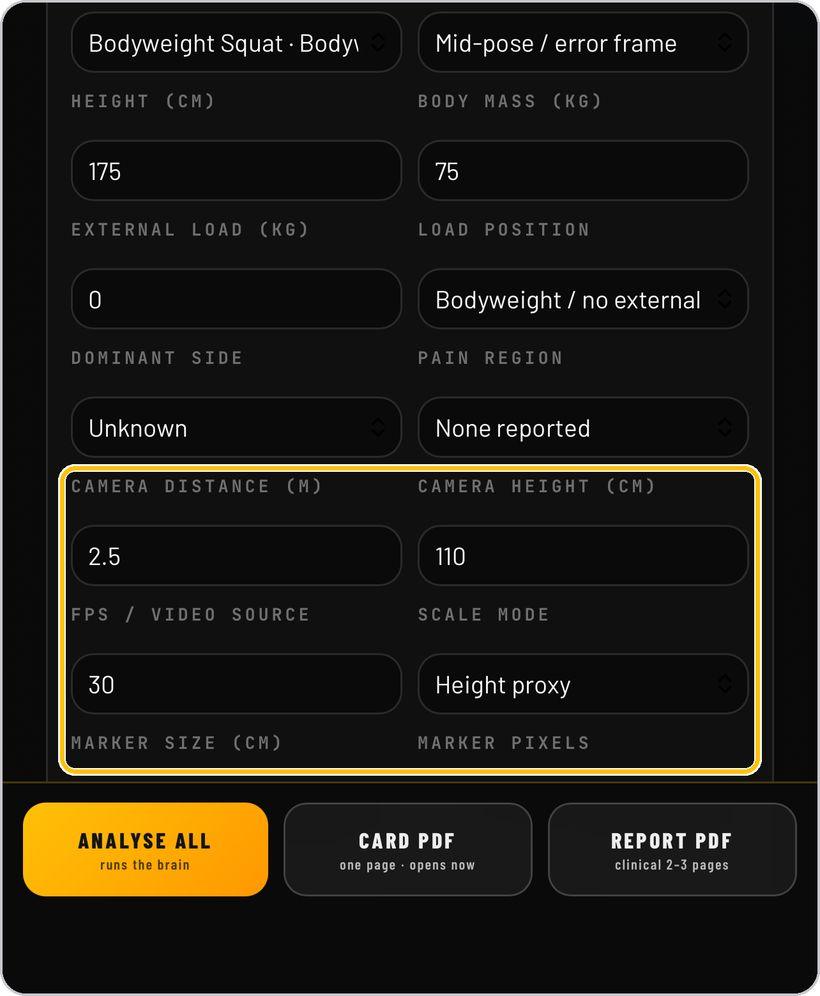
Calibrate the camera
Record camera distance and height, frames per second and the scale mode — height proxy, or a visible marker with its size in centimetres and pixels for centimetre-level reporting.
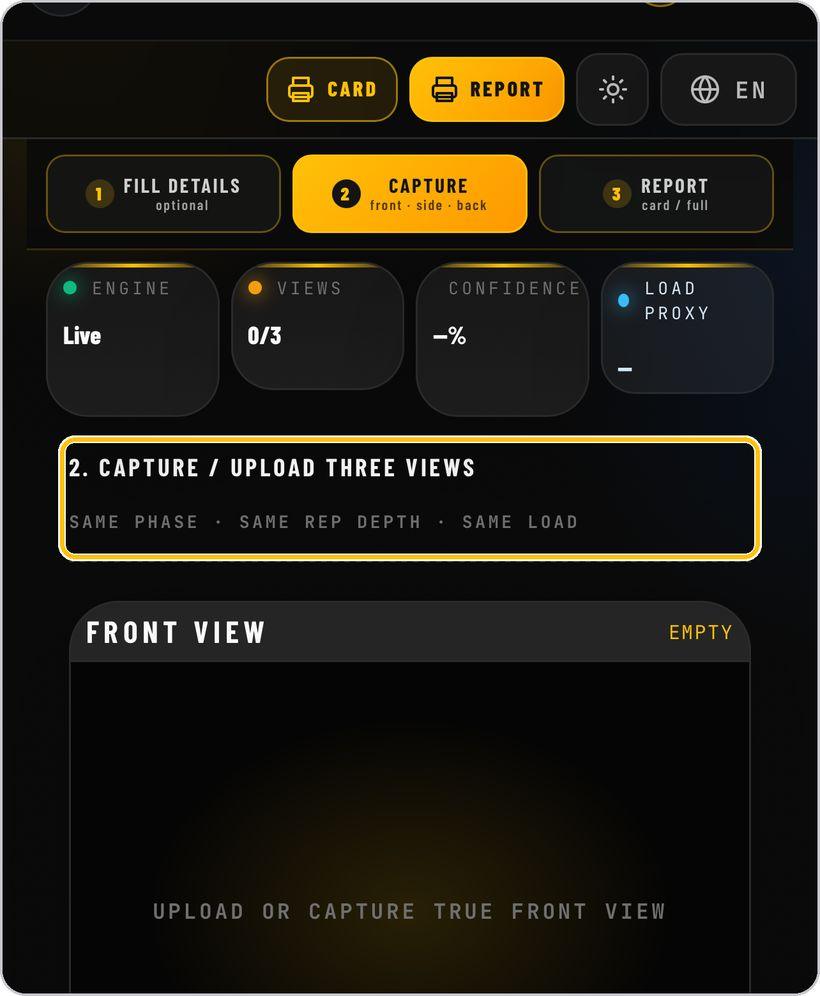
Capture three views — same phase, same depth, same load
Front is the true front view, Side the 90° lateral view, Back the true back view — all of the same rep at the same phase, depth and load.
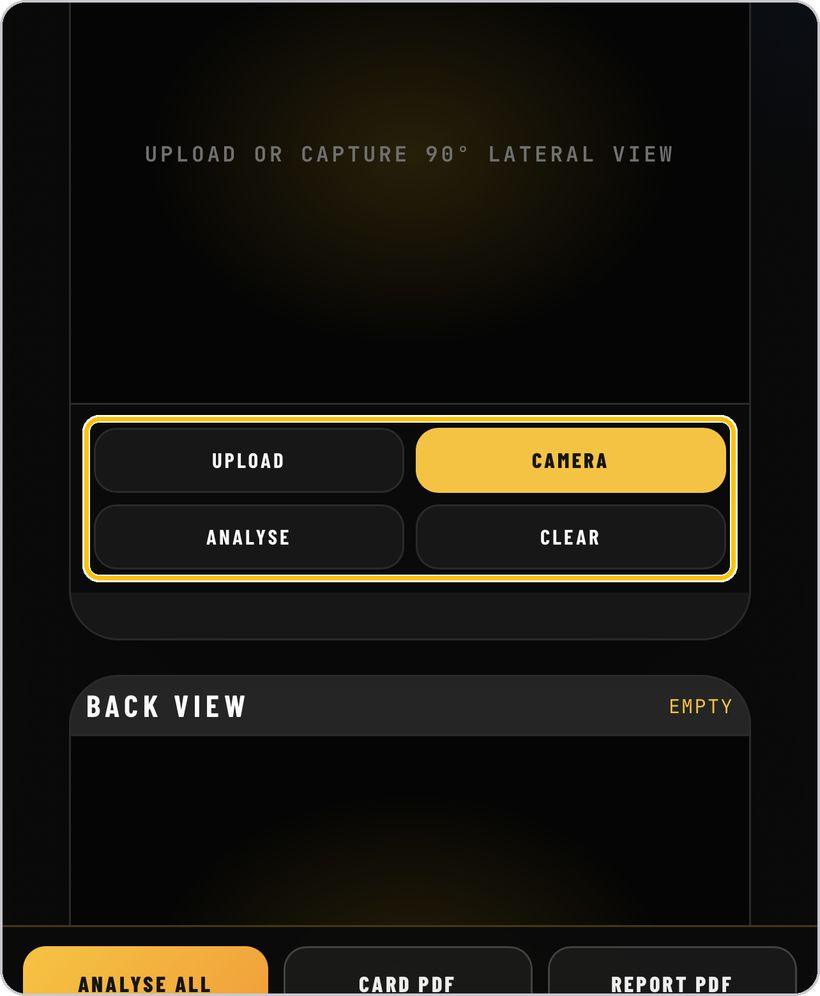
Upload or camera, analyse, clear
Each view panel has Upload and Camera to bring the image in, Analyse to run that view alone, and Clear to start it again.
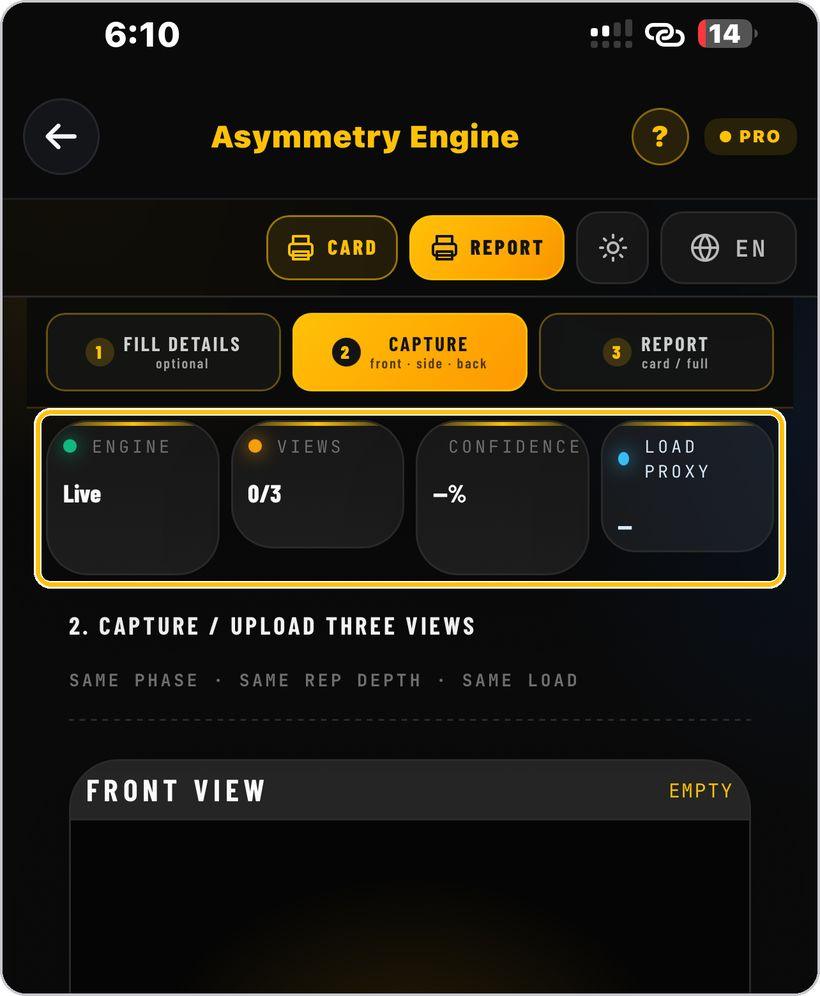
Analyse All
Tap Analyse All to run the brain on all three views. The status tiles show the engine, views analysed, confidence and the load proxy.
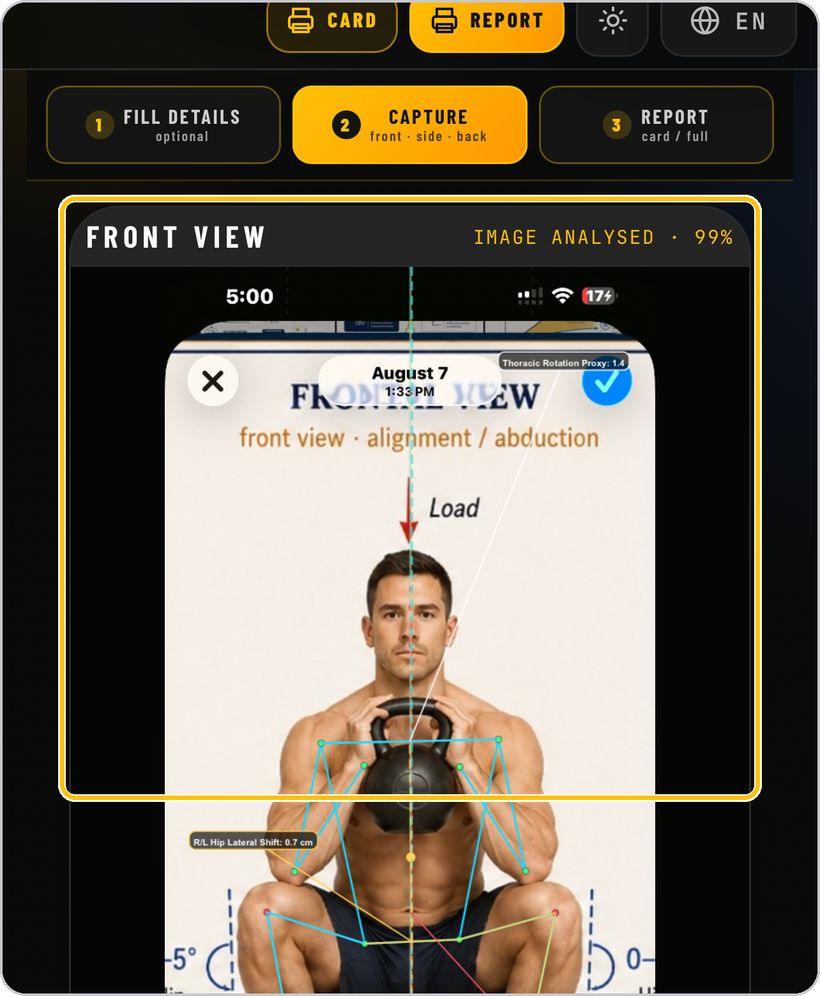
Read the front view
The overlay draws the skeleton and the front metrics — R/L hip lateral shift, knee path asymmetry, frontal control and the thoracic rotation proxy — with the confidence of the analysis.
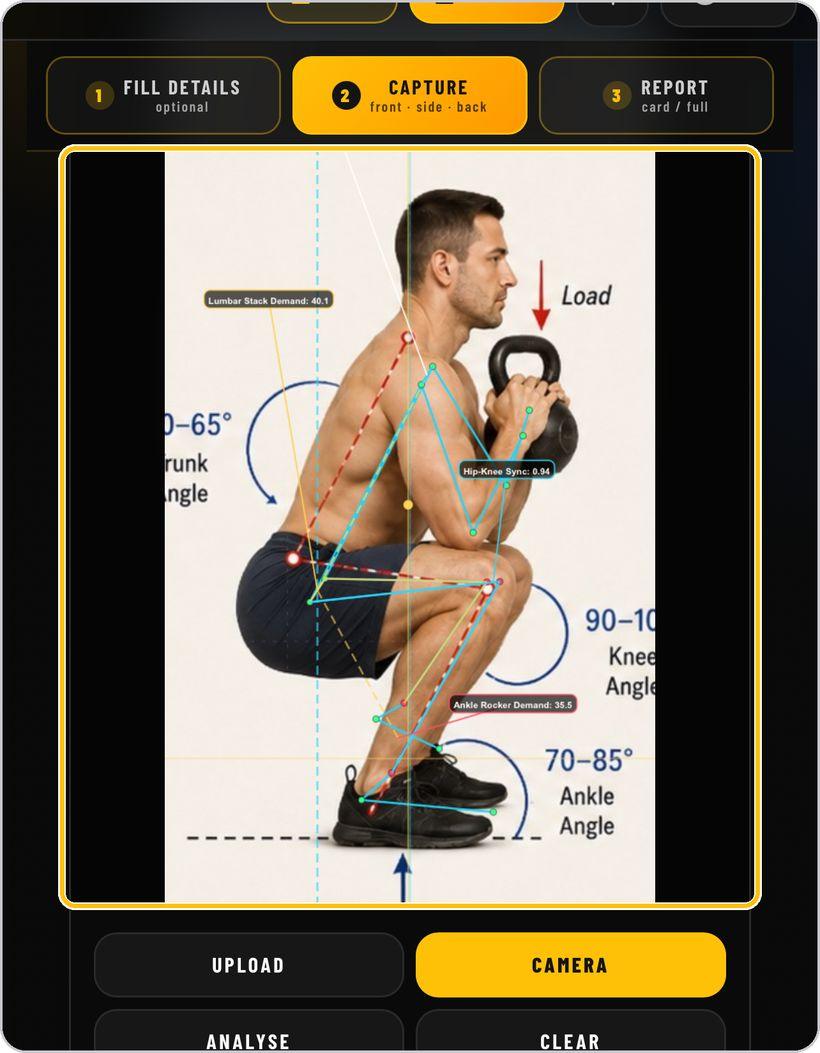
Read the side view
Trunk inclination, lumbar stack demand, hip-knee sync, ankle rocker demand and the hip moment-arm demand proxy.
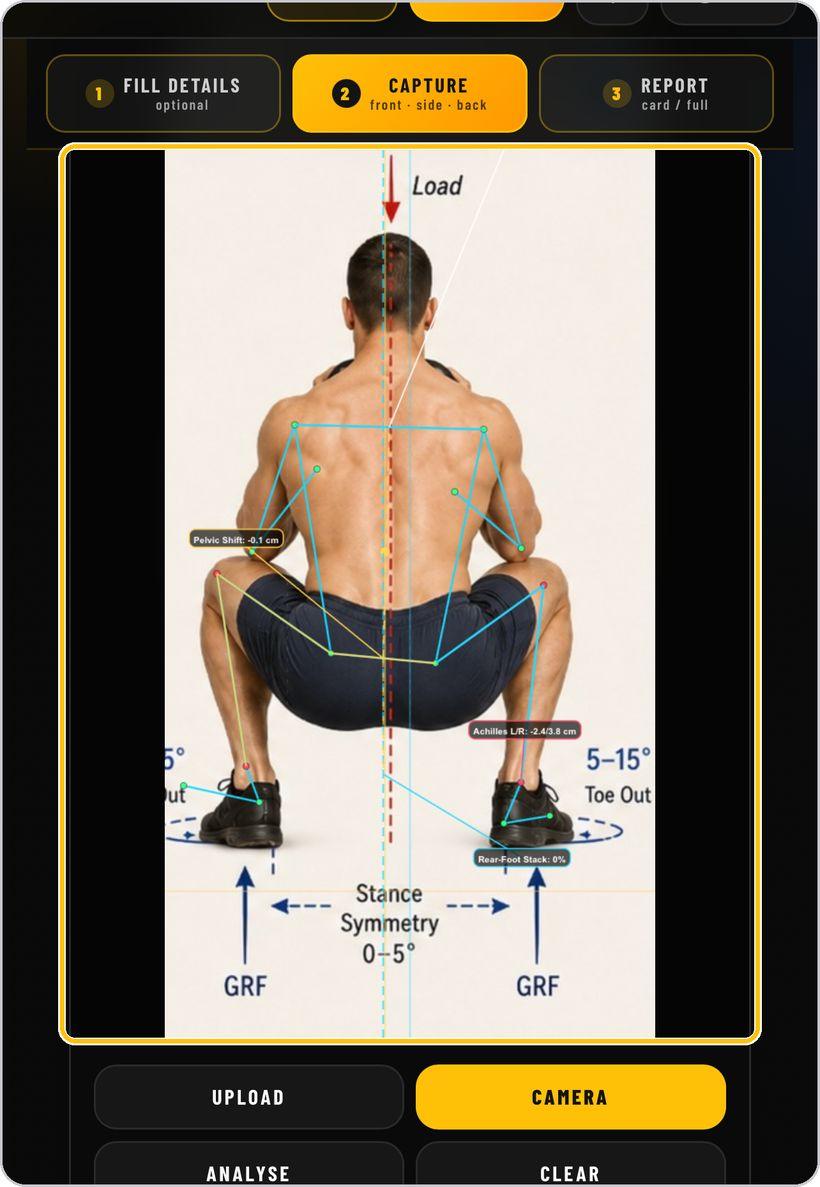
Read the back view
Pelvic shift, Achilles left and right, rear-foot stack and posterior pelvic shift.
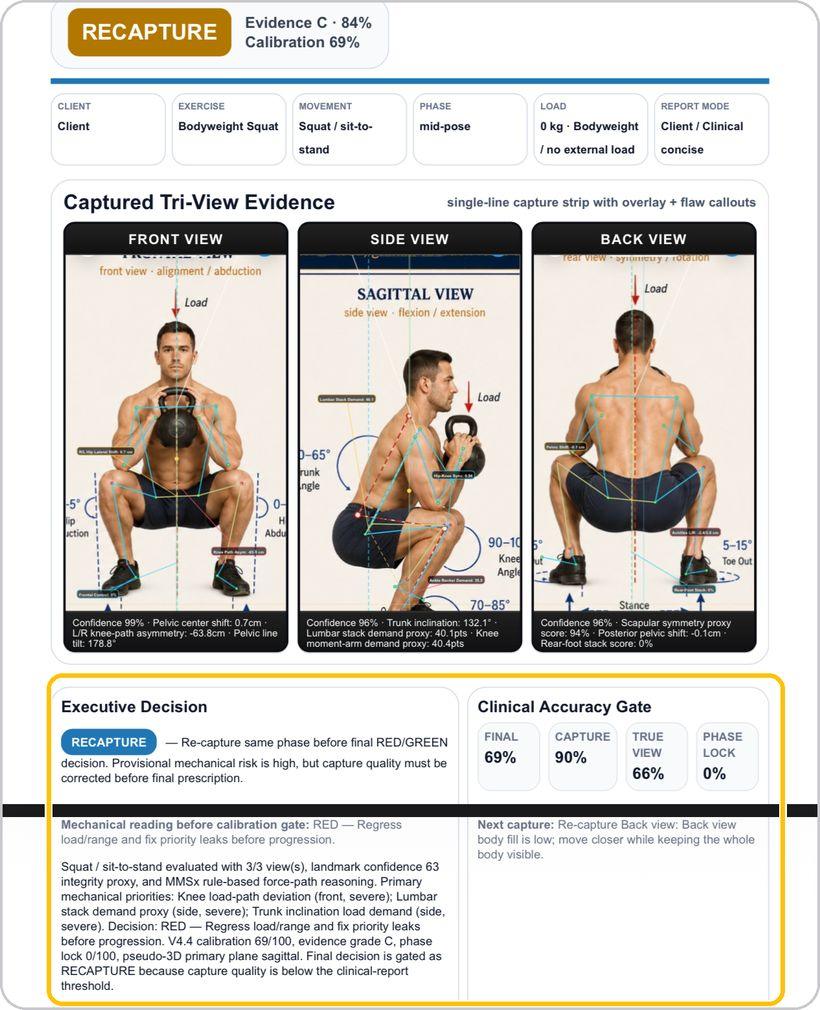
Executive decision and the accuracy gate
The report opens with the decision — GREEN, RED, or RECAPTURE — the evidence grade and calibration, the tri-view evidence with confidence, and the clinical accuracy gate: final, capture, true view, phase lock — with the next capture to make.
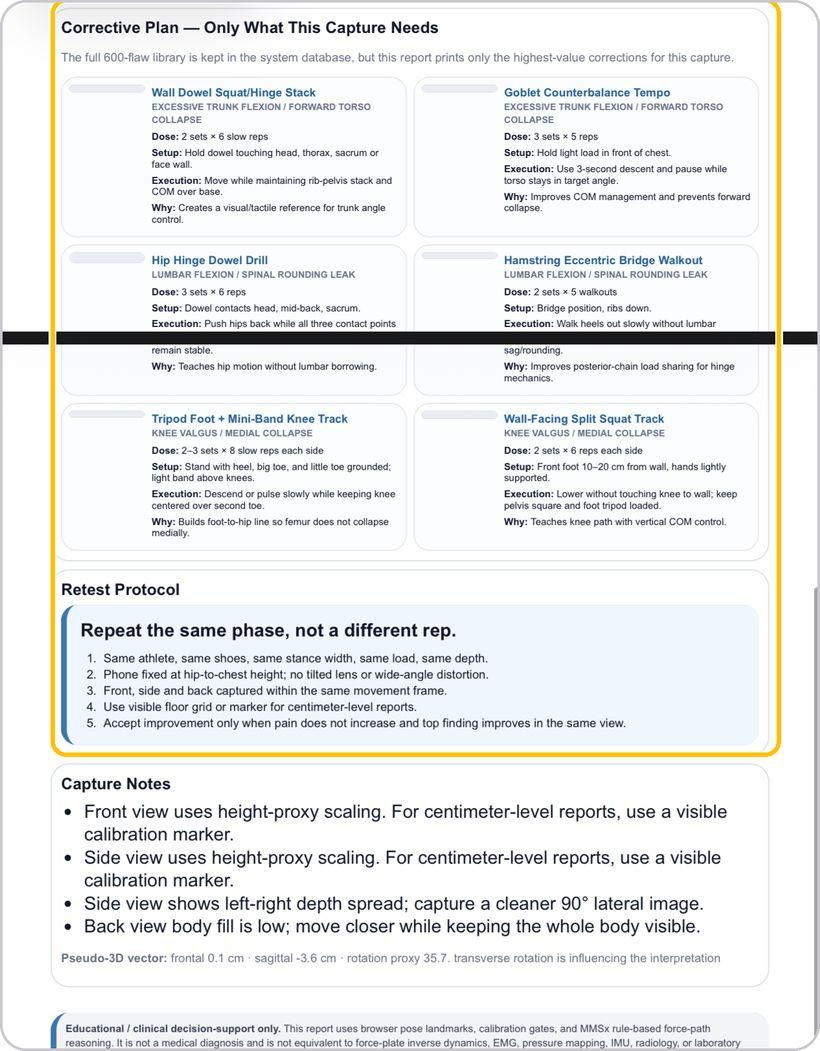
Corrective plan and retest protocol
The report prints only the corrections this capture needs — each with dose, setup, execution and why — the retest protocol, capture notes and the pseudo-3D vector. Card PDF is one page; Report PDF is the clinical two to three pages.
You're ready
That's it. Open Asymmetry Engine, capture the three views and run the brain.
Reading the clinical report
Page one of every report is the decision page. Here is what each part means.
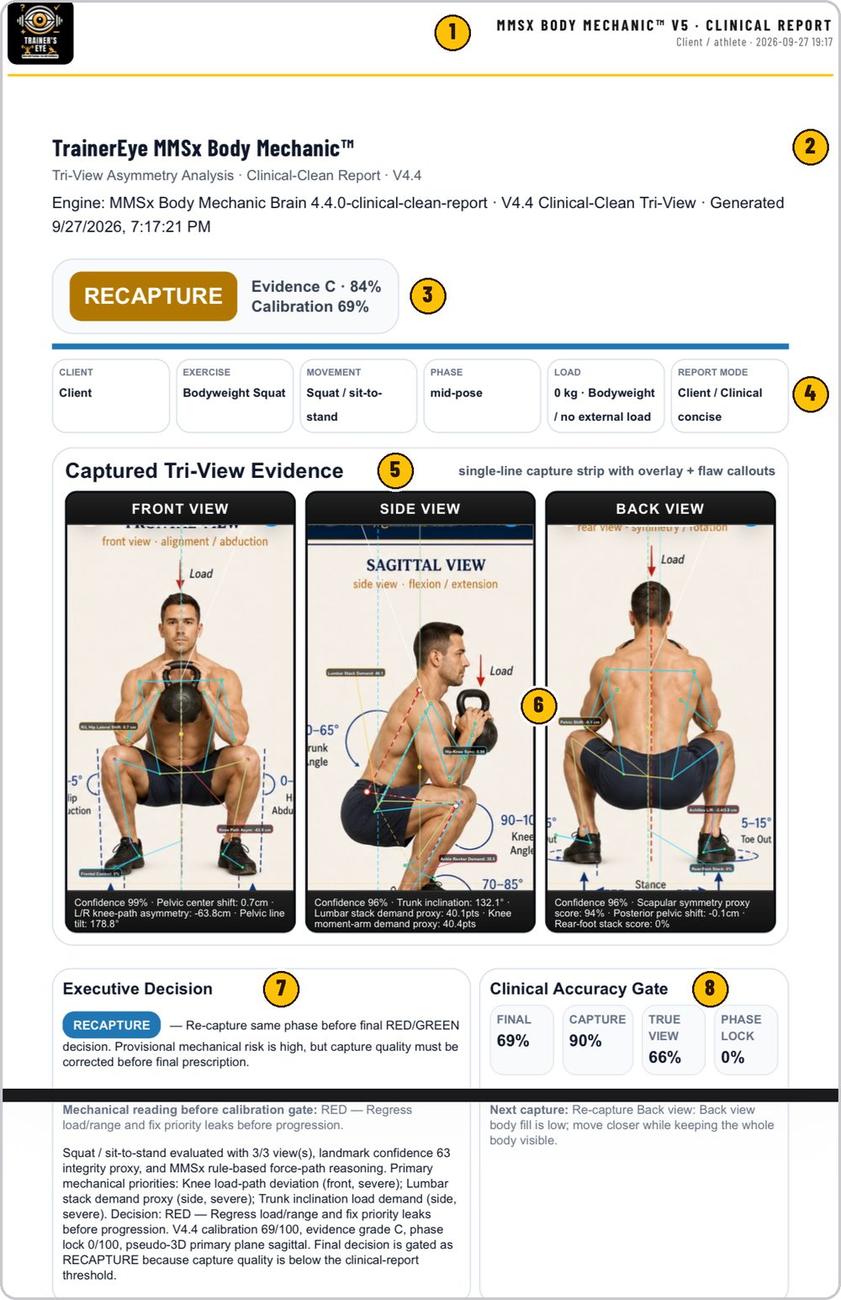
MMSx Body Mechanic clinical report, client and date.
Tri-view asymmetry analysis, the report version and the engine that generated it.
GREEN, RED or RECAPTURE; the evidence grade and calibration percentage.
Client, exercise, movement, phase, load and report mode as entered.
The three views with their overlays and flaw callouts.
Per view: confidence and the headline metrics.
The decision in words, the mechanical reading before the gate and the priorities.
Final, capture, true view and phase lock, with the next capture to make.
Asymmetry Engine is part of TrainersEye
Support: support@trainerseye.com · trainerseye.com
TrainersEye MMSx Body Mechanic · Powered by MMSx Authority Institute
Educational clinical decision-support only — not a medical diagnosis. The report uses pose landmarks, calibration gates and MMSx rule-based force-path reasoning; it is not equivalent to force-plate inverse dynamics, EMG, pressure mapping, IMU, radiology or laboratory motion analysis.