
Clinical Rehab Sessions
Four rehab libraries behind one door — adults by body region, kids 4–16, seniors 50 to 80+, and clinical plans by named condition — every session created and approved by MMSx Authority Institute.
What is Clinical Rehab Sessions?
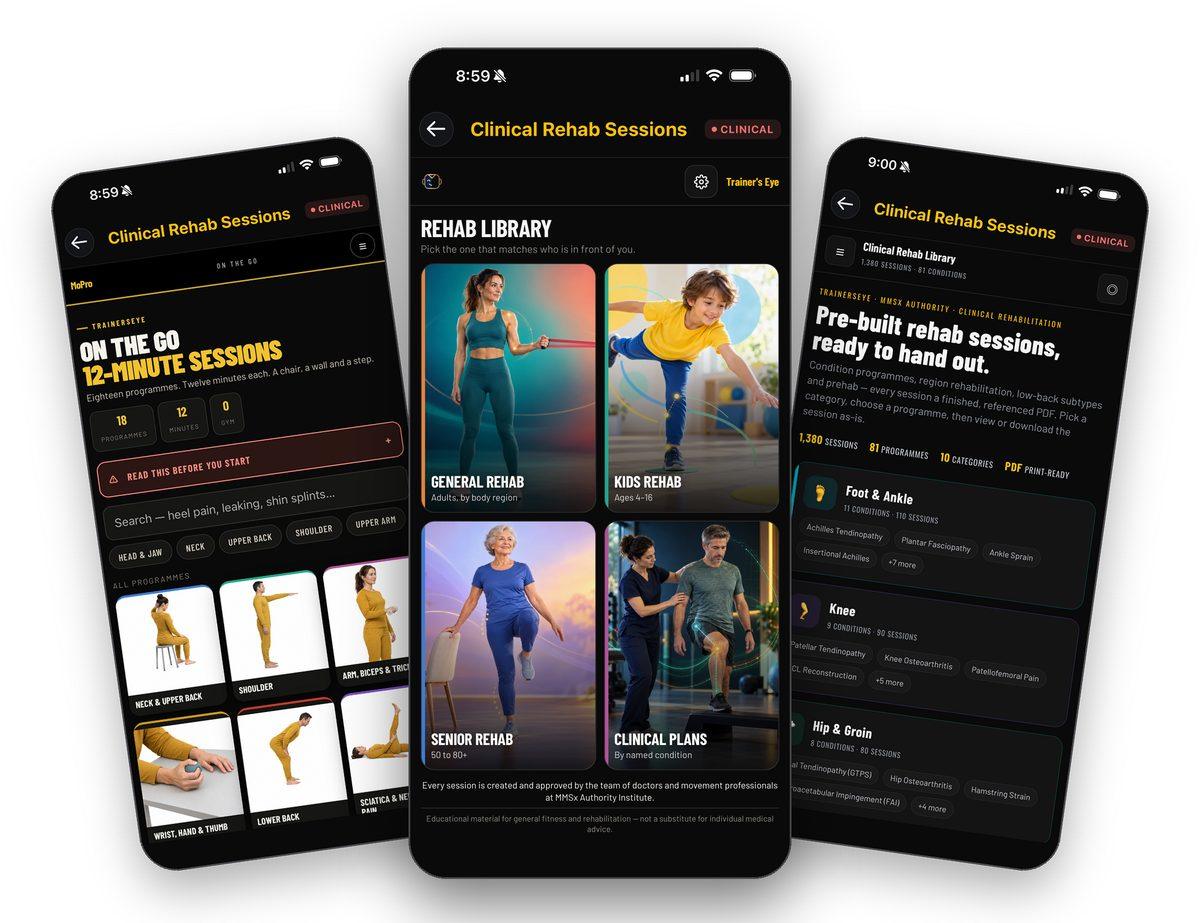
Clinical Rehab Sessions is the TrainersEye rehab library — four doors, one for whoever is in front of you. General Rehab: eighteen On the Go 12-minute programmes for adults, by body region, run on a chair, a wall and a step, each with a pain rule, red flags and a printable session sheet. Kids Rehab: the Kids Movement Map, fifteen places for ages 4 to 16 with lettered sessions and a printable card. Senior Rehab: Senior Active Longevity, home sessions for adults 50 and over, chosen by age or by condition, in four languages. Clinical Plans: 1,380 pre-built sessions across 81 programmes in ten categories, each a finished, referenced PDF to view or download as-is. Every session is created and approved by the team of doctors and movement professionals at MMSx Authority Institute — educational material, not a substitute for individual medical advice.
Four libraries, one door
General Rehab for adults by body region, Kids Rehab for ages 4–16, Senior Rehab for 50 to 80+, Clinical Plans by named condition.
Sessions, not lectures
Twelve-minute couplets on a clock, lettered kids sessions, senior sessions worked in order from A, timed clinical blocks.
Rules built in
A pain rule, Read this before you start, red flags and see-a-doctor-first lists sit inside every library.
Hand-out ready
Session sheets, kids cards and referenced clinical PDFs print or save straight from the phone.
Where to find it
Open the TrainersEye app, go to the Dashboard and tap Clinical Rehab Sessions. It is a Clinical-plan tool — the CLINICAL badge sits beside the title.
This guide in thirteen steps
Open the tool
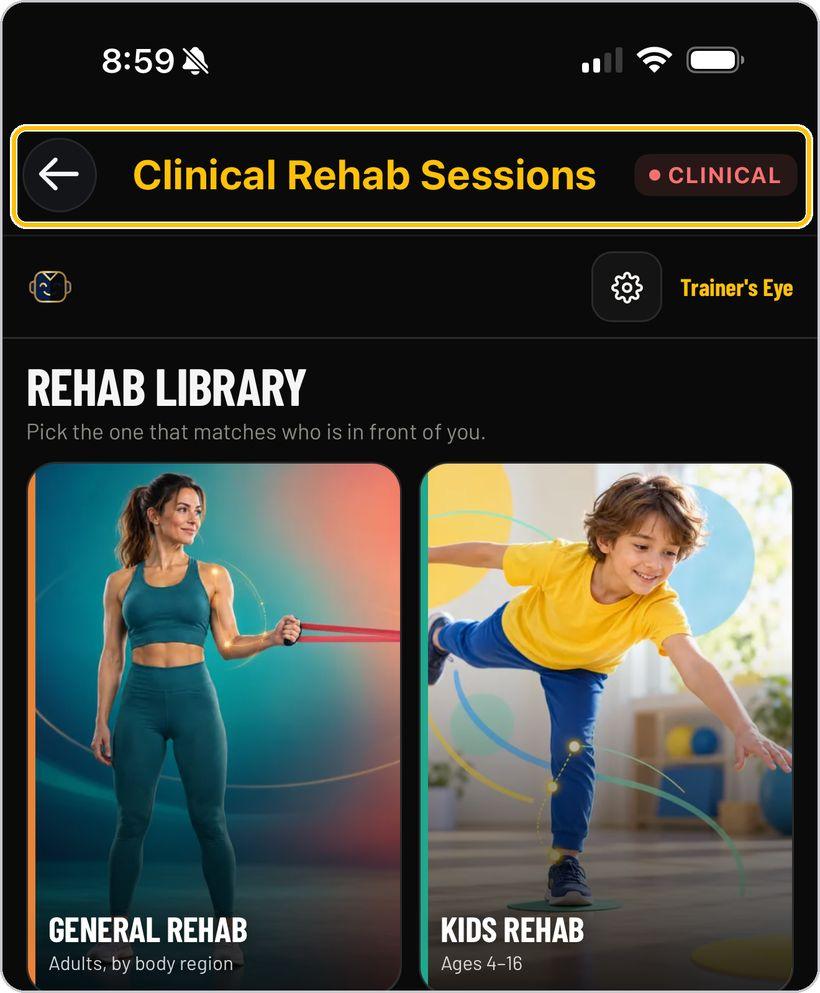
From the Dashboard, tap Clinical Rehab Sessions. It is a Clinical-plan tool — the CLINICAL badge sits beside the title. The bar beneath carries the MoPro mark, the settings gear and the Trainer's Eye name.
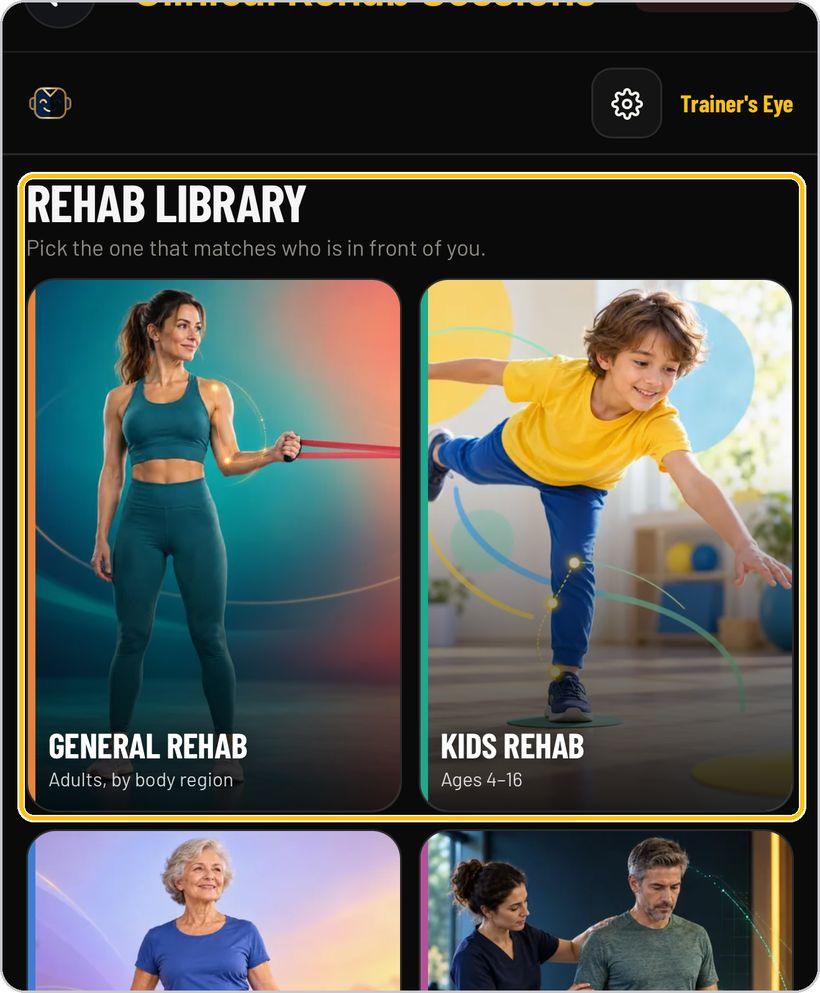
Pick the library
The Rehab Library asks you to pick the one that matches who is in front of you: General Rehab — adults, by body region; Kids Rehab — ages 4 to 16; Senior Rehab — 50 to 80+; Clinical Plans — by named condition. Every session is created and approved by the team of doctors and movement professionals at MMSx Authority Institute.
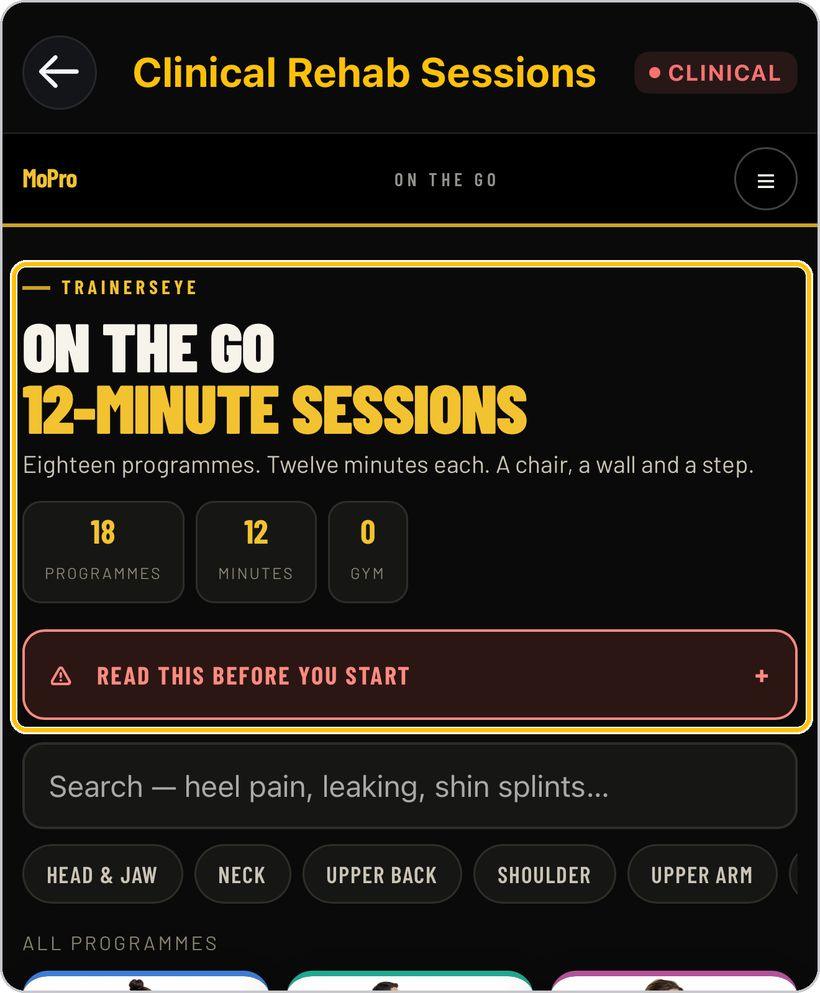
General Rehab: On the Go
General Rehab opens On the Go — eighteen 12-minute programmes and no gym: a chair, a wall and a step. Open Read this before you start, search by symptom (heel pain, leaking, shin splints…) or use the region chips from Head & Jaw downwards, and scroll the programme cards — Neck & Upper Back, Shoulder, Arm, Biceps & Triceps, Wrist, Hand & Thumb, Lower Back, Sciatica & Nerve Leg Pain and on.
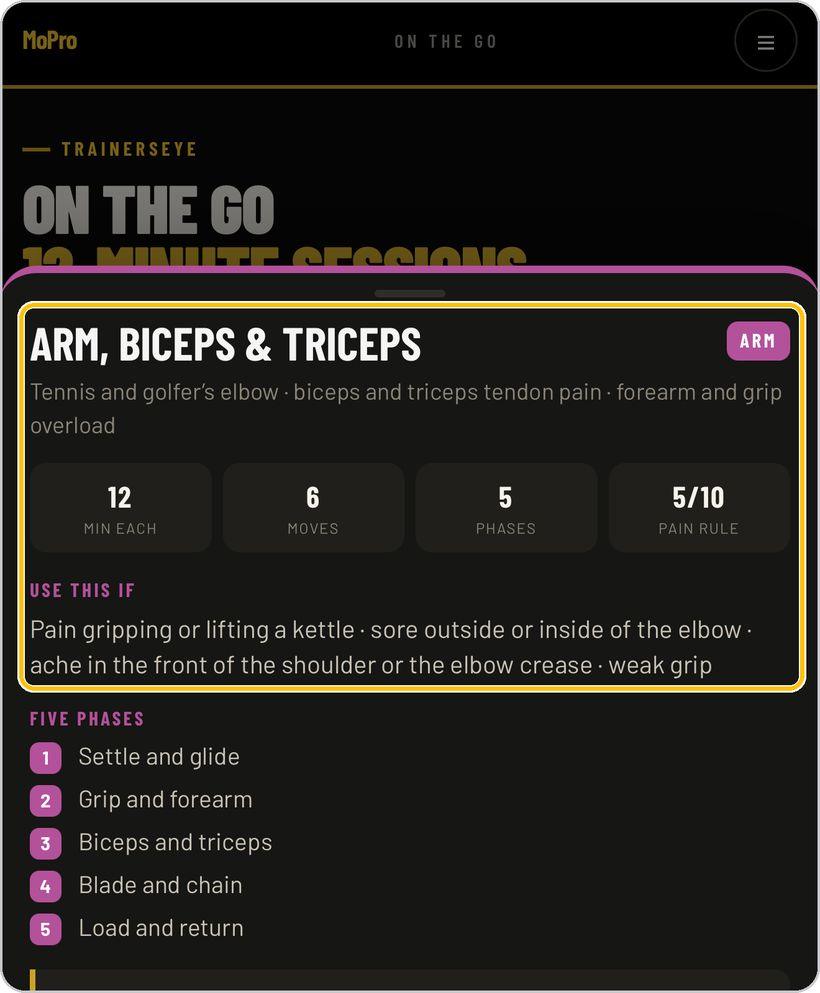
Open a programme
A programme sheet says what it covers — Arm, Biceps & Triceps: tennis and golfer's elbow, biceps and triceps tendon pain, forearm and grip overload — and its shape: 12 minutes each, 6 moves, 5 phases, a 5/10 pain rule. Use this if lists the signs, Five phases runs from Settle and glide to Load and return, the tracked number is stated, a Red flag box says what needs a surgeon, and Kit lists the household objects. Start Session A, or All sessions.
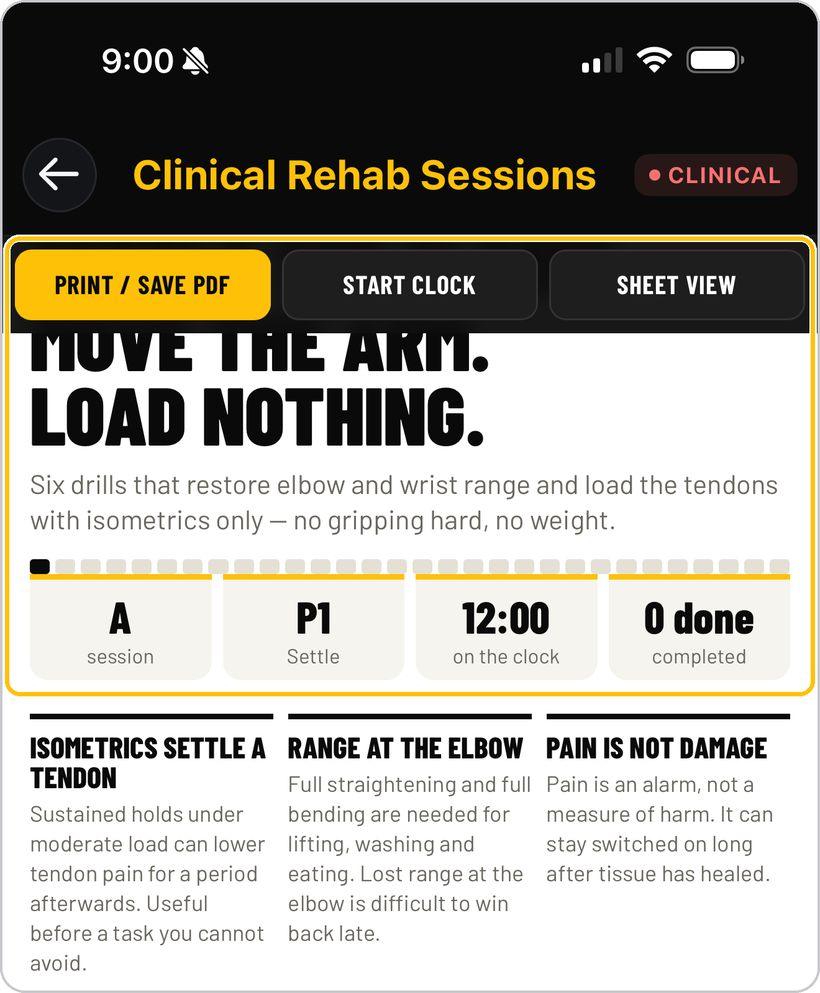
Run the session
Session A opens on its phase headline — Settle the elbow. Move the arm. Load nothing — and its six drills. The tiles show the session letter, the phase, 12:00 on the clock and drills done; three principle boxes explain the why. Start the 12-minute clock runs three couplets over two rounds, each drill with a photo, a dose, a cue and Easier / Harder. Print / Save PDF and Sheet view sit in the top bar.
Kids Rehab: the Movement Map
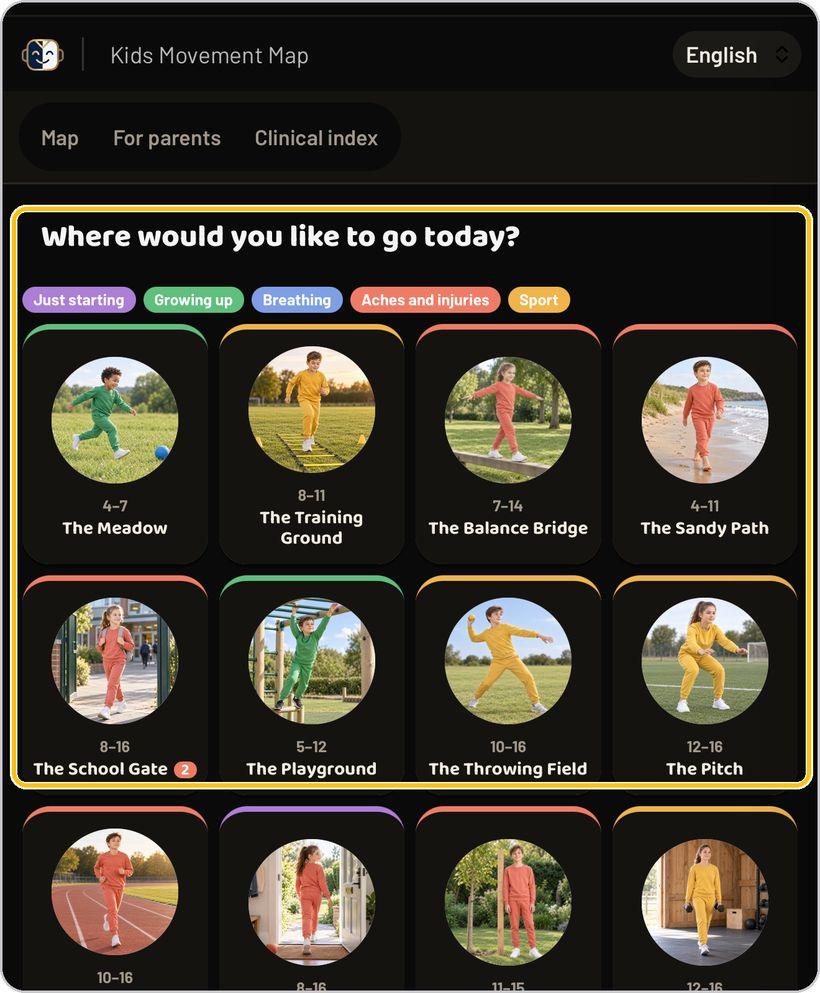
Kids Rehab opens the Kids Movement Map — Where would you like to go today? Fifteen places, each with an age range: The Meadow 4–7, The Training Ground 8–11, The Balance Bridge 7–14, The Sandy Path 4–11, The School Gate, The Playground, The Throwing Field, The Pitch, The Comeback Track, The Front Door, The Growing Tree, The Strength Barn, The Running Trail, The Big Field and The Breezy Hill. Filter with Just starting, Growing up, Breathing, Aches and injuries or Sport; the tabs switch to For parents and the Clinical index.
A kids programme
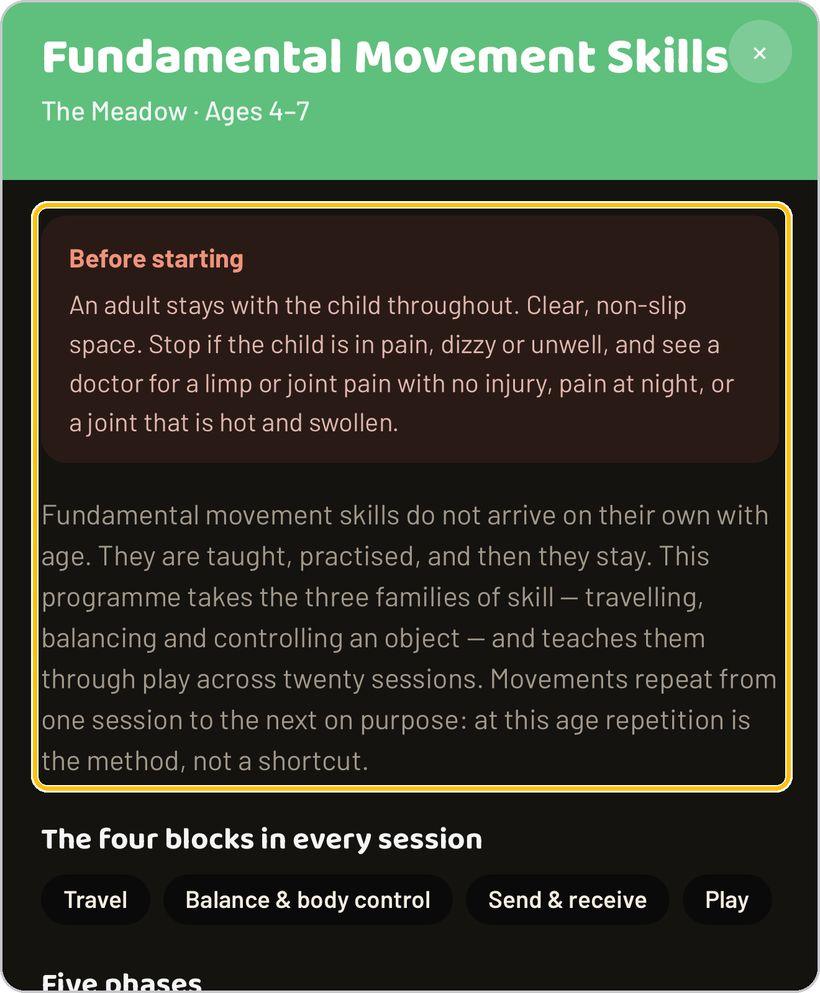
A place opens as a programme — Fundamental Movement Skills, The Meadow, ages 4–7. Before starting sets the rules: an adult stays with the child throughout, a clear non-slip space, stop if the child is in pain, dizzy or unwell, and see a doctor for a limp or joint pain with no injury. The programme explains what it teaches, names the four blocks in every session — Travel, Balance & body control, Send & receive, Play — and walks its five phases with guidance for the adult.
Sessions A to T
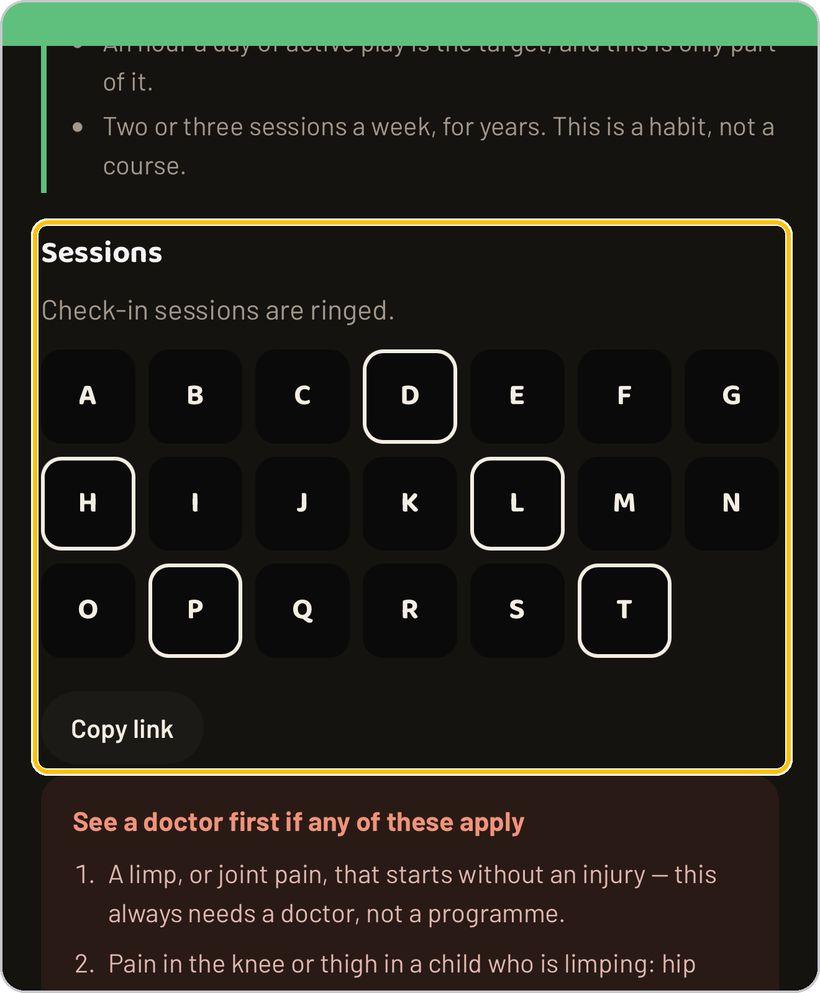
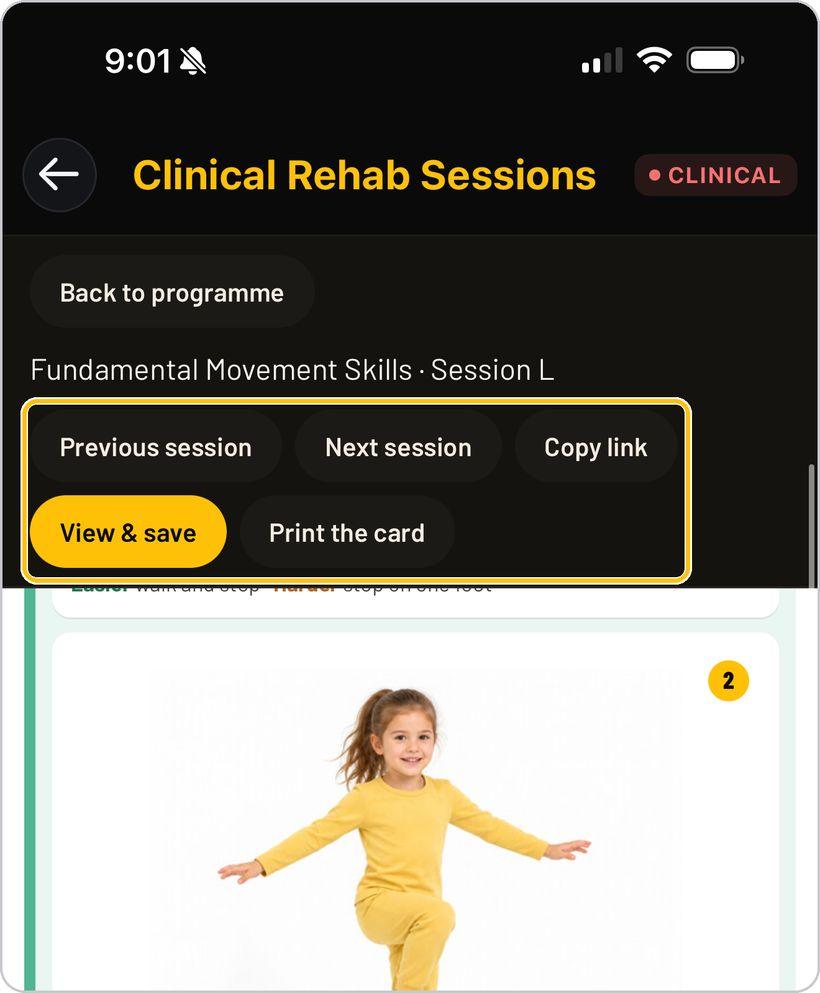
Sessions run A to T; check-in sessions are ringed. Tap a letter to open it — Previous session and Next session move along, Copy link shares it, View & save and Print the card make the card. Each movement card carries a photo, a dose chip such as 10 each foot, a cue and Easier / Harder. See a doctor first if any of these apply closes the programme.
Senior Rehab: by age or by condition
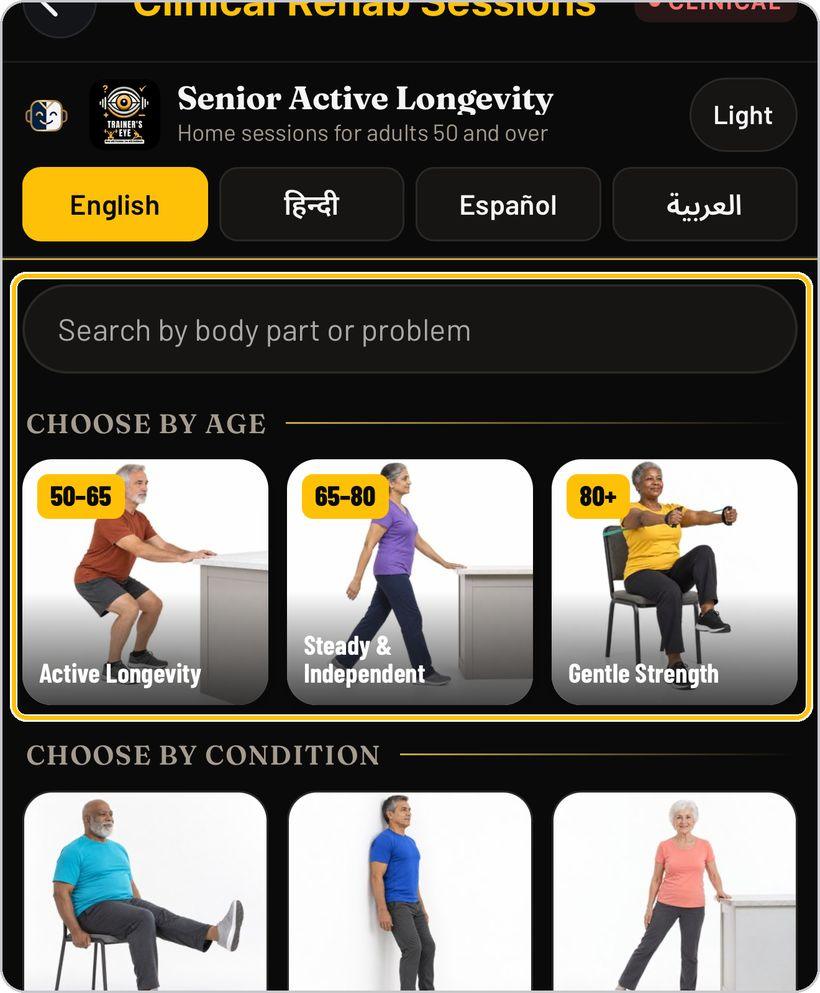
Senior Rehab opens Senior Active Longevity — home sessions for adults 50 and over, with its own English / हिन्दी / Español / العربية pills and a Light switch. Search by body part or problem, choose by age — 50–65 Active Longevity, 65–80 Steady & Independent, 80+ Gentle Strength — or by condition: Knee Osteoarthritis, Lower Back Pain, Hip Stiffness & Mobility, Shoulder Pain & Reach, Diabetes & Muscle Loss, Bone Health & Osteopenia and more.
A senior programme and its sessions
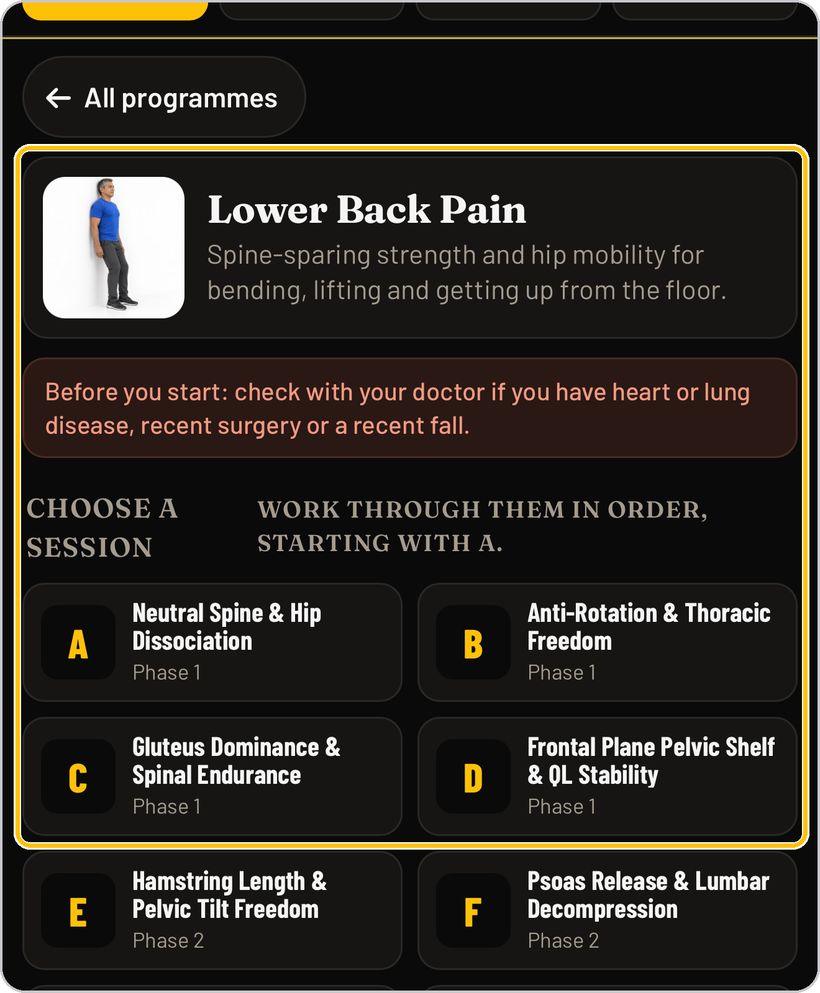
A programme — Lower Back Pain: spine-sparing strength and hip mobility for bending, lifting and getting up from the floor — opens with Before you start (check with your doctor if you have heart or lung disease, recent surgery or a recent fall) and Choose a session: work through them in order, starting with A. Each lettered session names its focus and phase and opens as a white sheet — four blocks, twelve movements, each with a photo, a dose, a cue and Easier / Harder.
Clinical Plans: the library
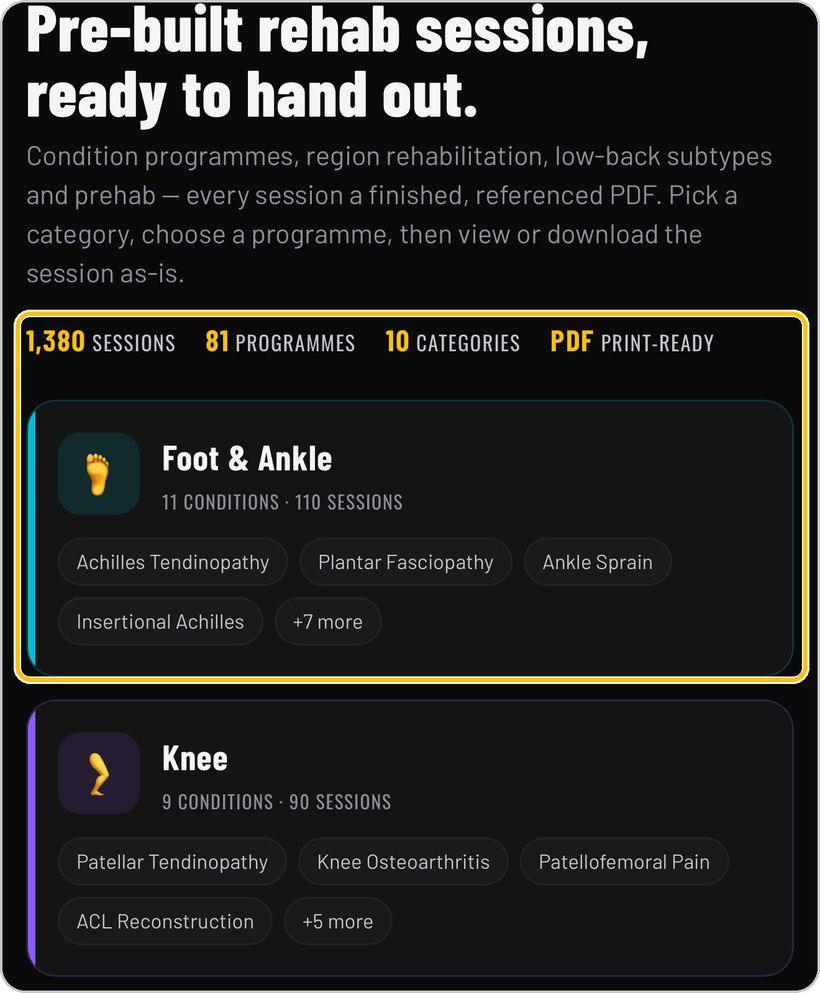
Clinical Plans opens the Clinical Rehab Library — 1,380 sessions, 81 programmes, 10 categories, every session a finished, referenced PDF, print-ready: condition programmes, region rehabilitation, low-back subtypes and prehab. Each category card lists its conditions — Foot & Ankle, 11 conditions and 110 sessions; Knee, 9 and 90; Hip & Groin, 8 and 80. Pick a category, choose a programme, then view or download the session as-is.
Find a condition and download
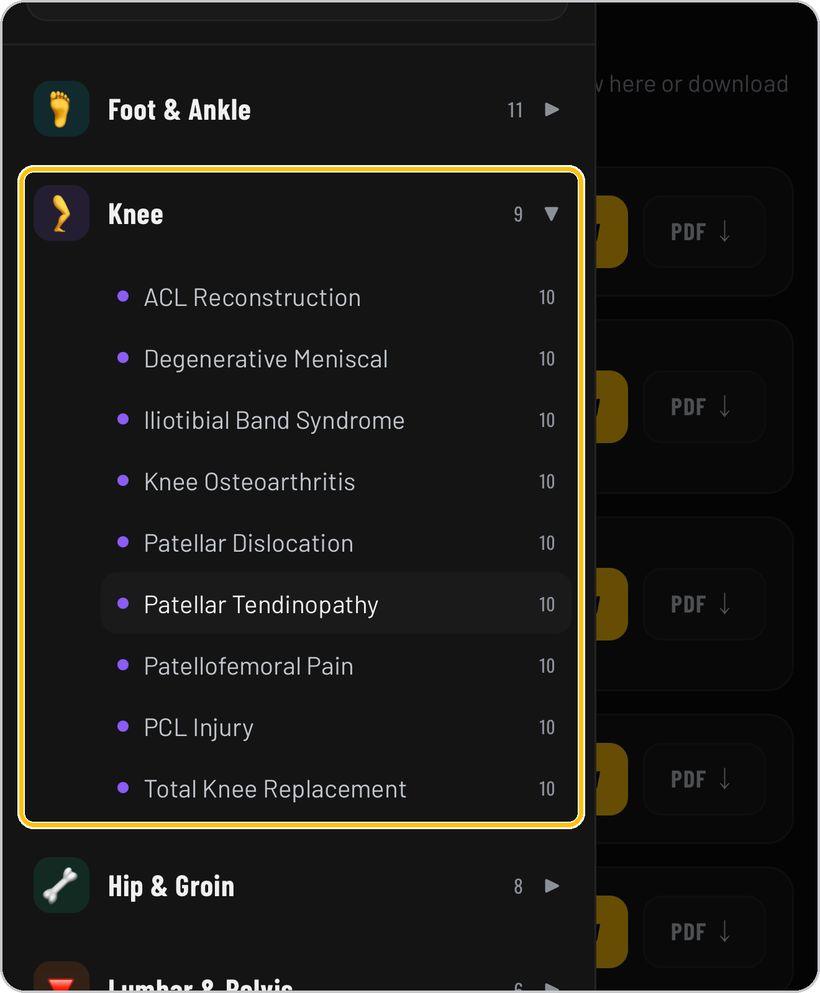
The menu lists the categories with their counts and a Search condition box. Expand one — Knee: ACL Reconstruction, Degenerative Meniscal, Iliotibial Band Syndrome, Knee Osteoarthritis, Patellar Dislocation, Patellar Tendinopathy, Patellofemoral Pain, PCL Injury and Total Knee Replacement, ten sessions each — and tap a condition. Its sessions list with a PDF button on every row: view here or download.
Print, save and hand out
Every library prints. General: Print / Save PDF and Sheet view make the 12-minute session sheet. Kids: View & save and Print the card make the session card; Copy link shares it. Senior: the session sheet prints as it stands. Clinical Plans: PDF on each session row. The phone's print sheet prints it or saves it to Files.
You're ready
That's it. Open Clinical Rehab Sessions and pick the library that matches who is in front of you.
Reading a clinical plan session
Every Clinical Plans session is one referenced PDF. Here is what each part of it means.
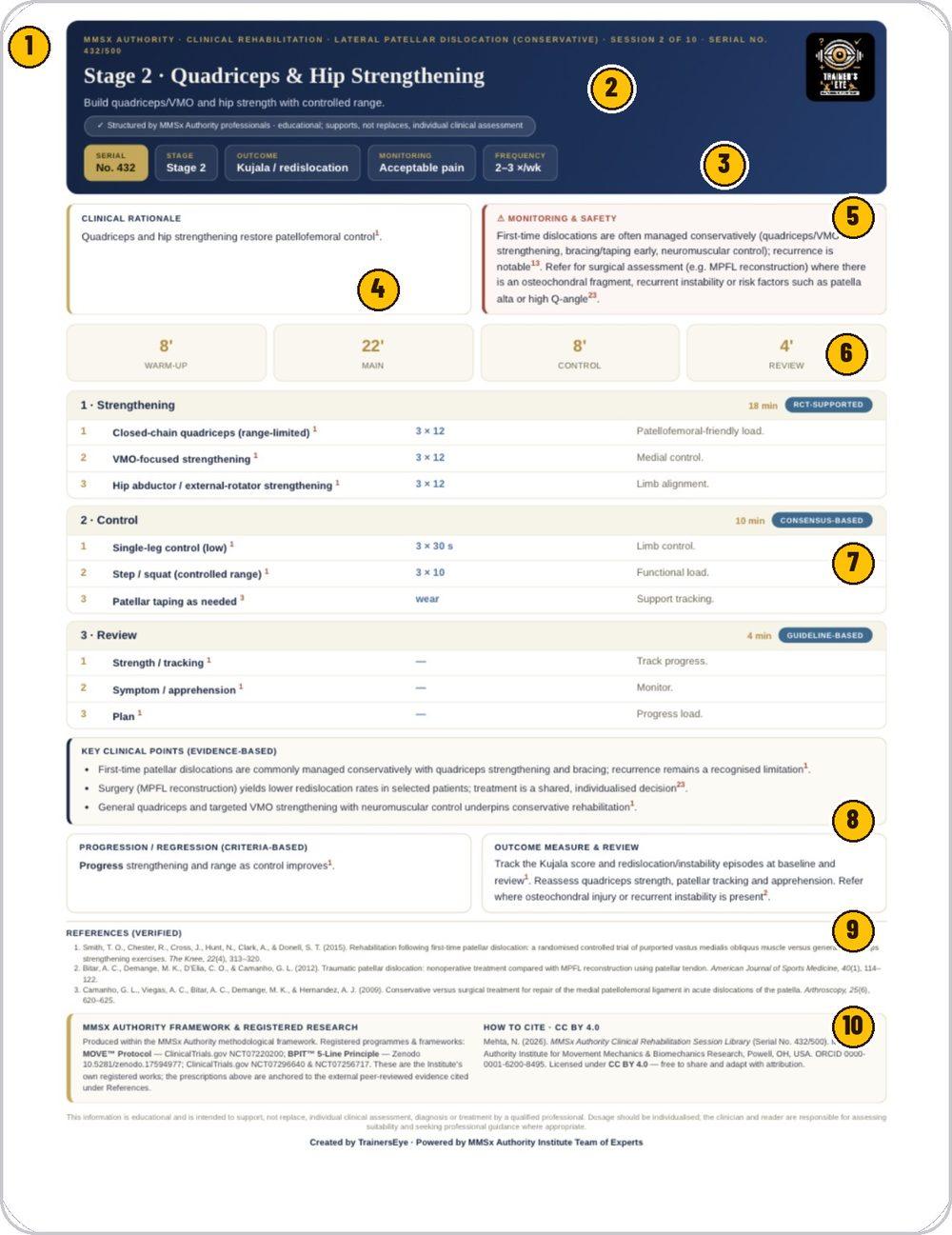
MMSx Authority · Clinical Rehabilitation, the condition and its variant, the session and the serial number.
The stage and its name, what the session builds, and the note that it supports, not replaces, individual clinical assessment.
The session's identity tiles — the outcome measure, the monitoring rule and how often to run it.
Why this session, with its reference number.
How the condition is usually managed, and when to refer for surgical assessment.
Warm-up, main, control and review, in minutes.
Numbered exercises with dose and purpose; each block carries its evidence badge — RCT-supported, consensus-based or guideline-based.
Evidence-based points, the criteria for progressing or regressing, and the outcome measure to track at review.
The peer-reviewed sources the prescriptions are anchored to.
The MMSx registered frameworks, how to cite under CC BY 4.0, and the educational-use statement.
Clinical Rehab Sessions is part of TrainersEye
Support: support@trainerseye.com · trainerseye.com
Sessions created and approved by the doctors and movement professionals of MMSx Authority Institute · Backed by MMSx Authority Institute
Educational material for general fitness and rehabilitation — every session supports, not replaces, individual clinical assessment; its pain rule and red flags are part of it. Not a substitute for individual medical advice.