
EMG Lab
Two research-grade graph libraries — muscle activation and force in the EMG Lab, joint kinetics and coaching data in the Exercise Atlas.
What is EMG Lab?
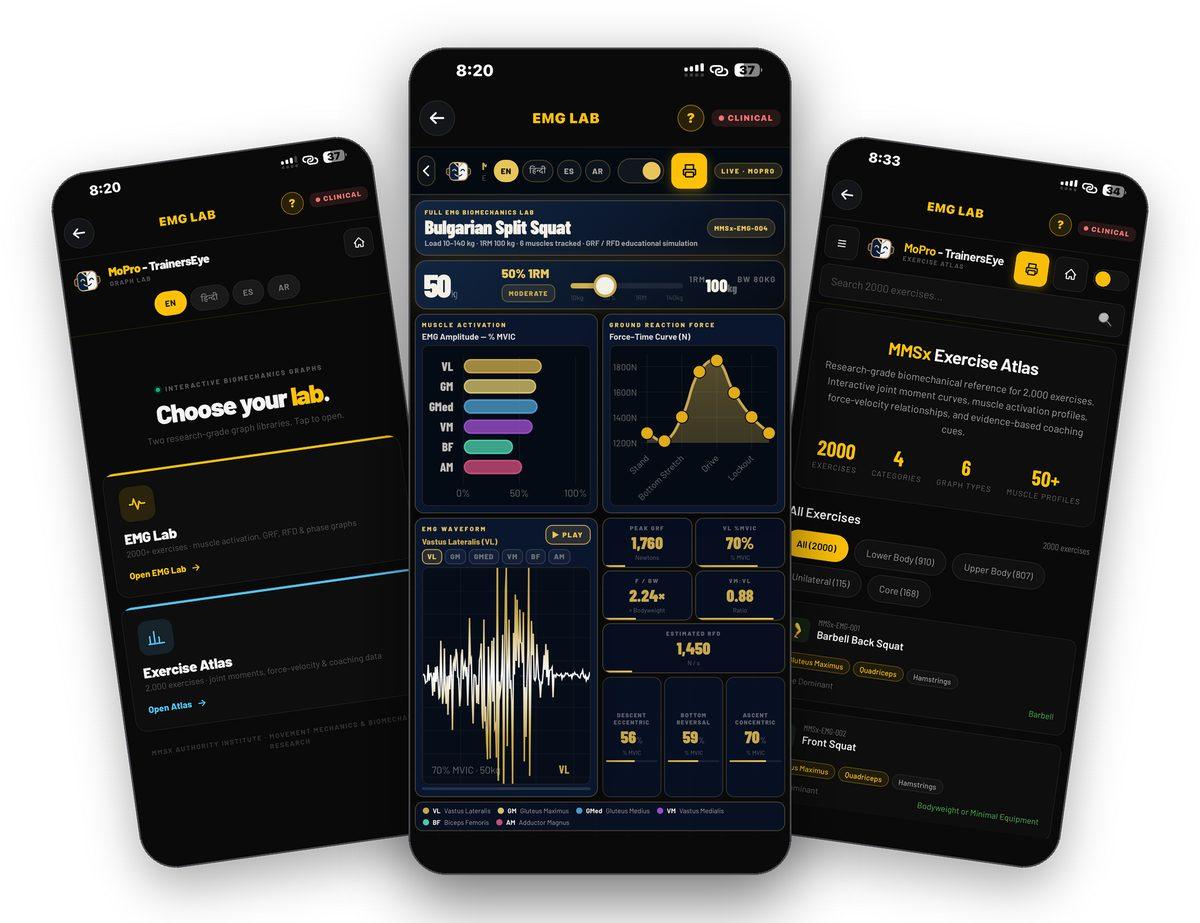
EMG Lab is the TrainersEye Graph Lab — two interactive biomechanics libraries behind one door. The EMG Lab holds 2,000 exercises organised by movement pattern; each opens a full lab where you set the load and watch muscle activation, ground reaction force, the EMG waveform and rate of force development respond. The Exercise Atlas holds the same 2,000 exercises as a research-grade reference — joint moment and power curves, muscle profiles, force–velocity behaviour and coaching cues — and prints each one as an A4 Applied Biomechanics Exercise Profile. Every graph is an educational simulation modelled by MMSx Authority Institute, not a measurement of any individual.
Two labs, one door
EMG Lab for activation, force and phases; Exercise Atlas for joint kinetics, muscle profiles and coaching cues.
2,000 exercises each
Fifteen movement-pattern categories in the EMG Lab; lower body, upper body, unilateral and core in the Atlas.
Set the load, watch it respond
Slide from 10 to 140 kg and every graph and number updates — activation, GRF, RFD and the phase profile.
A4 reference documents
Every Atlas exercise prints as an Applied Biomechanics Exercise Profile with a document ID and verify code.
Where to find it
Open the TrainersEye app, go to the Dashboard and tap EMG Lab. It is a Clinical-plan tool — the CLINICAL badge sits beside the title.
This guide in thirteen steps
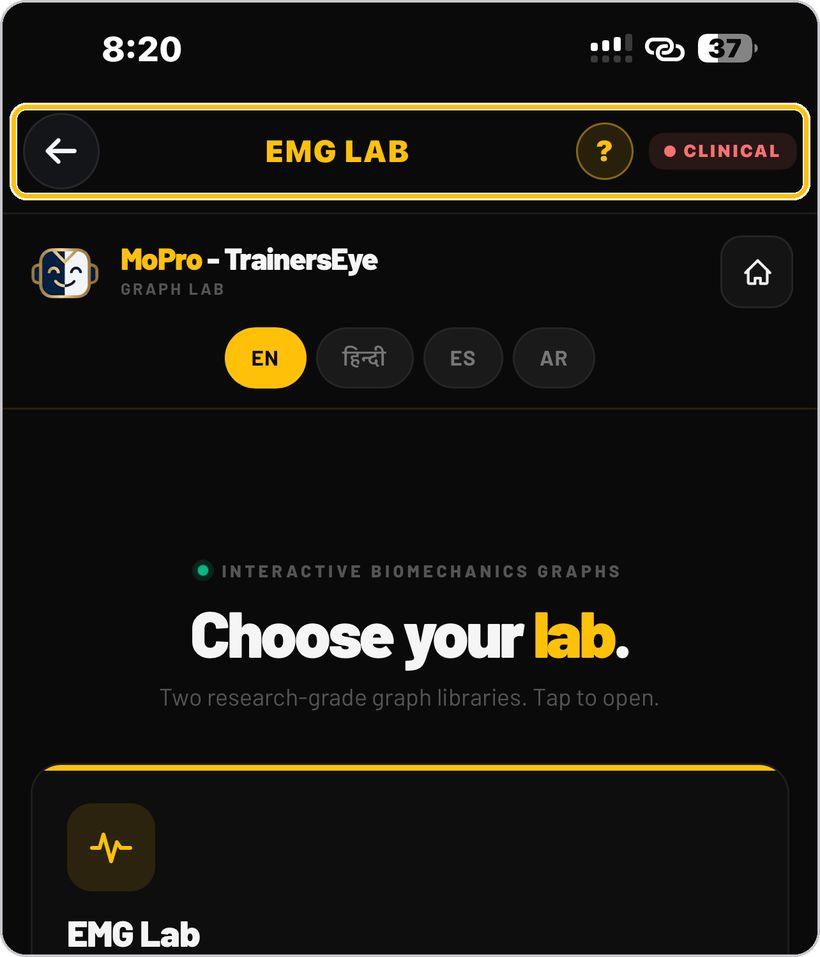
Open the tool
From the Dashboard, tap EMG Lab. It is a Clinical-plan tool — the CLINICAL badge sits beside the title, with the question mark for help.
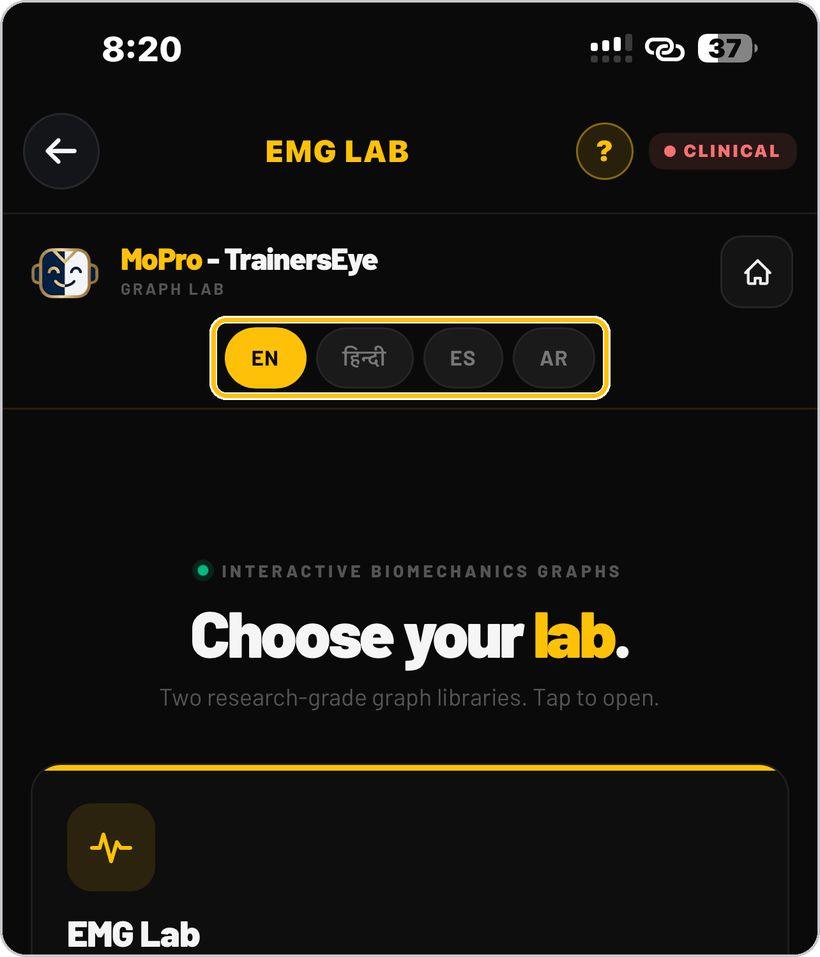
Choose your language
Pick English, Hindi, Spanish or Arabic with the pills under the MoPro header. Every lab page repeats the same pills, so you can switch at any point.
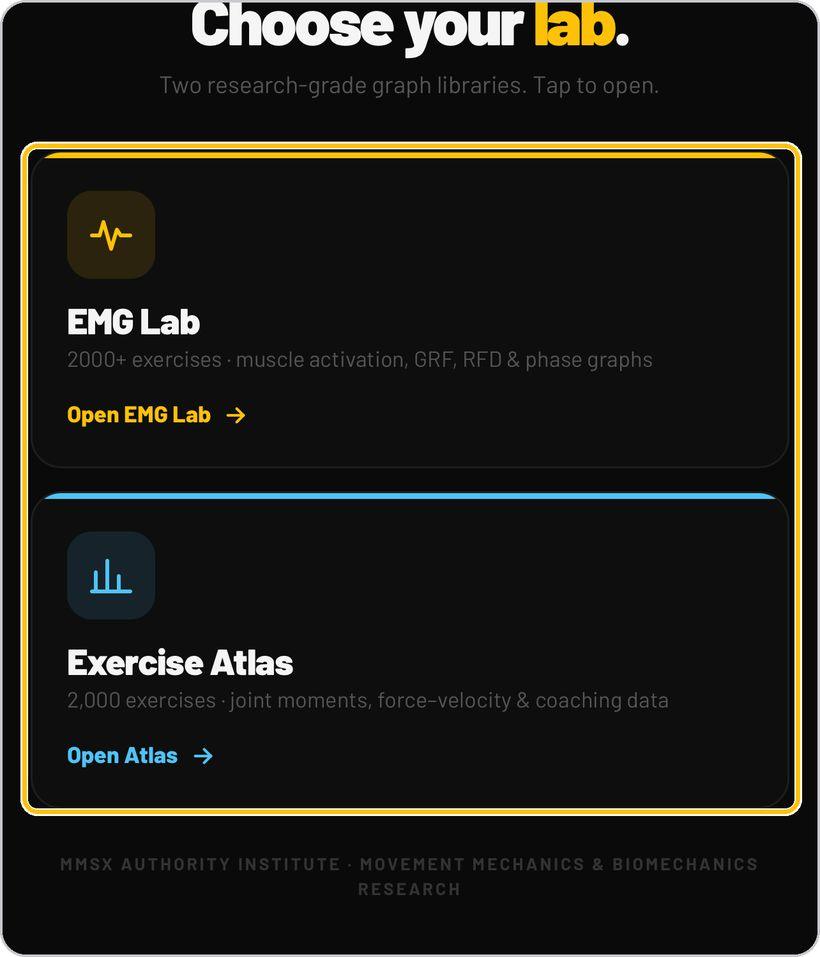
Choose your lab
Two cards: EMG Lab — 2,000 exercises with muscle activation, GRF, RFD and phase graphs — and Exercise Atlas — 2,000 exercises with joint moments, force–velocity and coaching data. Tap Open on the one you need.
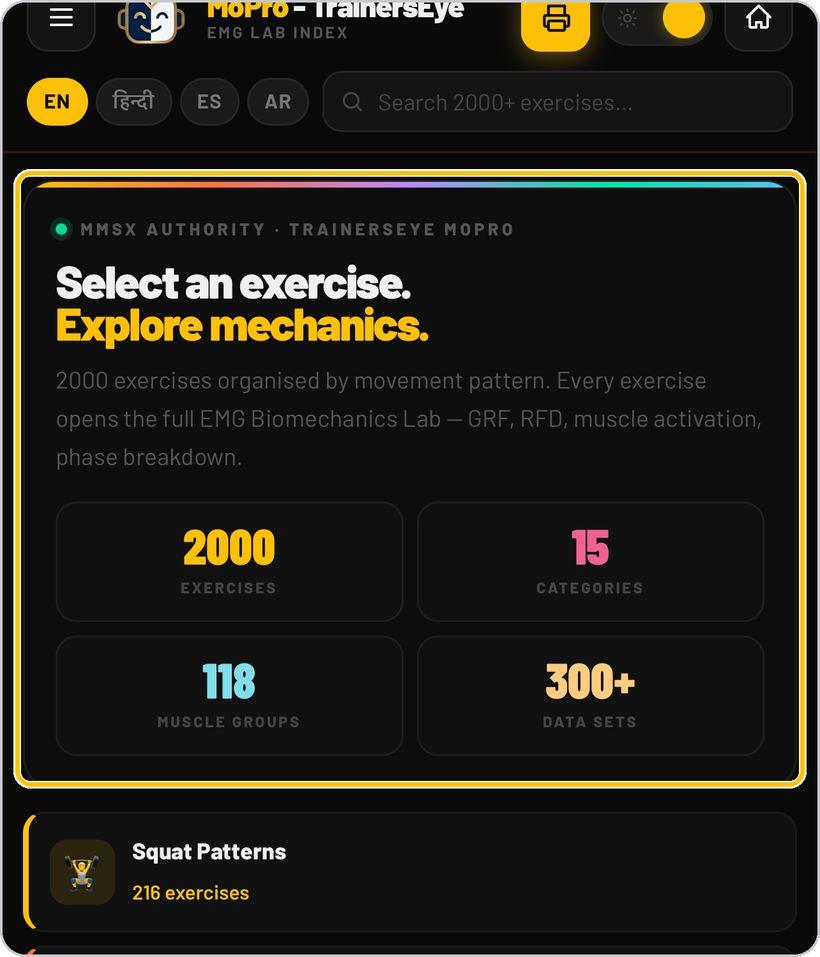
The EMG Lab index
The index opens on the library numbers — 2,000 exercises, 15 categories, 118 muscle groups, 300+ data sets — above the movement-pattern cards, from Squat Patterns to Shoulder & Overhead. The bar at the top holds the menu, the printer, the sun/moon look switch, home, the language pills and the search box.
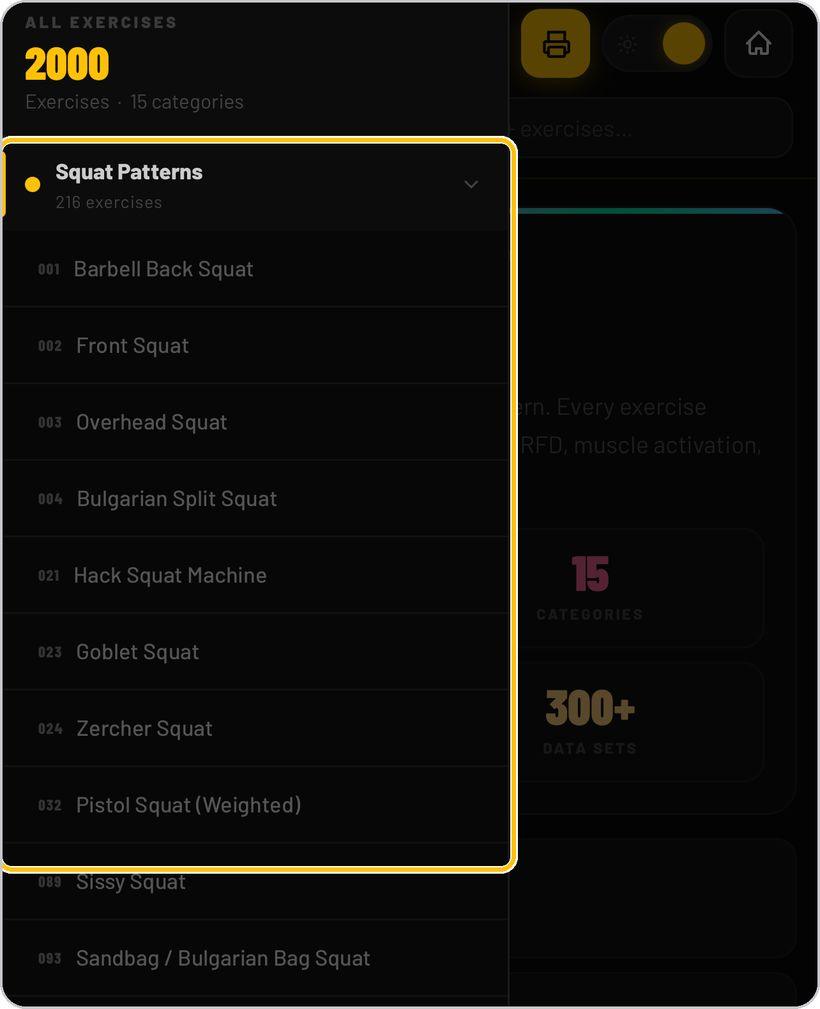
Find an exercise
Tap a pattern card, or open the menu to browse every category and its numbered exercises — 001 Barbell Back Squat, 002 Front Squat and so on. Type a name into Search 2000+ exercises to jump straight to it.
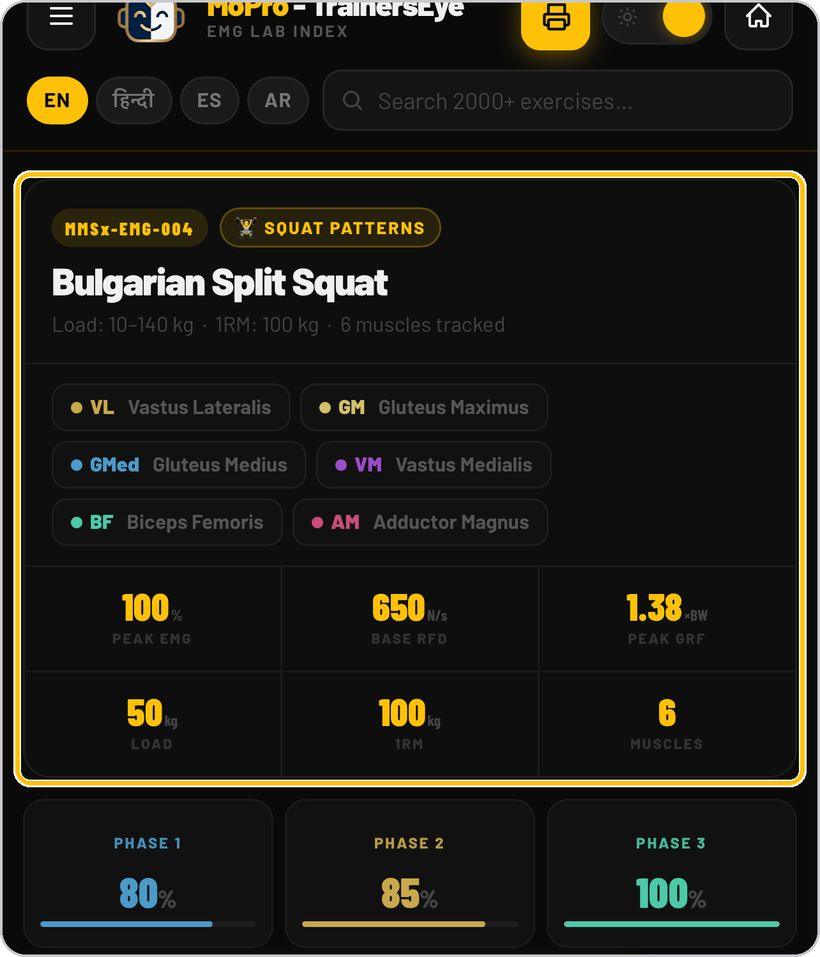
Read the exercise card
Each exercise opens on a summary card: its MMSx-EMG code and category, the load range and 1RM, the muscles tracked, then peak EMG, base RFD, peak GRF and the three phase intensities. The scope line under the card states that the values are an educational simulation.
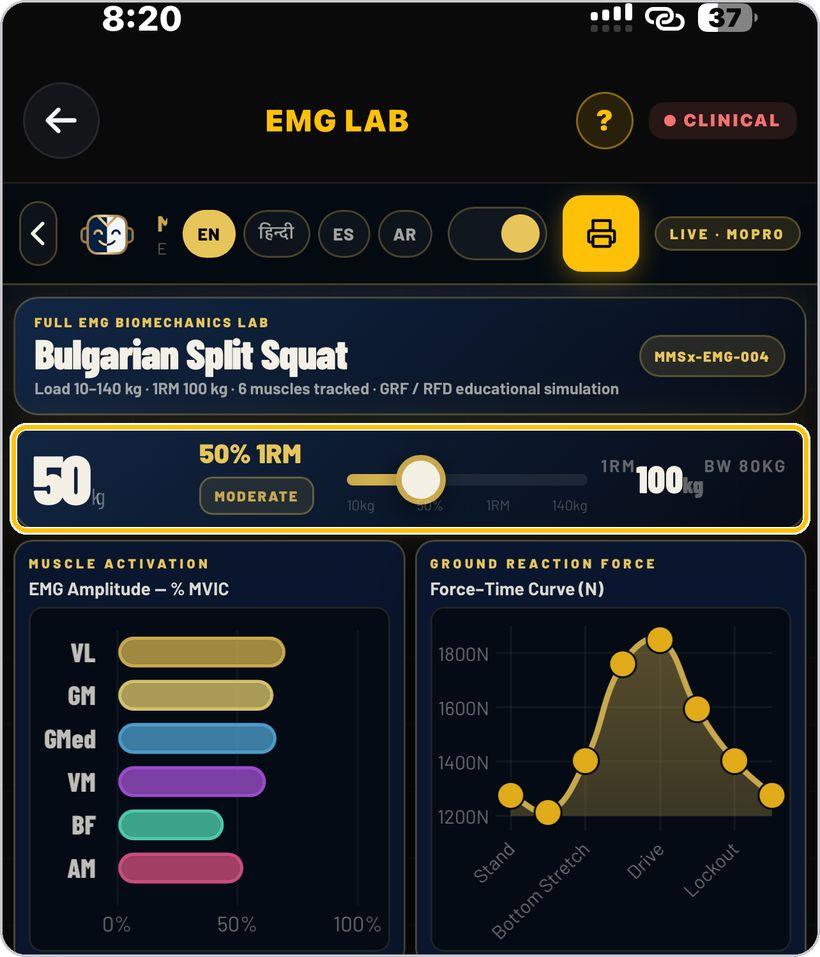
Open the full lab and set the load
Open EMG Lab takes you into the full biomechanics lab. Drag the load slider — 10 kg to 140 kg — and the load, its percentage of 1RM and its intensity label update, with the 1RM and body weight shown beside it.
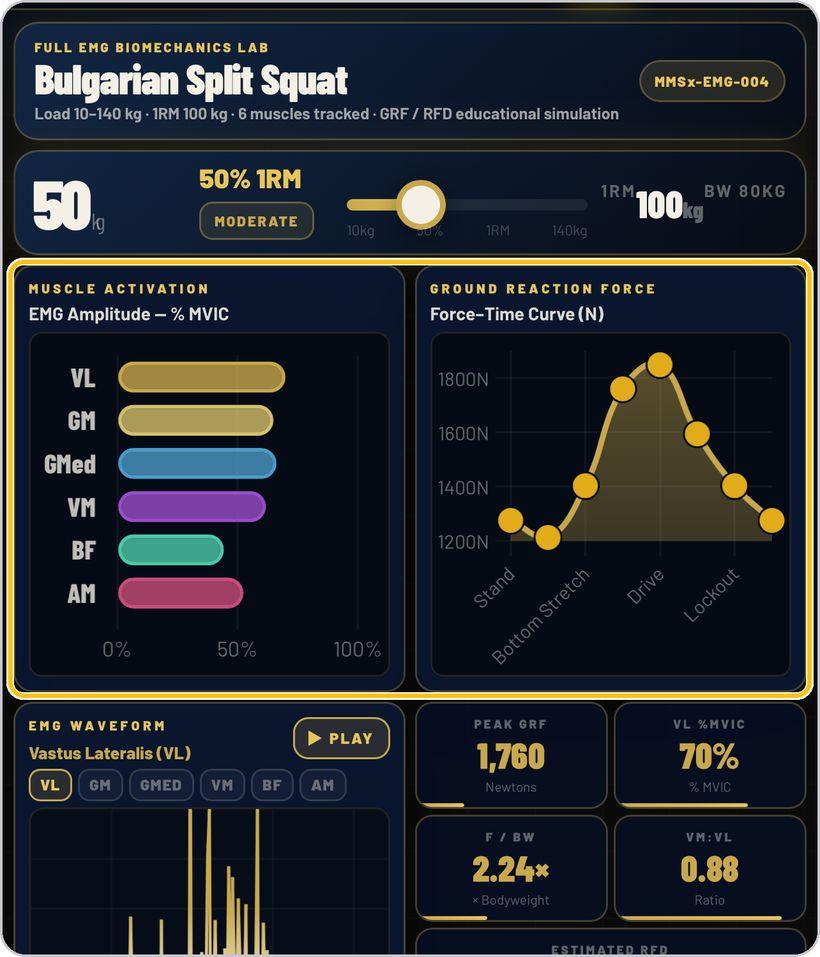
Read the graphs
Muscle Activation shows EMG amplitude as a percentage of MVIC for each tracked muscle. Ground Reaction Force draws the force–time curve through stand, bottom stretch, drive and lockout. Below, the EMG Waveform panel lets you pick a muscle and press Play to run the burst.
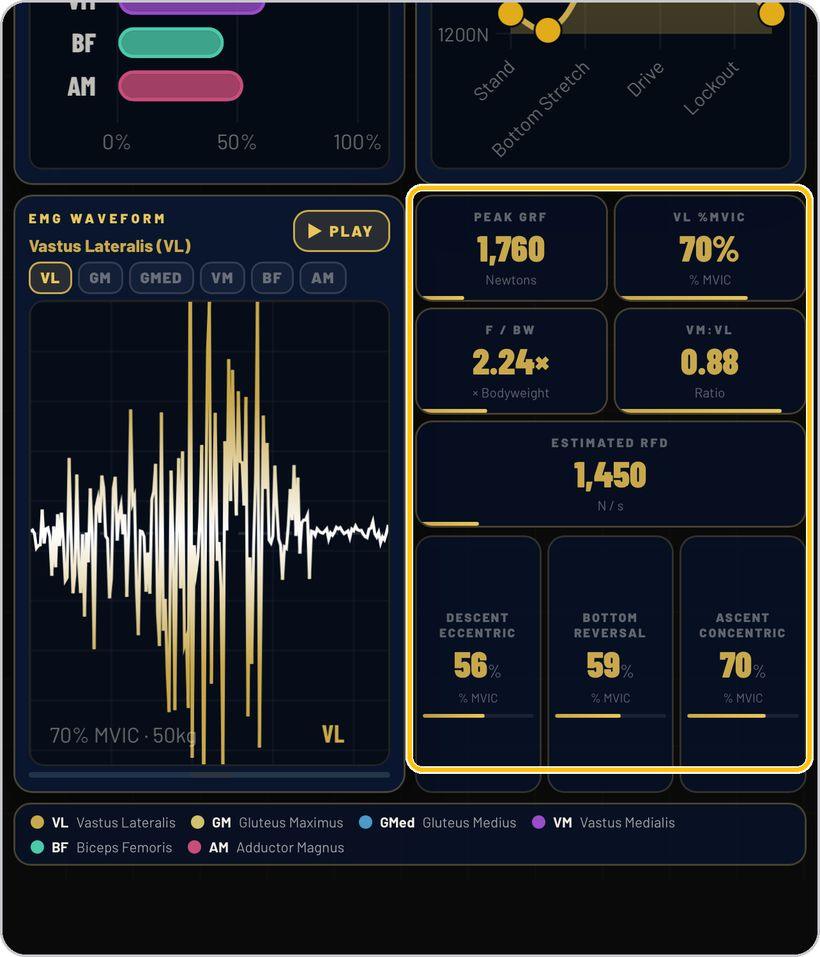
Read the numbers
The tiles on the right give peak GRF in newtons, the lead muscle's %MVIC, force as a multiple of body weight, the VM:VL ratio and the estimated rate of force development, then the phase profile — descent, bottom reversal and ascent — each as %MVIC.
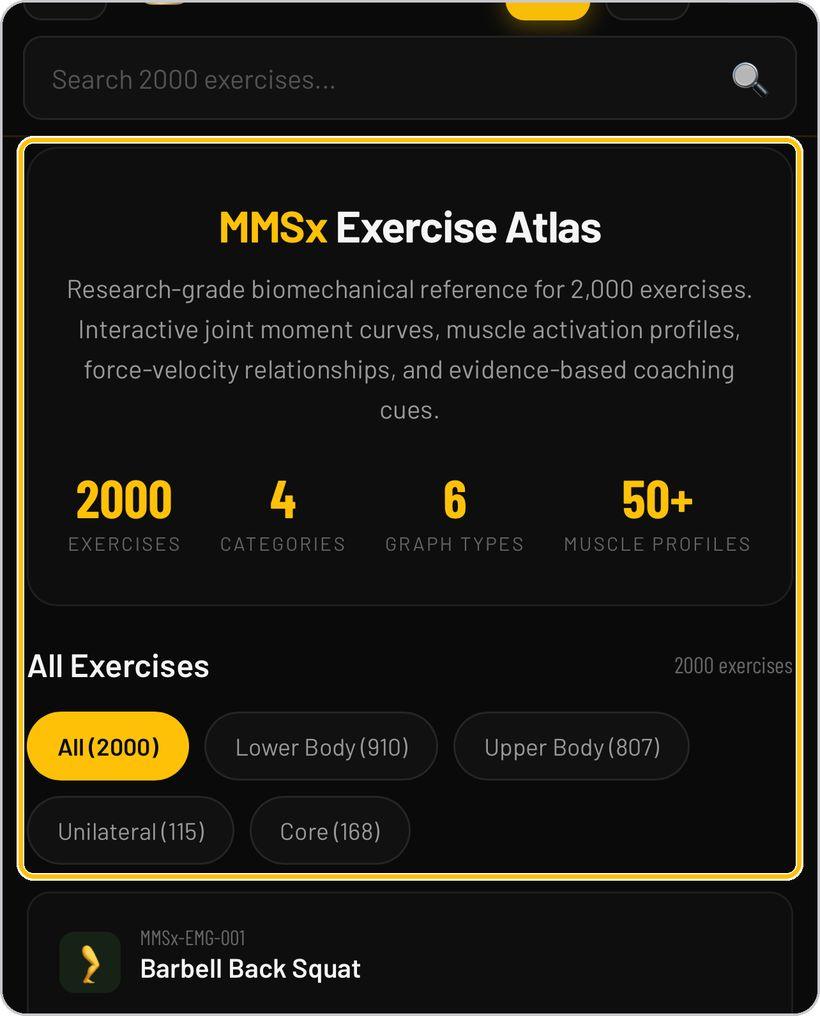
The Exercise Atlas
The Atlas opens on its own index: 2,000 exercises, four categories, six graph types and 50+ muscle profiles. Filter the list with All, Lower Body, Upper Body, Unilateral or Core, or use the search box; every card shows the exercise's code, its main muscles, its pattern and its equipment.
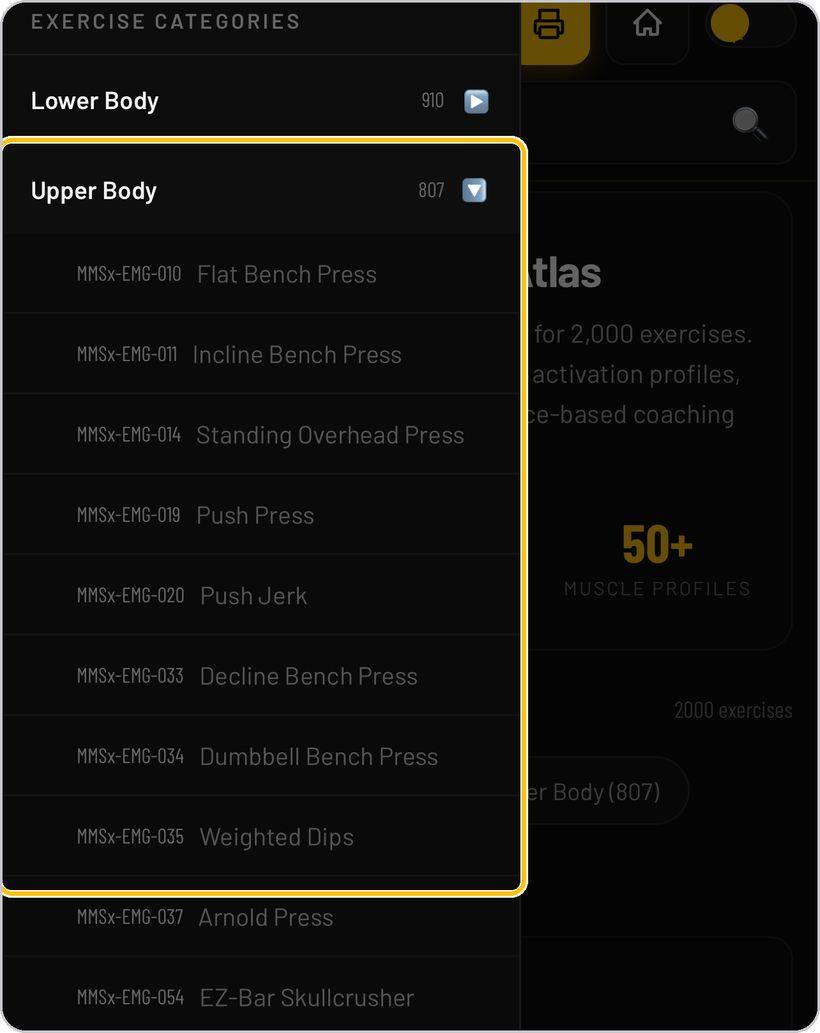
Browse by category
Open the menu to see the four categories with their counts, then expand one to list its exercises with their MMSx-EMG codes — Flat Bench Press, Incline Bench Press, Standing Overhead Press and so on. Tap an exercise to open it.
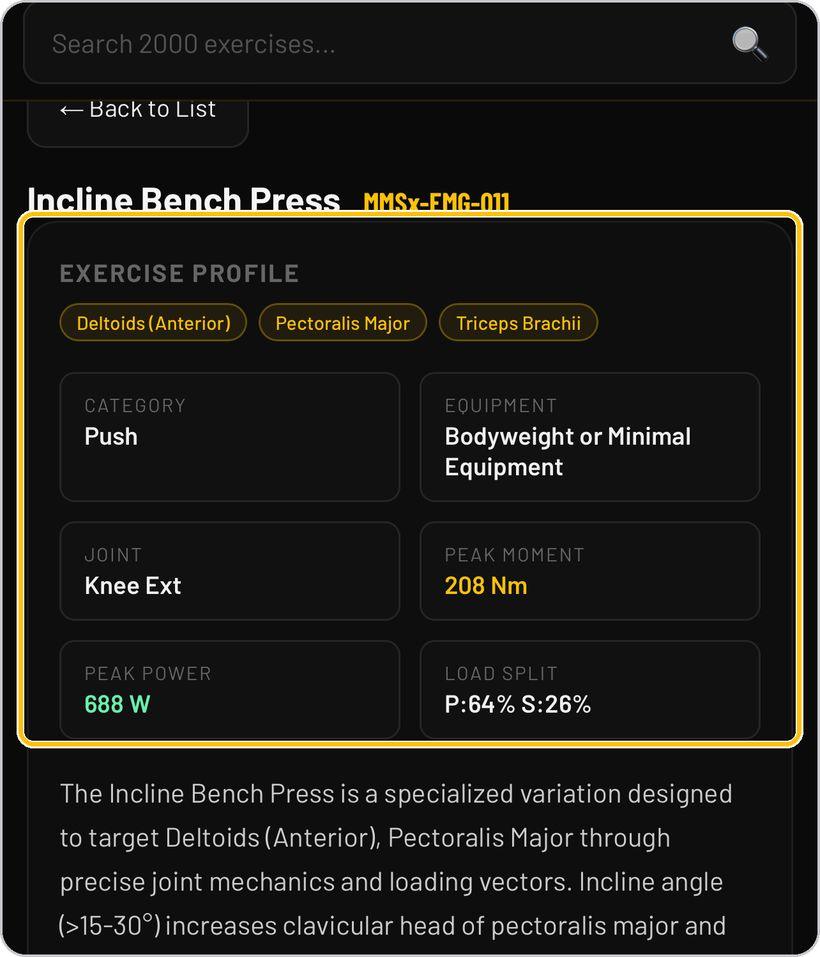
Read the exercise profile
Each exercise opens on its profile: the muscles, category, equipment, joint, peak moment in newton-metres, peak power in watts and the primary/secondary load split, with a short mechanics description. Scroll down for the six graphs — joint moment, joint power, muscle activation, force–velocity, load distribution and range of motion.
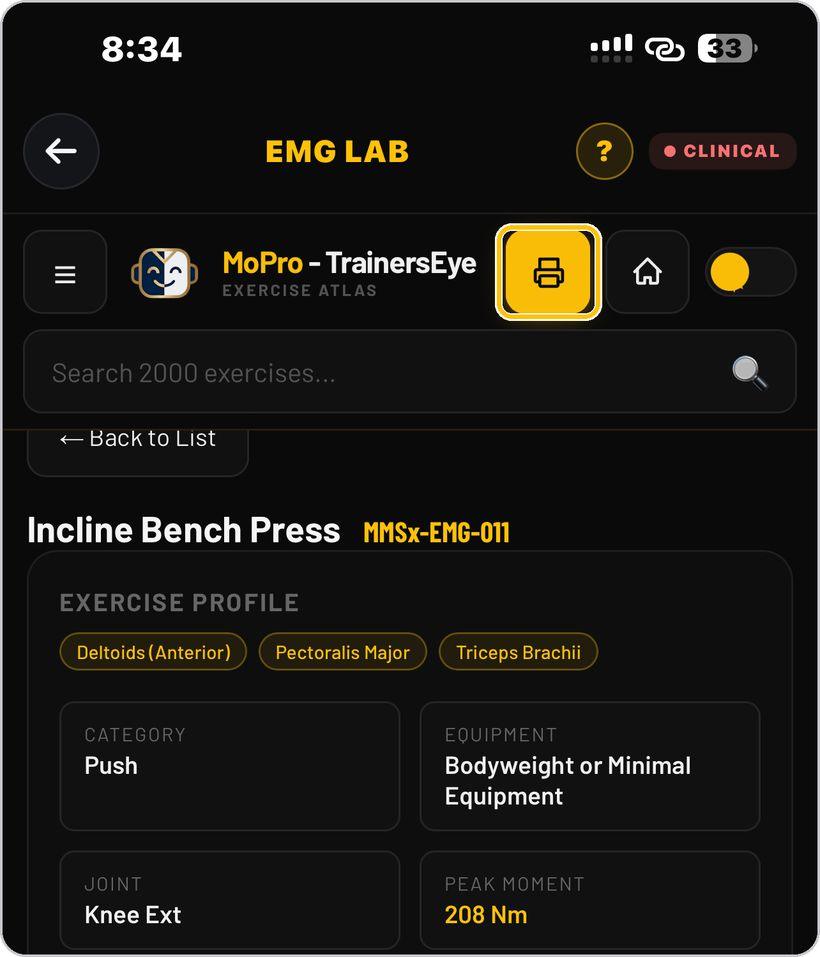
Print or save the document
Tap the printer button to lay the exercise out as an A4 Applied Biomechanics Exercise Profile — plate, profile, description, joint moment and power curves and coaching cues — then use the phone's print sheet to print it, save it as a PDF or share it.
You're ready
That's it. Open EMG Lab and explore the mechanics of any exercise.
Reading the Atlas document
Every Atlas exercise prints as one A4 Applied Biomechanics Exercise Profile. Here is what each part means.
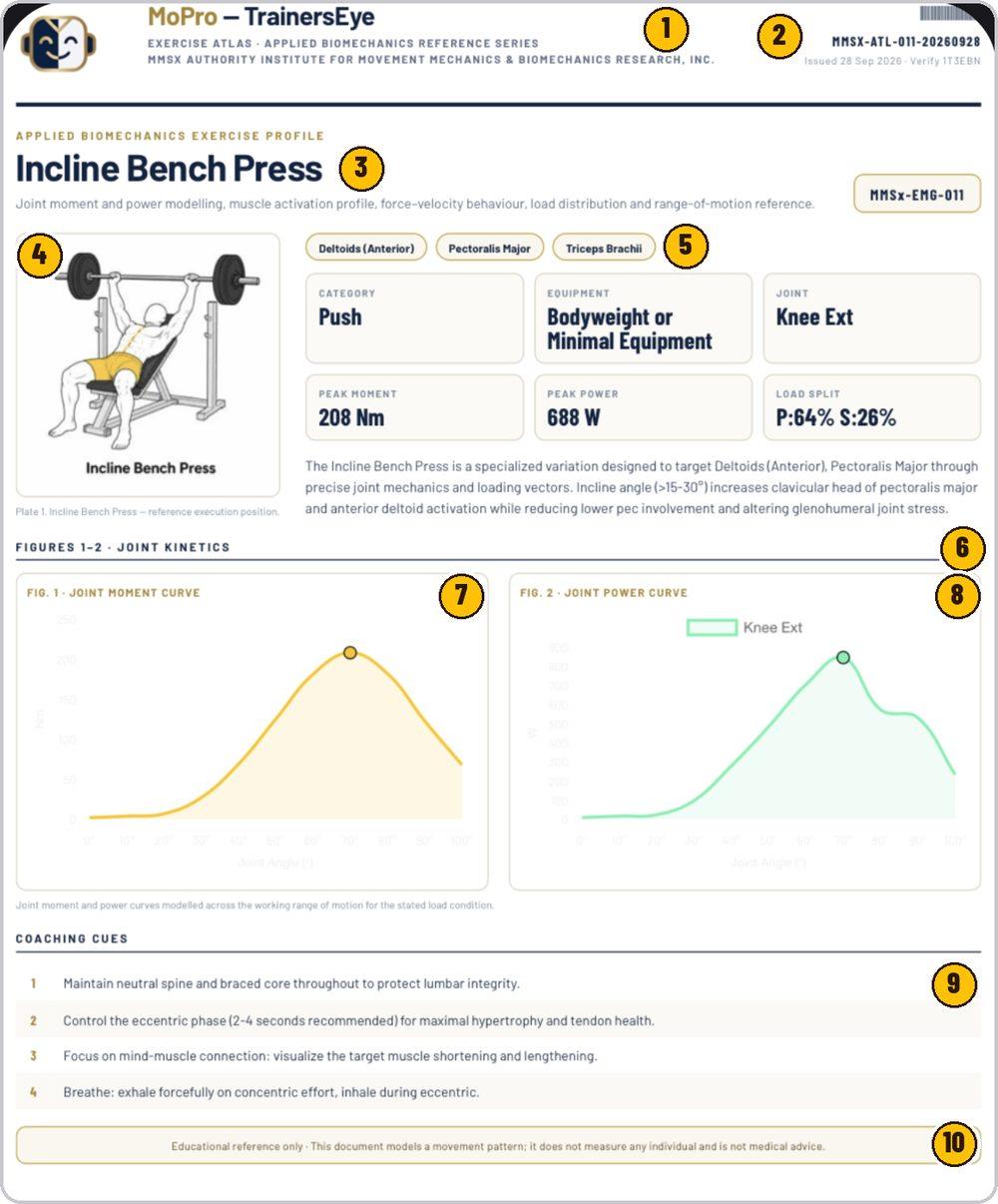
MoPro — TrainersEye, the Exercise Atlas Applied Biomechanics Reference Series and the MMSx Authority Institute name.
MMSX-ATL, the exercise number and the issue date, with the date issued and a verify code.
The exercise name, what the profile models, and its MMSx-EMG code.
The exercise in its reference execution position.
Main muscles, then category, equipment, joint, peak moment, peak power and the load split.
How the variation targets its muscles through joint mechanics and loading vectors.
Moment in newton-metres across the working range of joint angle, peak marked.
Power in watts across the same range, with the joint it models.
Four numbered cues for executing the exercise well.
The document models a movement pattern; it does not measure any individual and is not medical advice.
EMG Lab is part of TrainersEye
Support: support@trainerseye.com · trainerseye.com
Powered by the MMSx Authority graph libraries · Backed by MMSx Authority Institute
Educational simulation — every value is modelled, not measured. Not diagnostic EMG, force-plate or clinical data, and not medical advice.