

Asymmetry analysis tool for coaches
Capture three views of the same rep at the same phase, let the pose engine measure them and read one decision: green, red or recapture.
Every new user gets full access to all 23 tools for 7 days. See plans and pricing
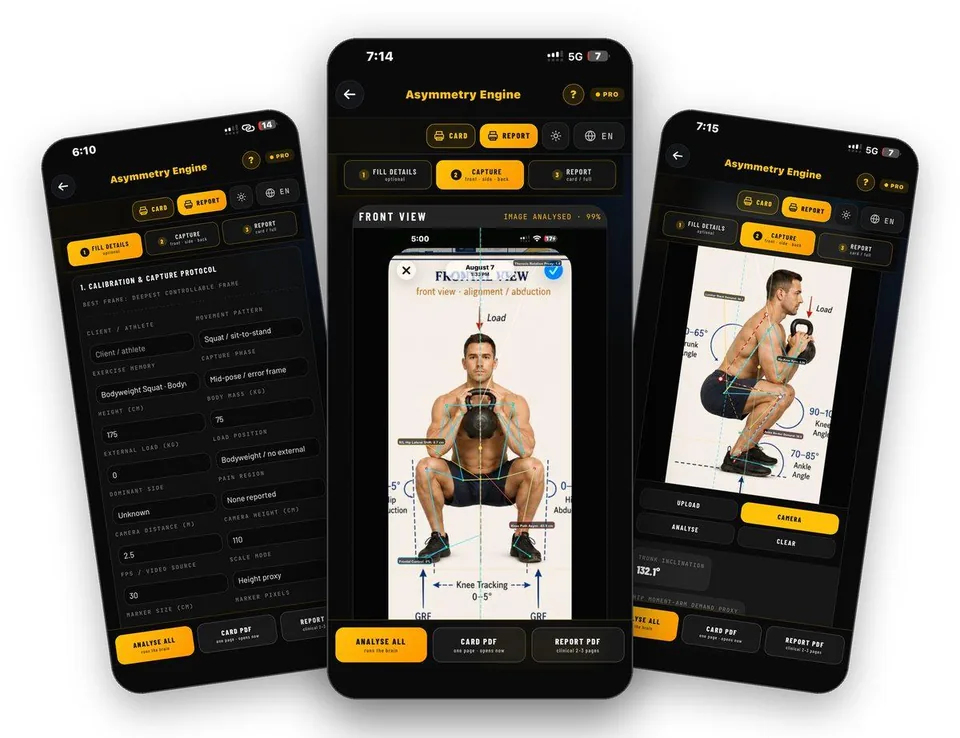
- 23 tools
- General, Pro, Clinical plans
- A4 PDF output
- English, Hindi, Spanish, Arabic
- iPhone and Android
Why this takes too long today
Spotting that one side moves differently is easy. Knowing whether the difference is real, whether your capture was good enough to trust it and what to do next is the hard part.
Asymmetry Engine only compares like with like: front, side and back views of the same rep at the same phase, depth and load. A capture-quality gate tells you when to trust the result and when to retake the footage.
From first tap to finished document
Fill in the capture protocol
Enter the client, the movement pattern and exercise, the capture phase, height, body mass and load so that every view is described the same way.
Guide: Asymmetry Engine →Calibrate the camera
Record camera distance and height, frames per second and the scale mode: height proxy, or a visible marker of known size.
Guide: Asymmetry Engine →Capture three views
Front is the true front view, side is the 90 degree lateral view and back is the true back view, all from the same rep. Upload footage or use the camera.
Guide: Asymmetry Engine →Analyse all views
The engine draws the skeleton and measures each view: hip shift and knee path from the front, trunk and ankle demands from the side, pelvic shift and Achilles from the back.
Guide: Asymmetry Engine →Read the executive decision
The report opens with GREEN, RED or RECAPTURE, the evidence grade and calibration, then the tri-view evidence.
Guide: Asymmetry Engine →Print the corrective plan and retest
Only the corrections this capture needs are printed, each with dose, setup, execution and reason, followed by a retest protocol.
Guide: Asymmetry Engine →What you actually see
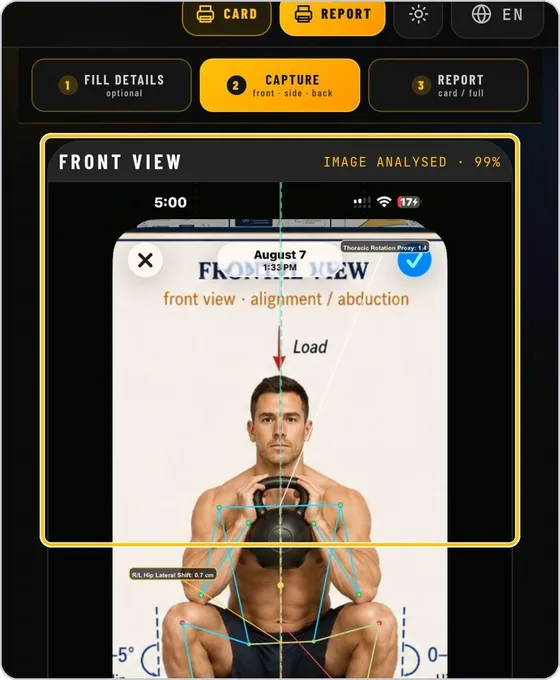
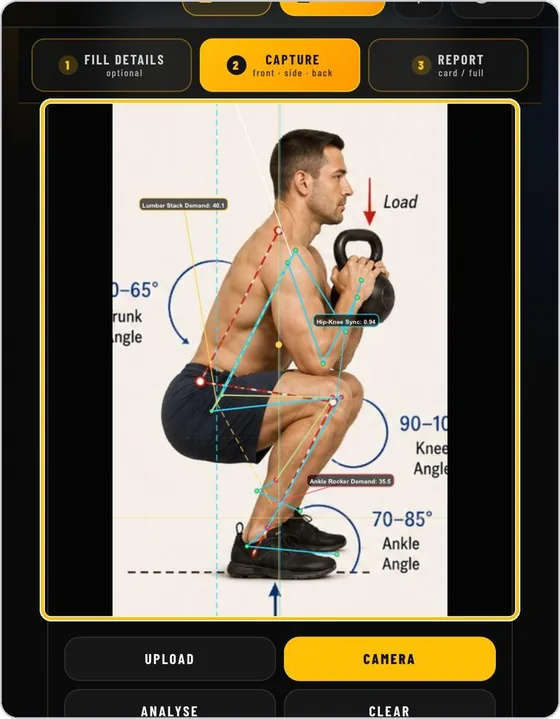
The document your client or colleague receives
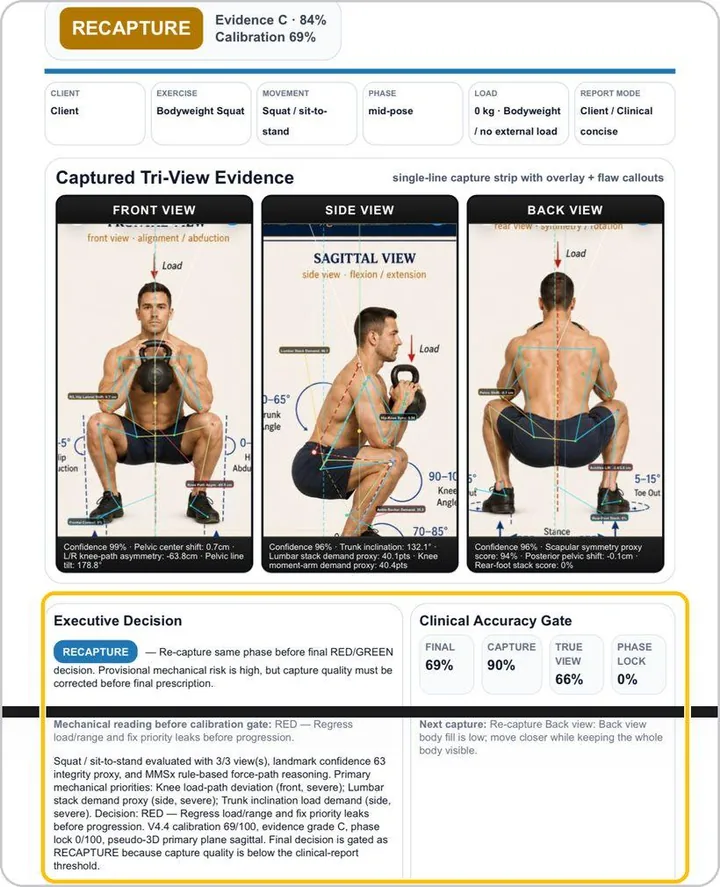
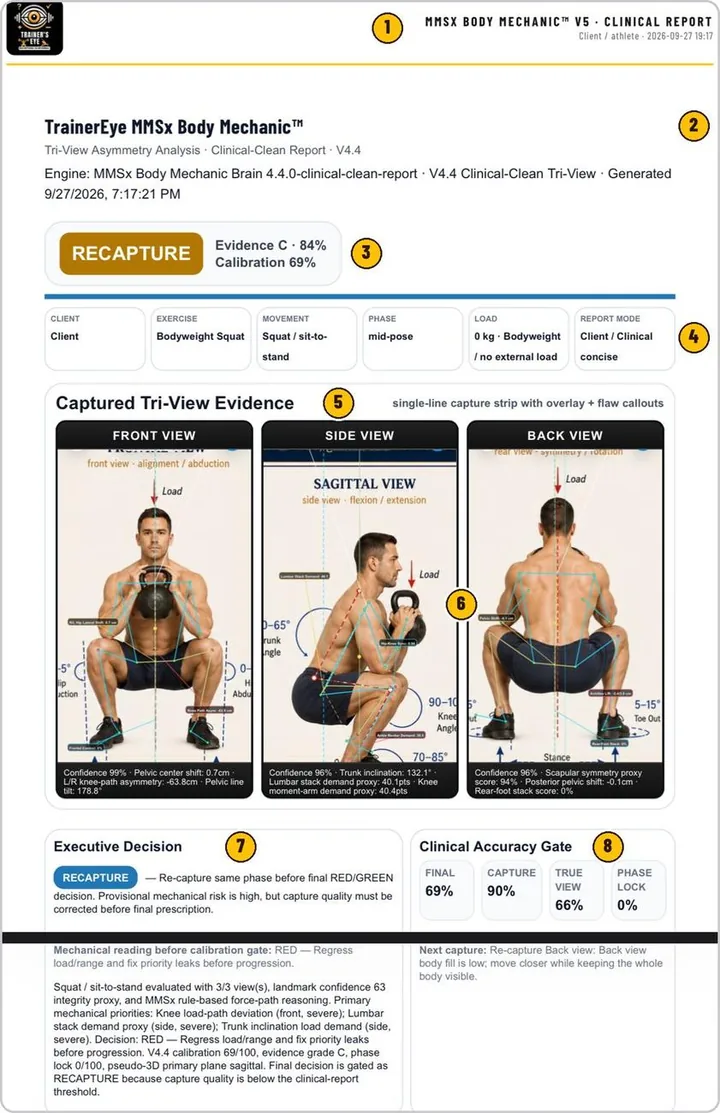
Documents you can hand over
- One-page Card or full Report, printable as A4
- Executive decision with evidence grade and calibration
- Front, side and back metrics side by side
- Targeted corrections with dose and a retest protocol
Built for working professionals
- Strength and conditioning coaches who film lifts and want a defensible comparison
- Sport coaches tracking left-right differences across a season
- Movement professionals who want a retest protocol, not just a picture
The tools behind this workflow
Asymmetry Engine
Tri-view asymmetry analysis: front, side and back at the same phase, gated for capture quality.
Common questions
Why three views?
One angle can exaggerate or hide a difference. Front, side and back of the same rep at the same phase give the evidence a single view cannot.
What does RECAPTURE mean?
The accuracy gate judged that the footage was not good enough to support a conclusion. The report tells you to retake it instead of reading noise as a finding.
Do I need special equipment?
No. A phone camera works. The calibration step records distance, height, frame rate and a scale reference so the measurements can be interpreted.
Is this a diagnosis?
No. It is a decision aid for coaches and practitioners. It reports what the footage supports and what to retest.
Can I try it?
Every new user gets full access to all 23 tools for 7 days from download.
Practising professional? Try it with a longer access code.
We are inviting working movement professionals to use TrainersEye for one or three months and tell us how it fits their real workflow. Request a code and a feedback slot; we reply with instructions.