

Movement assessment software for physiotherapists
Photograph the views, score the movement, record the findings and hand over an A4 report, all in one app on the phone you already carry.
Every new user gets full access to all 23 tools for 7 days. See plans and pricing
- 23 tools
- General, Pro, Clinical plans
- A4 PDF output
- English, Hindi, Spanish, Arabic
- iPhone and Android
Why this takes too long today
A movement assessment usually ends up scattered: photographs in a camera roll, notes on a paper form, scores in a spreadsheet and a report typed afterwards into a template. Each hand-off costs time and loses detail.
TrainersEye keeps the observation, the measurement and the written record in one workflow, so the assessment you do in the room is the document you can print before the client leaves.
From first tap to finished document
Start from the movement or from the pain
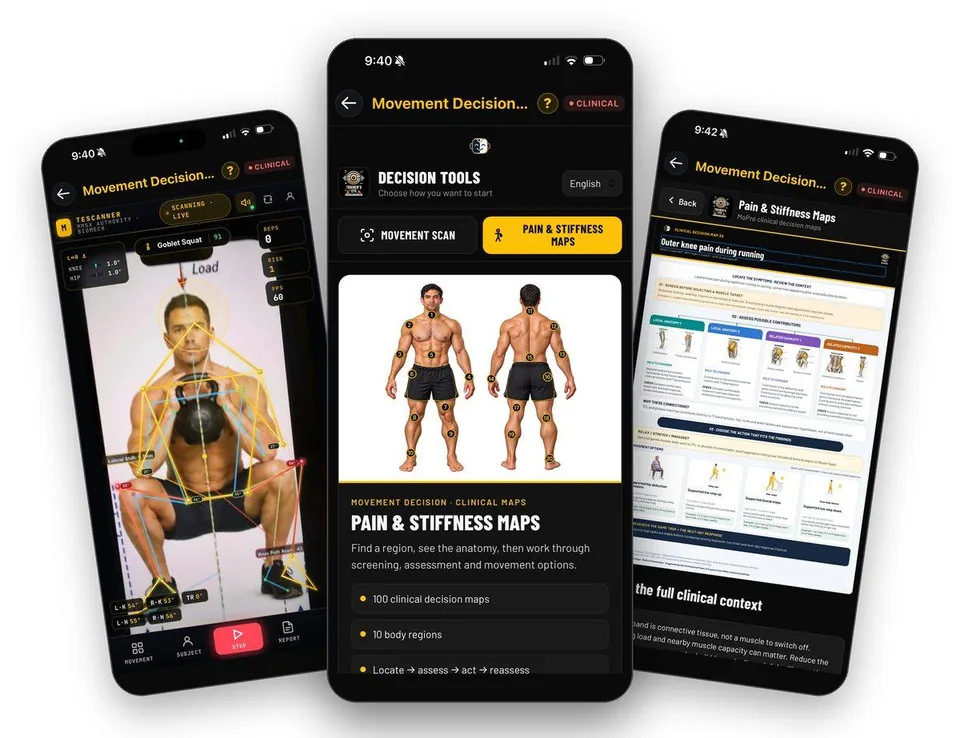
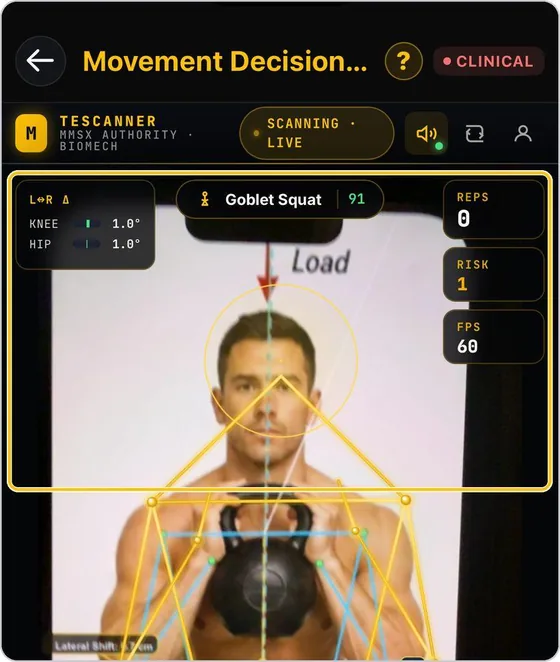
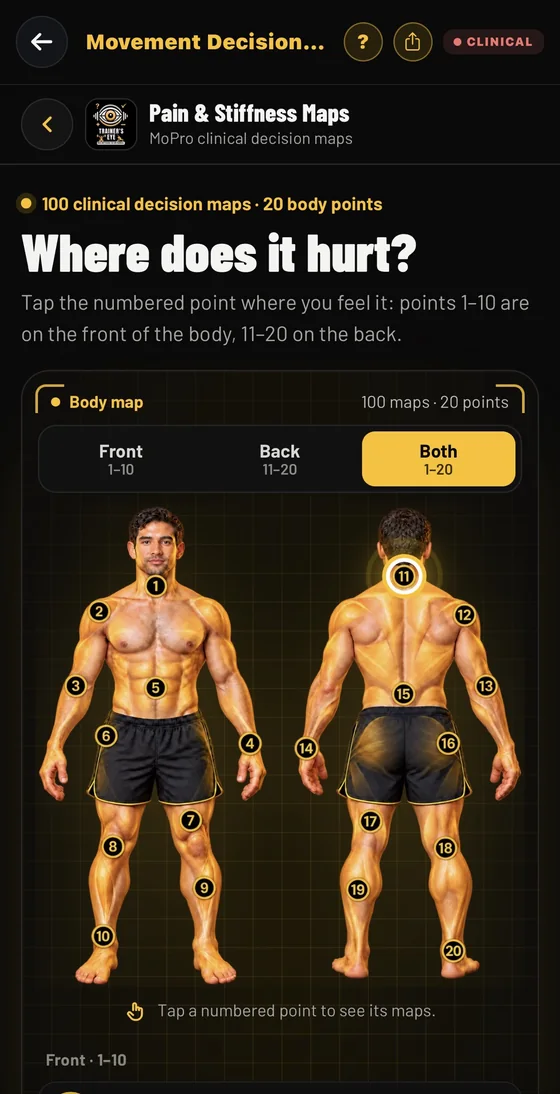
Choose a live camera scan of a lift, or open a body map with 20 numbered points and the clinical decision maps behind each one.
Guide: Movement Decision Tool →Photograph four views
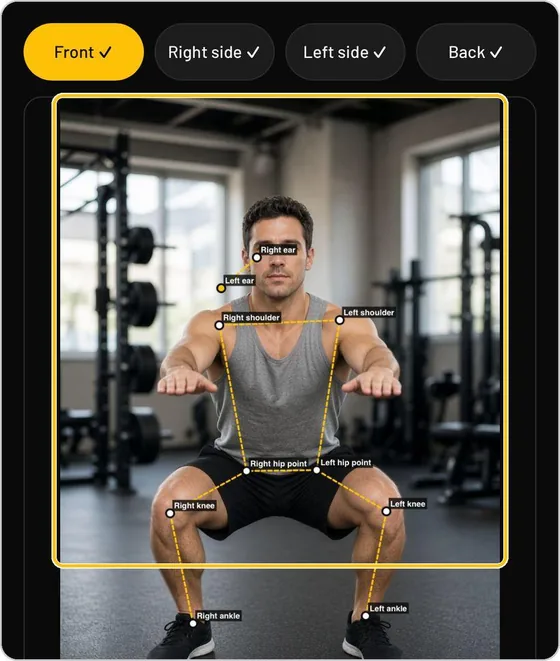
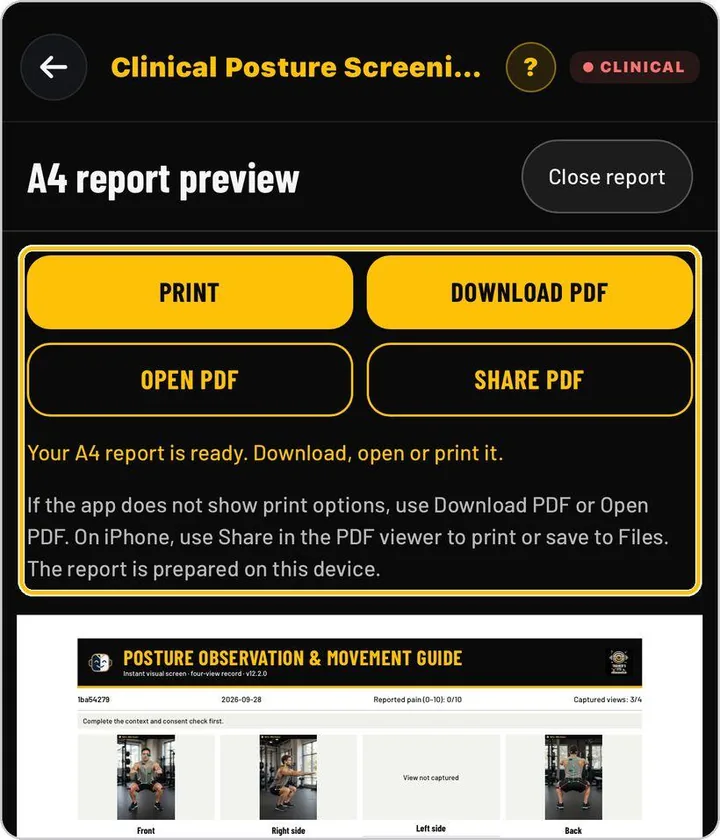
Consent comes first. Capture front, right side, left side and back; pose lines are drawn on each photograph and every finding becomes a tile you can read.
Guide: Clinical Posture Screening →Score the whole person
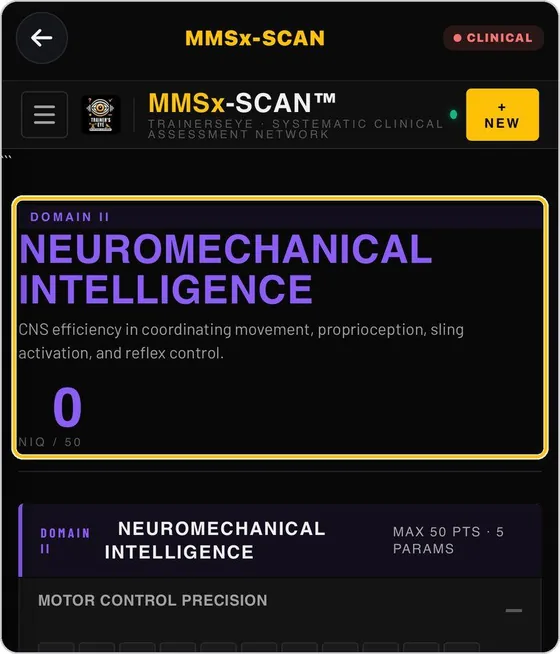
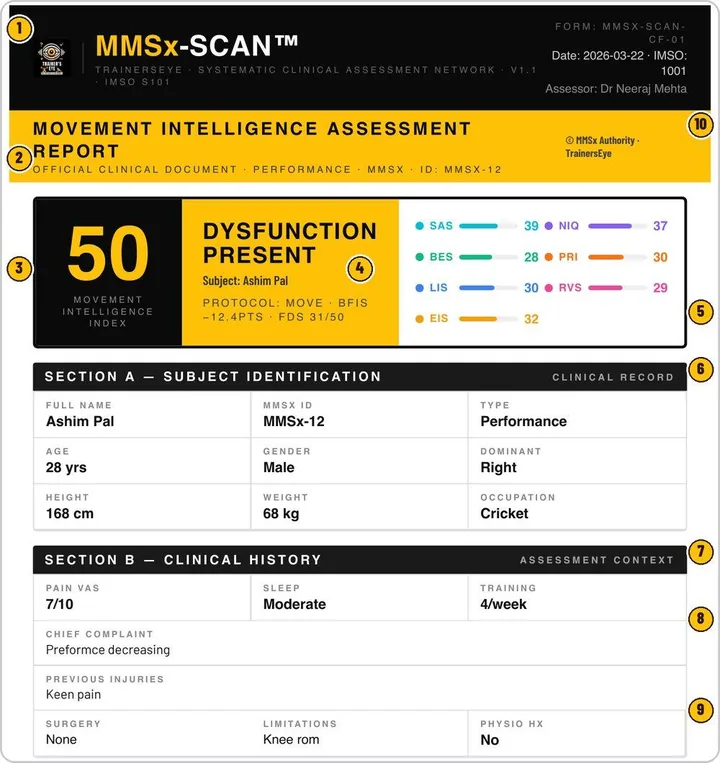
Work through eight scored domains parameter by parameter, grade movement flaws from 1 to 5, and read the Movement Intelligence Index out of 100.
Guide: MMSx-SCAN →Measure the muscle picture
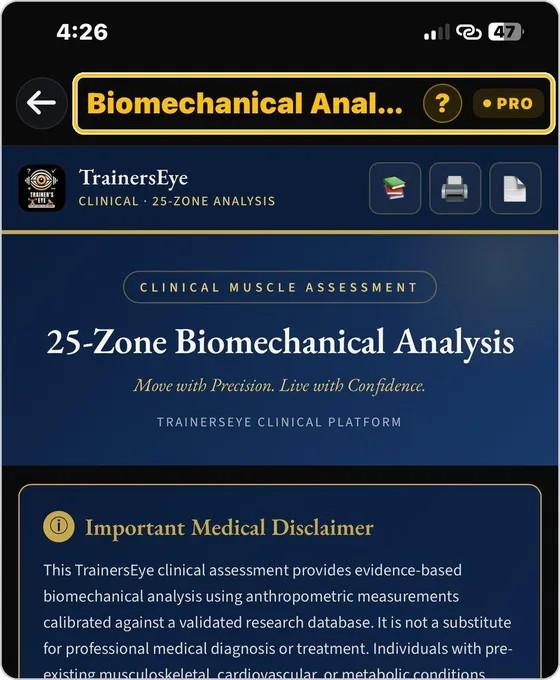
Record 25 zones and ISAK skinfolds and breadths to get symmetry, proportion and risk in one report (Pro plan).
Guide: Biomechanical Analysis →Observe a single exercise
Tick the flaws from a checkpoint library, add the corrective drills with their dose, and generate the A4 report with its radar graph.
Guide: TE-MMOForms →What you actually see
Start from where it hurts
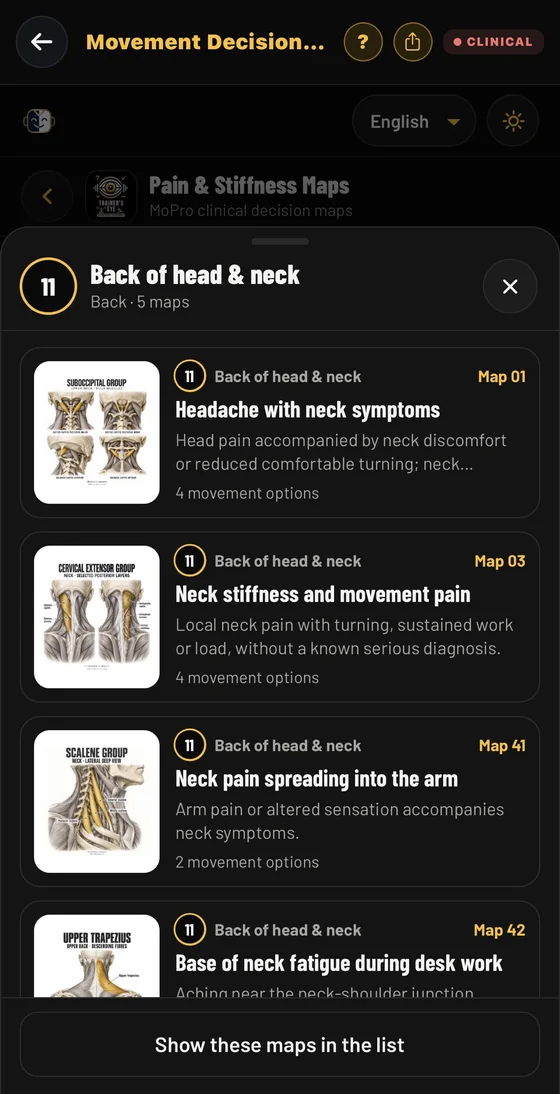
When the complaint comes before the movement, open Pain & Stiffness Maps inside the Movement Decision Tool. Tap one of 20 numbered body points and open one of 100 clinical decision maps.
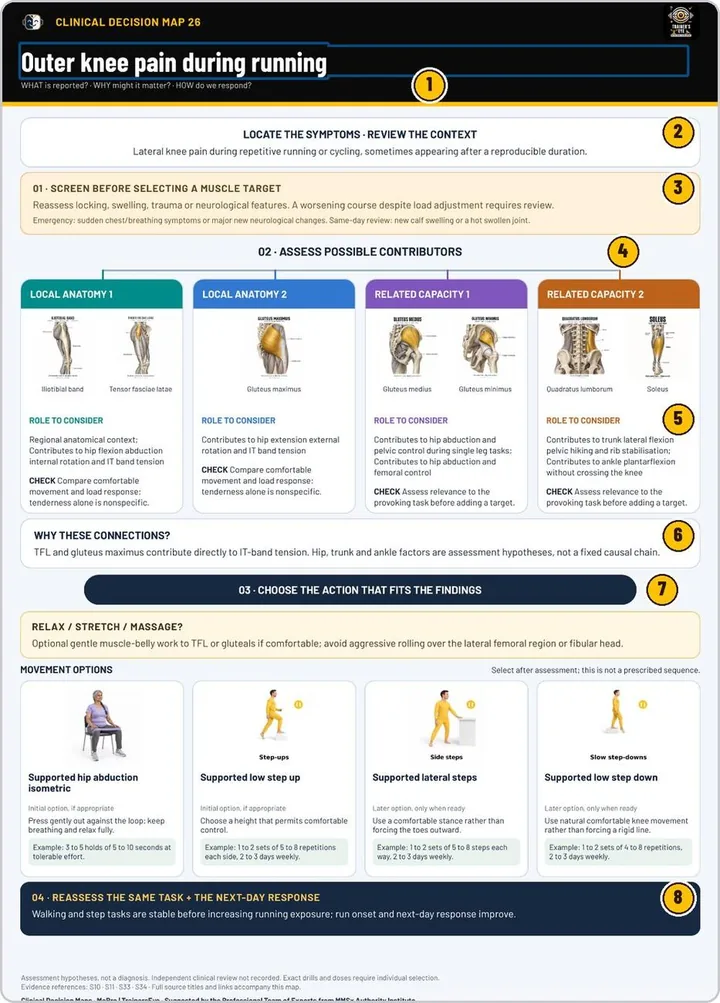
Every map runs the same route: locate the symptoms, screen first (including emergency and same-day review lines), assess the possible contributors with a role to consider and a check, choose the action with movement options and example doses, then reassess the same task and the next-day response. The full clinical context and evidence references sit below each map.
The maps are assessment hypotheses for qualified practitioners, not a diagnosis.
The document your client or colleague receives
Documents you can hand over
- A4 posture report you can print, download, open or share as a PDF
- Observation card with protocol coverage and a screening index
- Movement Intelligence Index report with one card per scored domain
- Clinical muscle assessment report with symmetry, proportion and risk pages
- Exercise observation report with corrective drills and a radar graph
Built for working professionals
- Physiotherapists and physical therapists who want a faster, more consistent screening record
- Athletic therapists, clinical exercise professionals and chiropractors working with movement
- Strength and conditioning coaches who work alongside clinicians and need a shared language
The tools behind this workflow
Movement Decision Tool
Two doors: a live camera scan of a lift, or a clinical decision map starting from where it hurts.
Clinical Posture Screening
Four-view posture screen from photographs, with a traceable assessment and an A4 record.
MMSx-SCAN
Eight scored domains, graded movement flaws and a Movement Intelligence Index out of 100, printed as a report.
Biomechanical Analysis
Clinical muscle assessment: 25 zones, ISAK anthropometry, symmetry, proportion and risk in one report.
TE-MMOForms
Movement Mechanics Observation Form: tick the flaws, get the corrective protocol and the A4 report.
Common questions
Does TrainersEye diagnose?
No. It structures observation and measurement so that you can make your own clinical judgement. Biomechanical Analysis shows a medical disclaimer before use and recommends physician clearance for clients with pre-existing conditions.
Which plan do I need for assessment?
The Clinical plan includes the posture, scoring and decision tools. The Pro plan adds muscle assessment and the exercise observation form. The pricing page lists current prices.
Can I try it before I subscribe?
Yes. Every new user gets full access to all 23 tools for 7 days from download, and the days left are shown in the app.
Can I give the client a copy?
Each assessment prints or saves as an A4 PDF, and you can share it from your phone.
Is it available on Android?
Yes. TrainersEye is on the App Store for iPhone and on Google Play for Android, in English, Hindi, Spanish and Arabic.
Practising professional? Try it with a longer access code.
We are inviting working movement professionals to use TrainersEye for one or three months and tell us how it fits their real workflow. Request a code and a feedback slot; we reply with instructions.