

Posture assessment app for personal trainers
Photograph the front, both sides and the back, read the visible differences first, then step into a traceable assessment with an A4 report.
Every new user gets full access to all 23 tools for 7 days. See plans and pricing
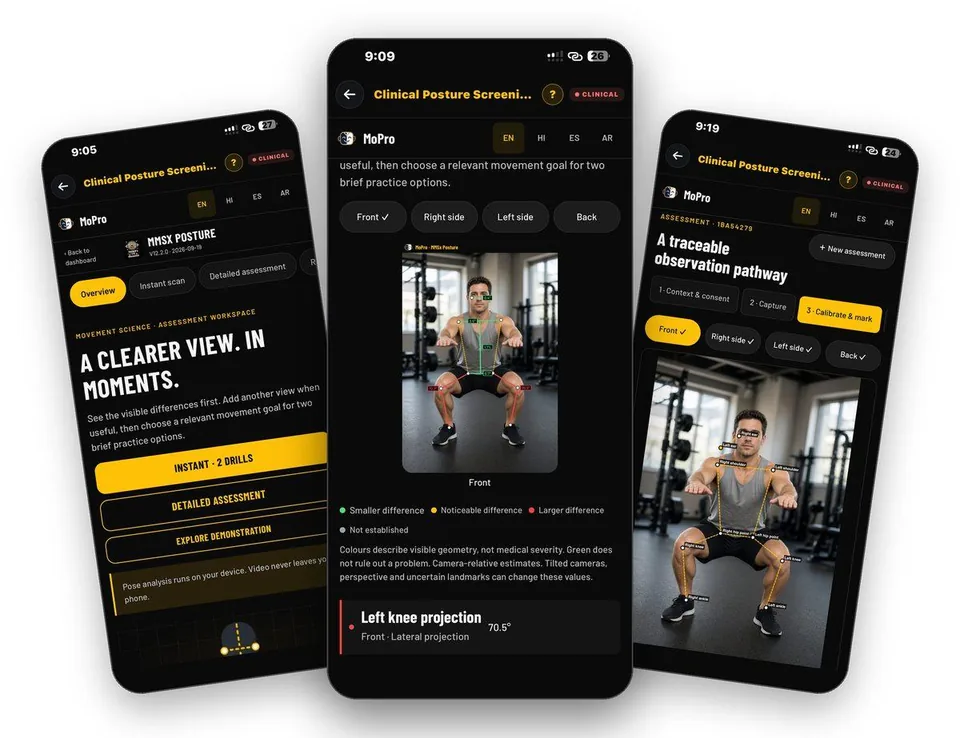
- 23 tools
- General, Pro, Clinical plans
- A4 PDF output
- English, Hindi, Spanish, Arabic
- iPhone and Android
Why this takes too long today
Clients ask about posture constantly. A single photo and a gut feeling are not a record, and a clinical-looking template that you cannot repeat is no better.
Clinical Posture Screening begins with what you can see, builds a four-view observation summary, and lets you go deeper with calibrated landmarks and numbered measurement cards when the case needs it.
From first tap to finished document
Start with consent
Instant scan begins with a photograph, so consent comes first. Then open the camera.
Guide: Clinical Posture Screening →Capture four views
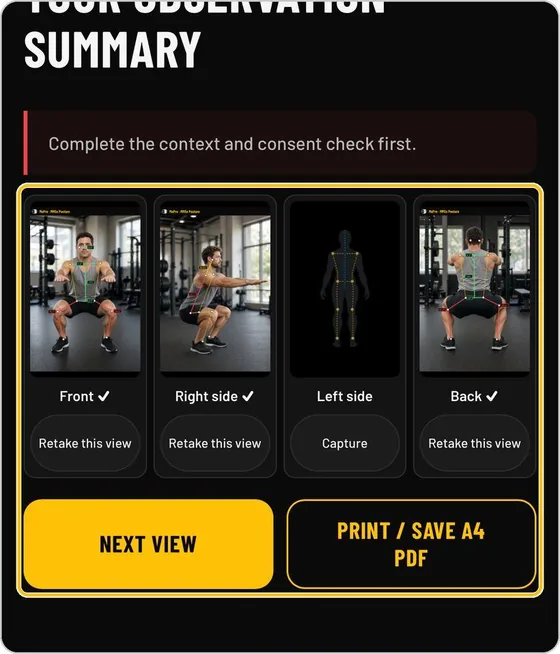
Photograph the participant from the front, right side, left side and back.
Guide: Clinical Posture Screening →Read each view
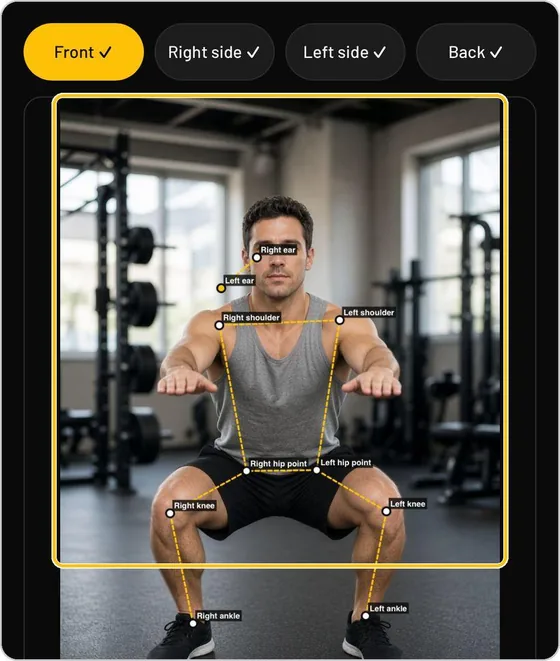
Pose lines such as the ear line, shoulder line and trunk shift are drawn on the photograph. Every finding is a tile with its name, the view and the projection it comes from.
Guide: Clinical Posture Screening →Review the observation summary
See the four views with a tick on each one captured, retake any view, or capture a missing one.
Guide: Clinical Posture Screening →Go deeper when needed
Detailed assessment records an assessment with its own ID and a numbered pathway. Calibrate and mark named landmarks, then read measurement cards by view.
Guide: Clinical Posture Screening →Print or share the report
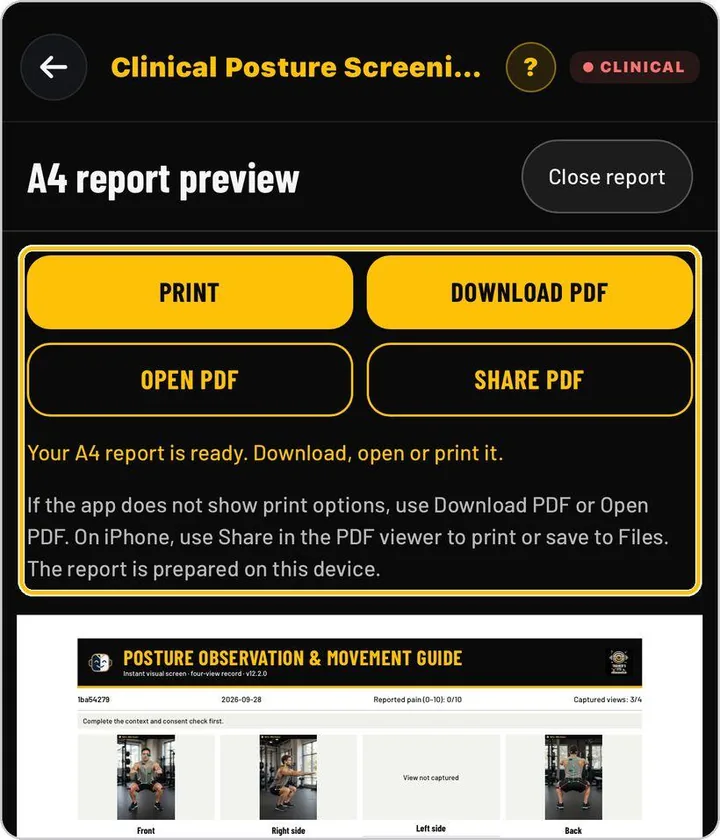
Open the A4 report preview and print, download, open or share the PDF. The observation card shows protocol coverage and the screening index.
Guide: Clinical Posture Screening →What you actually see
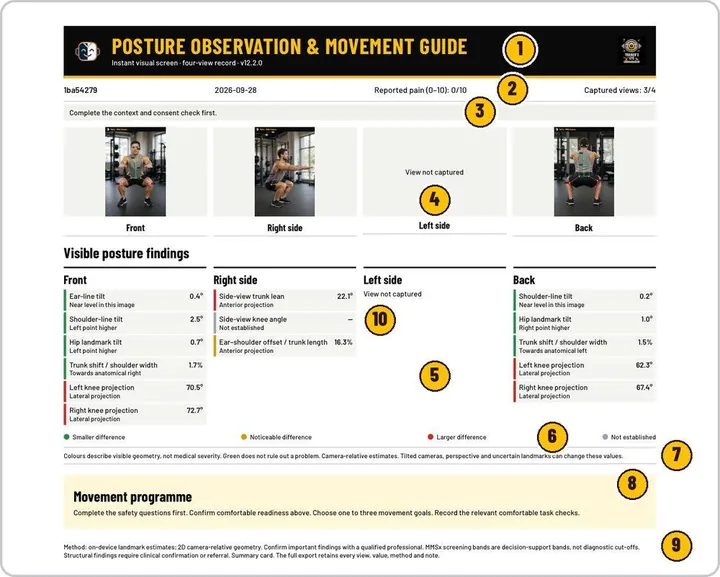
The document your client or colleague receives
Documents you can hand over
- A4 posture report with four views
- Observation summary of captured views
- Measurement cards for ear-line and shoulder inclination and more
- Observation card with protocol coverage and screening index
Built for working professionals
- Personal trainers who want a repeatable posture screen and a record to keep
- Coaches who need before-and-after documentation across a programme
- Movement professionals who want observation first and measurement second
The tools behind this workflow
Clinical Posture Screening
Four-view posture screen from photographs, with a traceable assessment and an A4 record.
Common questions
Does it say what is wrong with my client?
No. It shows visible differences and measurements. Interpretation, any clinical conclusion and referral stay with you.
Why consent first?
Photographing a client is personal. The tool asks for consent before the camera opens and keeps the photograph tied to the assessment you run.
Can I do a quick screen only?
Yes. Instant scan gives visible differences from photographs. The detailed assessment is optional when you need calibration and numbered measurements.
Can I send the result?
The report prints or saves as an A4 PDF, and you can share it from the app.
Which devices?
iPhone from the App Store and Android from Google Play.
Practising professional? Try it with a longer access code.
We are inviting working movement professionals to use TrainersEye for one or three months and tell us how it fits their real workflow. Request a code and a feedback slot; we reply with instructions.