

Clinical decision maps for pain and stiffness, for physiotherapists
Start from where it hurts. Tap one of 20 body points and open a clinical decision map that takes you through locate, screen, assess, act and reassess, with anatomy plates, movement options and evidence references.
Every new user gets full access to all 23 tools for 7 days. See plans and pricing
- 23 tools
- General, Pro, Clinical plans
- A4 PDF output
- English, Hindi, Spanish, Arabic
- iPhone and Android
Complaint first, structure second
Clients often arrive with a complaint rather than a movement to test. The route from "my neck hurts when I turn" to the right screening questions and the right things to check usually lives in your head or in scattered notes, and it changes from client to client.
Pain & Stiffness Maps give every complaint the same structure: where it is felt, what to screen before anything else, which contributors to assess and how to test them, what action fits, and what to reassess the next day. The reasoning is written in plain language and backed by evidence references, so you can read it with the client.
From where it hurts to the reassessment
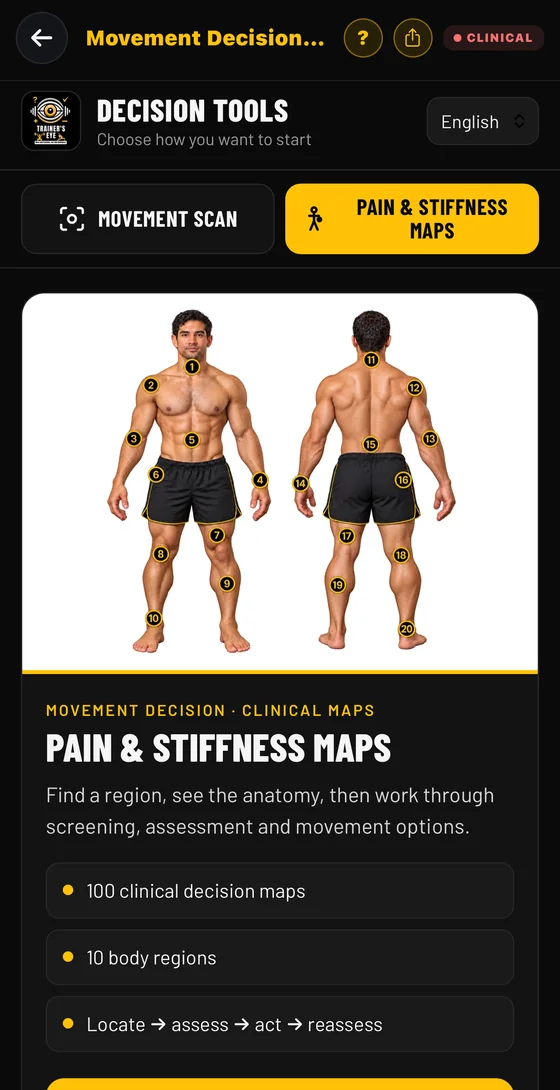
Choose where to start
From the Dashboard open Movement Decision Tool. Pick Pain & Stiffness Maps when the complaint comes first, or Movement Scan when you have the client in front of you moving.
Guide: Movement Decision Tool →Tap where it hurts
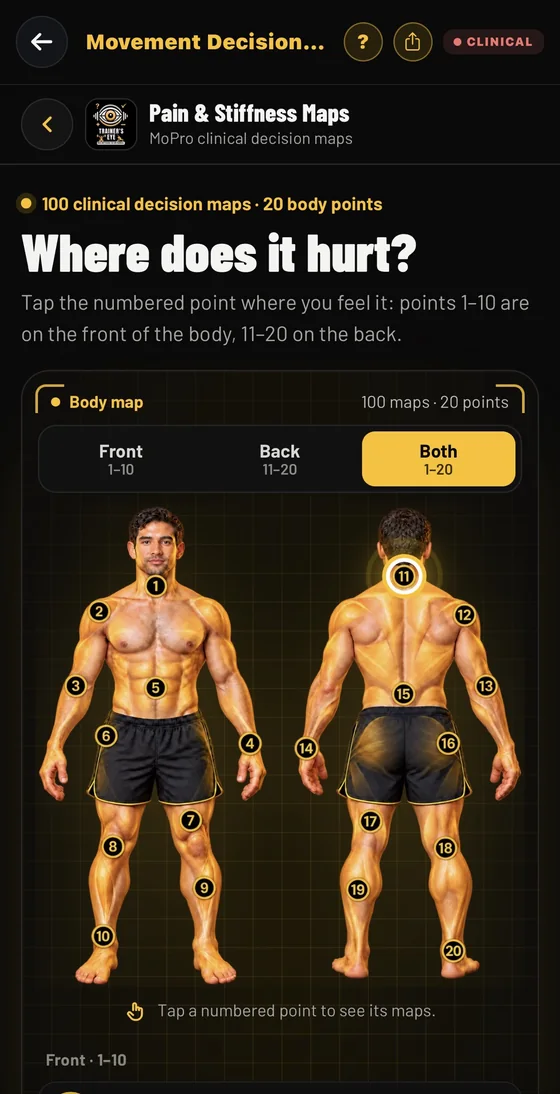
The body map has 20 numbered points: 1 to 10 on the front and 11 to 20 on the back. Show Front, Back or Both, then tap the point the client describes.
Guide: Movement Decision Tool →Pick the complaint
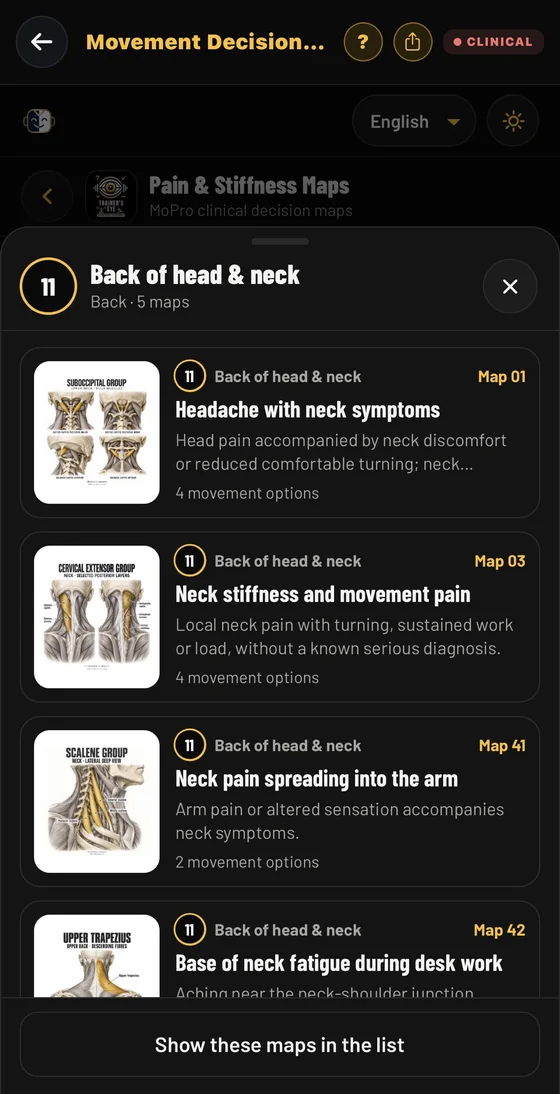
Every point lists the clinical maps behind it. For example, the back of the head and neck carries five maps, including headache with neck symptoms, neck stiffness and movement pain, and neck pain spreading into the arm.
Guide: Movement Decision Tool →Read the anatomy plate and open the map
Each card shows the anatomy plate, the complaint it covers and its region. The plate names the muscle group the map is about.
Guide: Movement Decision Tool →Work the map in four steps
Locate the symptoms and review the context. Screen first, before selecting a muscle target. Assess the possible contributors, each with a role to consider and a check. Choose the action that fits, with movement options and example doses. Then reassess the same task and the next-day response.
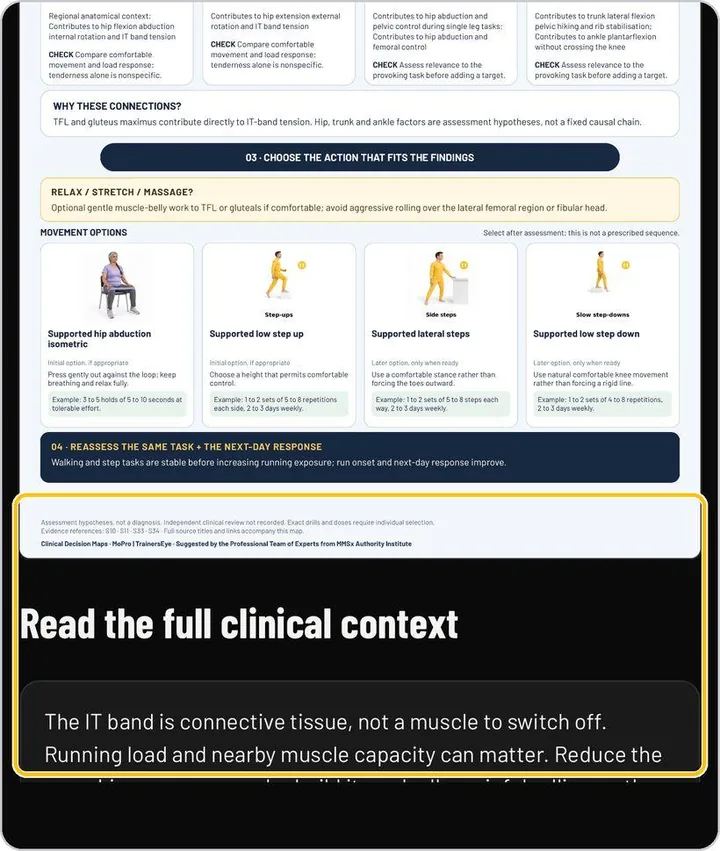
Guide: Movement Decision Tool →Read the full clinical context
Below the map, the full clinical context explains the reasoning in plain language, and the footer lists the evidence references. The screening lines for emergency and same-day review are the ones to read aloud with the client.
Guide: Movement Decision Tool →Switch to a live scan when you need one
Movement Scan turns the phone into a scanner: live joint angles, left-right differences, reps, risk flags and a form score, then a Movement Decision Document you can print or save.
Guide: Movement Decision Tool →What you actually see
The document your client or colleague receives
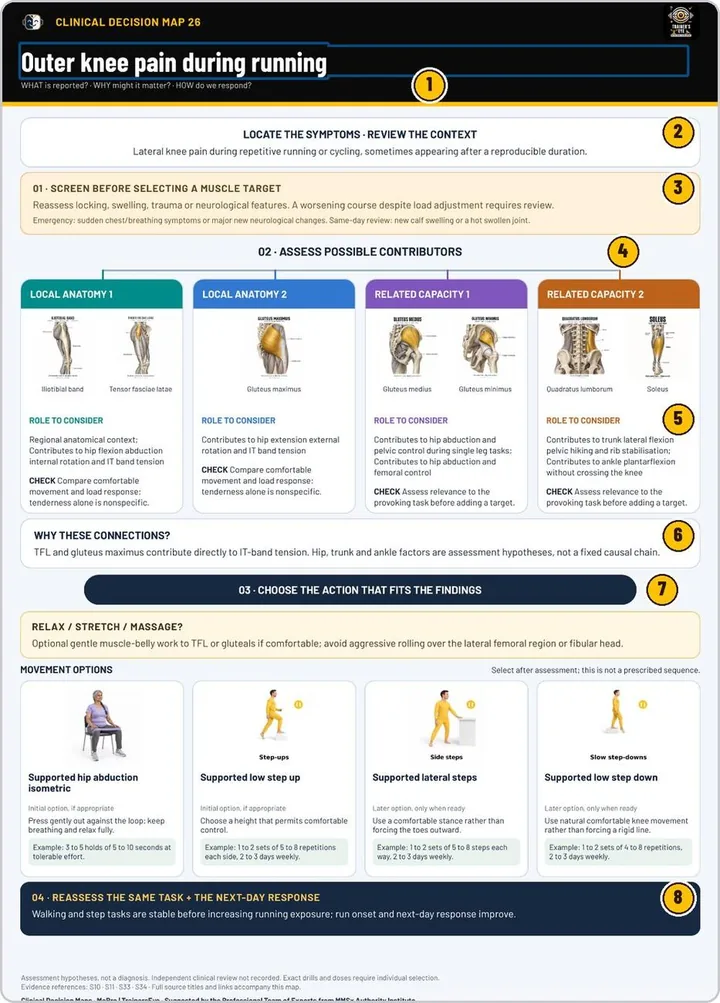
Documents you can hand over
- A clinical decision map for the complaint, with its anatomy plate
- Screening prompts that include emergency and same-day review lines
- Contributors to assess, each with a role to consider and a check
- Movement options with example doses, chosen after assessment
- Evidence references and a plain-language full clinical context
- A Movement Decision Document from a live scan, to print or save as PDF
Built for working professionals
- Physiotherapists and physical therapists who want one consistent route from complaint to reassessment
- Chiropractors, athletic therapists and clinical exercise professionals
- Strength and conditioning coaches who work alongside clinicians and need a shared structure
The tools behind this workflow
Movement Decision Tool
Two doors: a live camera scan of a lift, or a clinical decision map starting from where it hurts.
Common questions
Does it diagnose?
No. Every map is clinical decision support for qualified practitioners. The maps state that they are assessment hypotheses, not a diagnosis, and that exact drills and doses need individual selection.
How many maps are there?
There are 100 clinical decision maps across 20 numbered body points: points 1 to 10 on the front of the body and 11 to 20 on the back, grouped in 10 body regions.
What is inside a map?
The complaint and where it is felt, a screening step with emergency and same-day review lines, the contributors to assess with a role to consider and a check for each, the reasoning, the action with movement options and example doses, and what to reassess. A full clinical context and evidence references sit below.
Can I use it together with a live scan?
Yes. The same tool also has Movement Scan, which scores a lift live from the phone camera and produces a Movement Decision Document.
Which languages does it support?
The language selector on the hub sets English, Hindi, Spanish or Arabic, and the maps and the scan report follow it.
Can I try it first?
Yes. Every new user gets full access to all 23 tools for 7 days from download, and the days left are shown in the app.
Practising professional? Try it with a longer access code.
We are inviting working movement professionals to use TrainersEye for one or three months and tell us how it fits their real workflow. Request a code and a feedback slot; we reply with instructions.