

Rehab plan builder for personal trainers
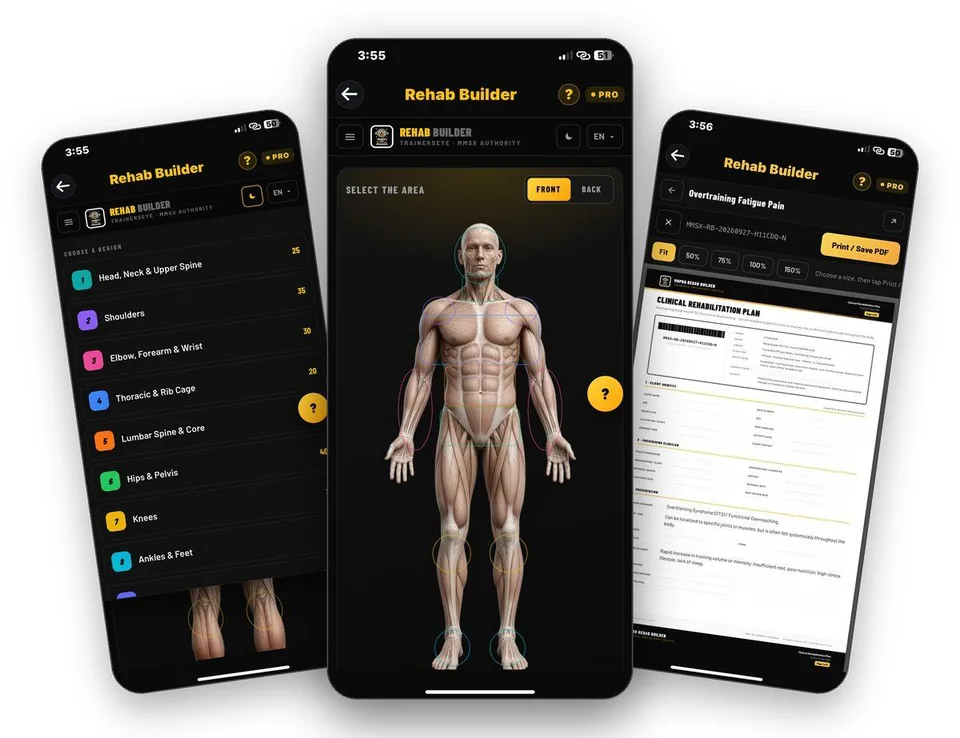
Tap the area that hurts, choose the condition and get a phased plan with entry and progress criteria, safety gates and printable client cards.
Every new user gets full access to all 23 tools for 7 days. See plans and pricing
- 23 tools
- General, Pro, Clinical plans
- A4 PDF output
- English, Hindi, Spanish, Arabic
- iPhone and Android
Why this takes too long today
Clients arrive after a niggle, a surgery or a long break, and the plan you hand them is only as good as the template behind it. Building phases, criteria and exercise doses from scratch takes hours you do not bill for.
Rehab Builder starts from the body map and gives you a complete phased plan in seconds. You review it, adapt it to the person in front of you and print it as a plan or as a card the client can follow.
From first tap to finished document
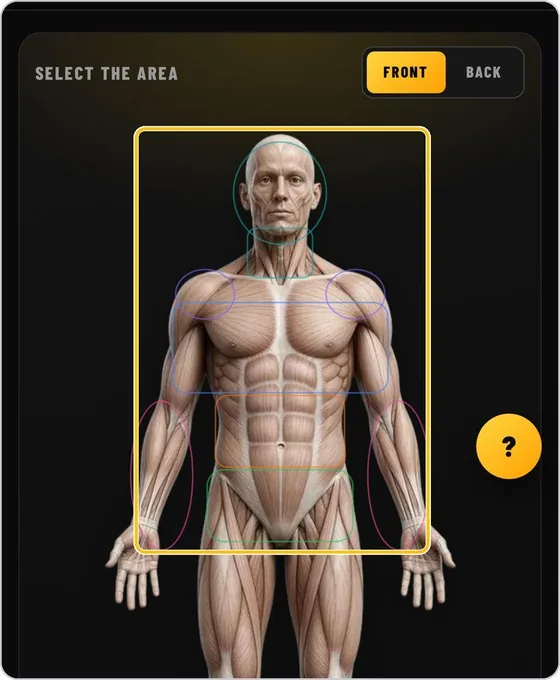
Pick the area or the region
Tap the body map or open the region menu. Nine regions run from head, neck and upper spine to ankles and feet, plus sport and exercise-specific plans.
Guide: Rehab Builder →Choose the condition
Every pain point is listed by its clinical name with a plain-language line beneath it, so you and the client are talking about the same thing.
Guide: Rehab Builder →Read the plan at a glance
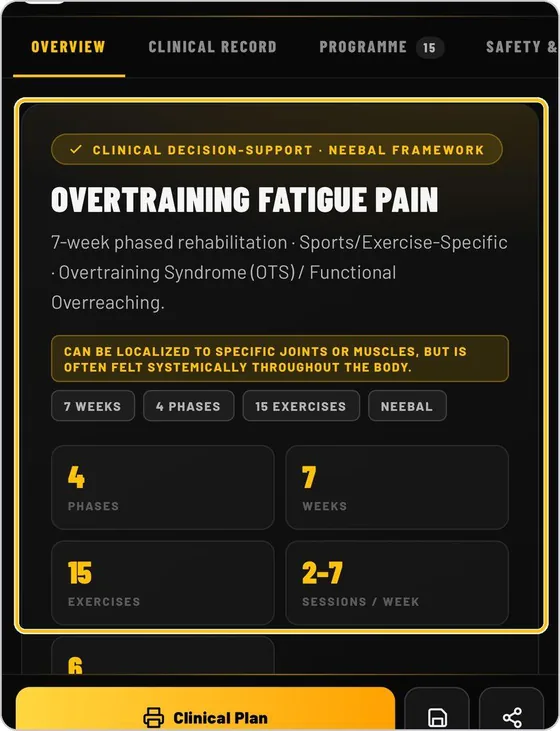
The overview shows the framework, the region note and the shape of the plan: phases, weeks, exercises and sessions per week. Four tabs cover overview, clinical record, programme and safety.
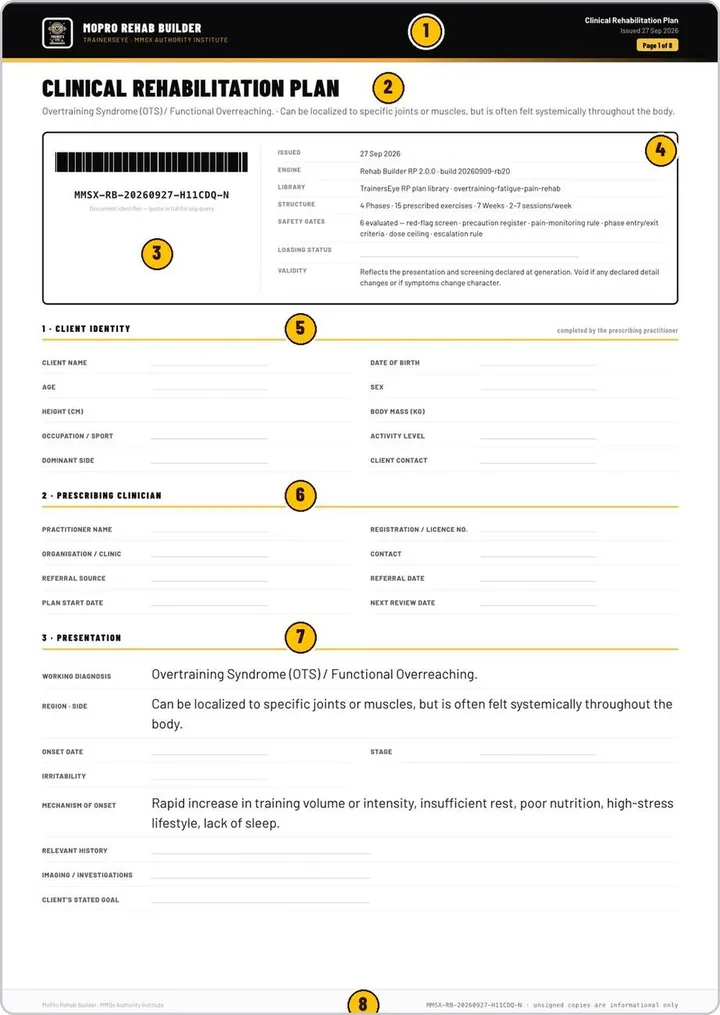
Guide: Rehab Builder →Print the Clinical Plan
Page one carries the control block and the safety gates evaluated. Each phase then prints on its own page with aims, entry criteria, progress criteria and every exercise.
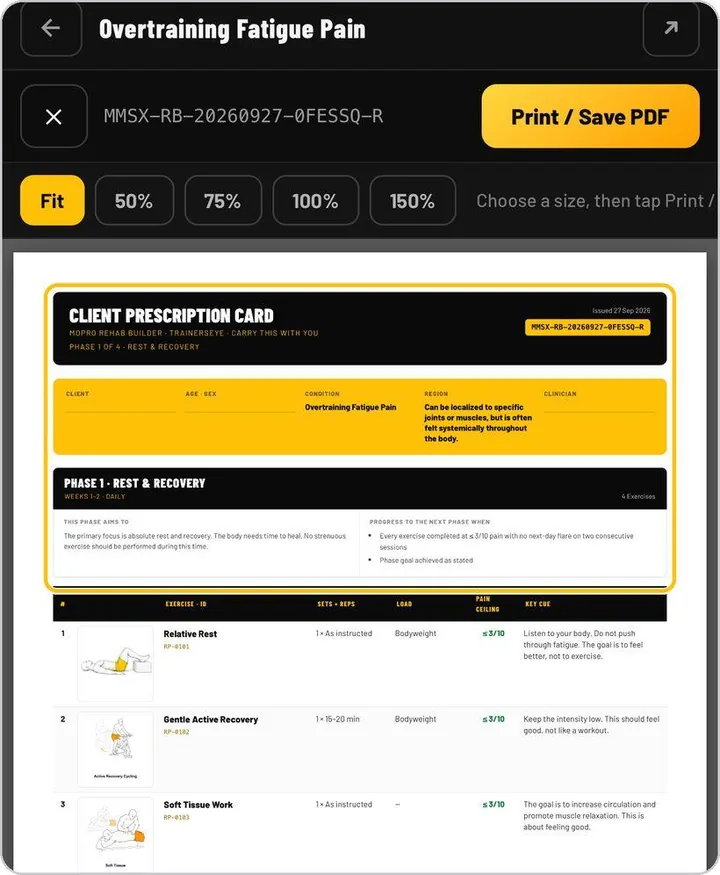
Guide: Rehab Builder →Hand out a Client Prescription Card
Tap a phase to open its card: the aims, the progress criteria and the exercises with the pain ceiling the client should stay under.
Guide: Rehab Builder →Use a ready library when it fits
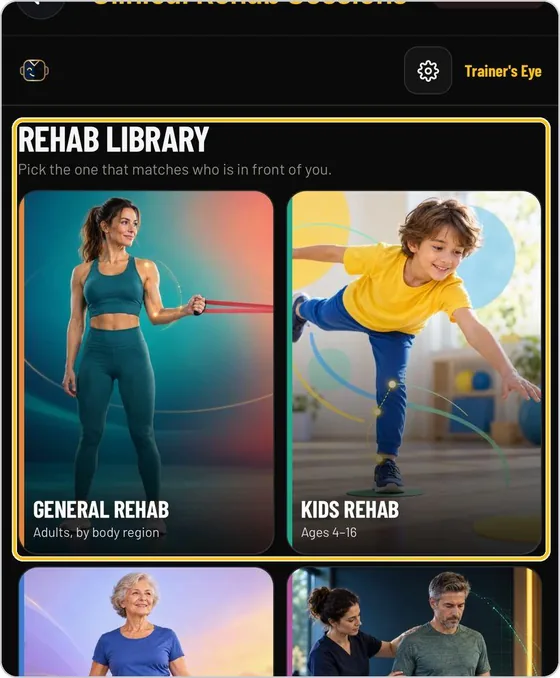
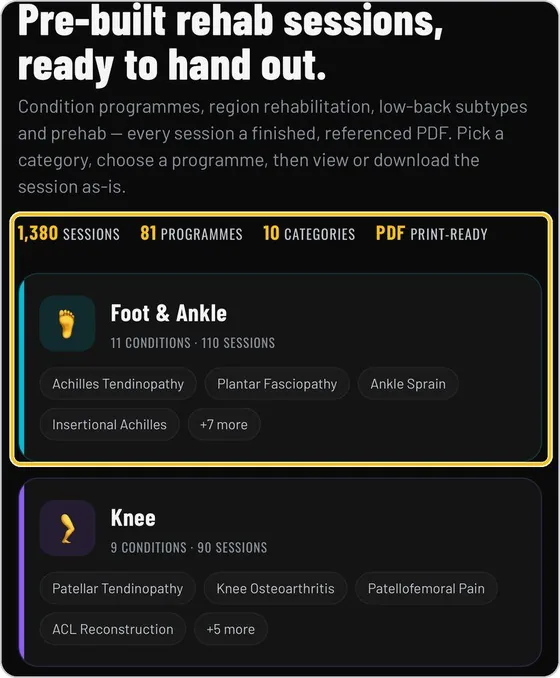
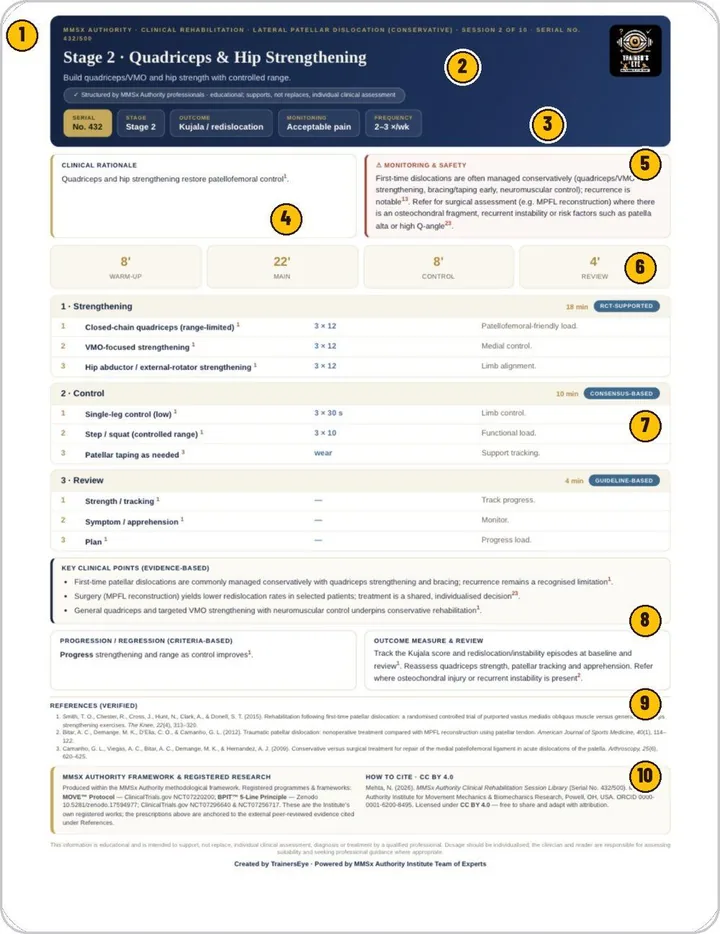
Choose adults by body region, kids, seniors from 50 up, or clinical plans by named condition, and run or print a session sheet.
Guide: Clinical Rehab Sessions →What you actually see
The document your client or colleague receives
Documents you can hand over
- Clinical Rehabilitation Plan, one page per phase
- Client Prescription Card for each phase
- 12-minute session sheets for adults, kids and seniors
- Mobility sessions built from pain level and tissue irritability
- A4 documents you can print, save as PDF or share
Built for working professionals
- Personal trainers who take on clients returning from injury or pain
- Rehab-focused coaches who want a consistent structure for every client
- Trainers who work in partnership with physiotherapists and follow their guidance
The tools behind this workflow
Rehab Builder
Phased rehabilitation plans for every pain point, printable as a clinical plan and client prescription cards.
Clinical Rehab Sessions
Four rehab libraries behind one door: adults by body region, kids, seniors and clinical plans by named condition.
Common questions
Can a personal trainer use rehab plans?
Trainers use them as structured templates inside their own scope of practice. The plan states its safety gates and loading status, and it is designed to be reviewed by the practitioner rather than followed blindly.
How fast is a plan?
From choosing the condition to the printed plan takes seconds. QuickBuilder builds a full training session in about thirty seconds.
Does it include mobility work?
Yes. ProMobility builds a session from pain level (0 to 10), tissue irritability, experience and equipment, or offers evidence-referenced Pro Cards by joint and region.
Can I print for the client?
Every library prints or saves as a PDF. The Client Prescription Card is made for handing out.
Which languages?
English, Hindi, Spanish and Arabic.
Practising professional? Try it with a longer access code.
We are inviting working movement professionals to use TrainersEye for one or three months and tell us how it fits their real workflow. Request a code and a feedback slot; we reply with instructions.