

Workout session builder for personal trainers
Name the client, set the goal and the equipment, and get a finished professional session document with pictures, doses and coaching cues.
Every new user gets full access to all 23 tools for 7 days. See plans and pricing
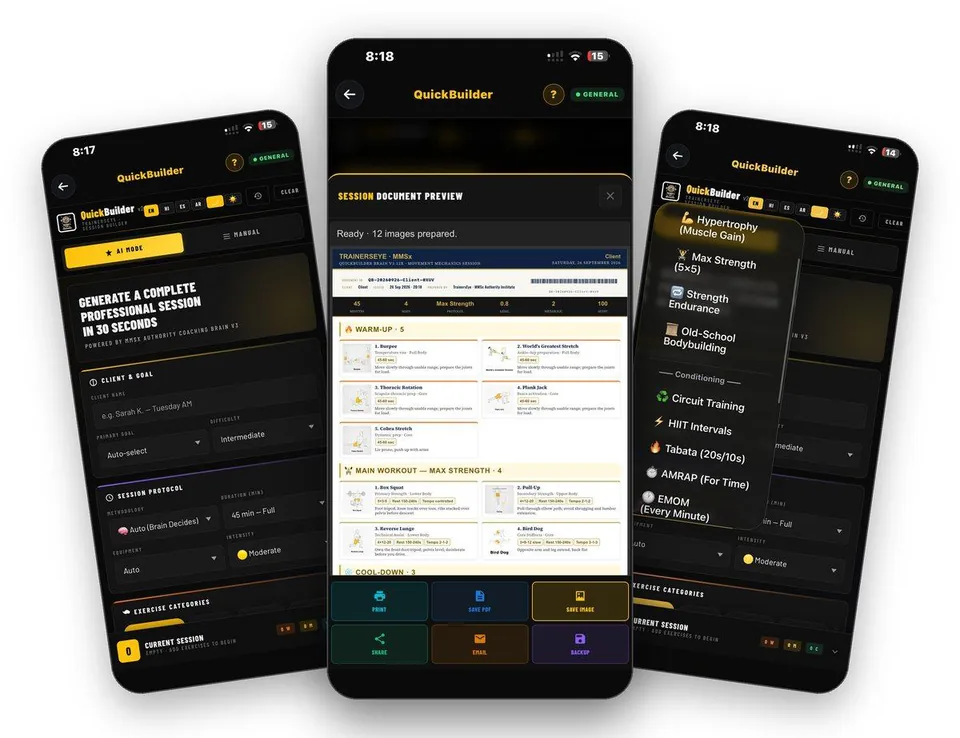
- 23 tools
- General, Pro, Clinical plans
- A4 PDF output
- English, Hindi, Spanish, Arabic
- iPhone and Android
Why this takes too long today
Programming for each client every week is slow, and handing over a plain list undersells your work. Clients judge professionalism by the document you give them.
QuickBuilder writes the whole session from a few choices in about thirty seconds. You can also pick every exercise yourself. Either way the result is a finished document with the client’s name on it.
From first tap to finished document
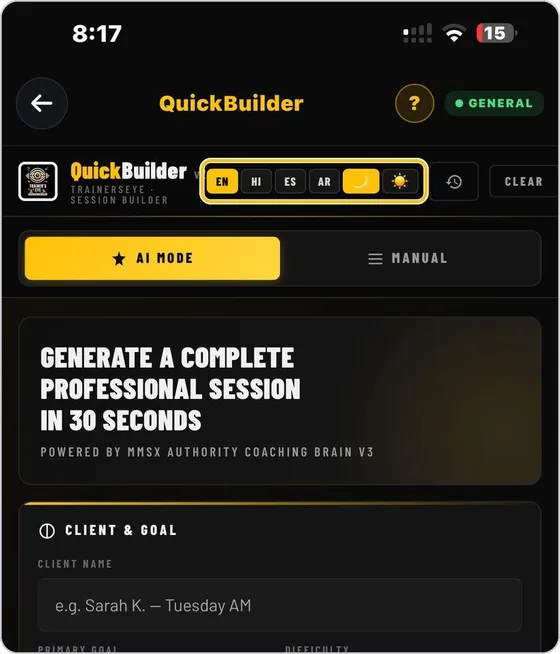
Name the client and set the goal
Type the client’s name, which goes on the document, then choose the primary goal and the difficulty level.
Guide: QuickBuilder →Choose how to build
AI Mode writes the whole session from a few choices. Manual lets you browse the exercise library and pick every exercise yourself.
Guide: QuickBuilder →Choose the coaching brain
Open Methodology and pick a brain. Each builds the session in the style of that coaching approach.
Guide: QuickBuilder →Set time, equipment and intensity
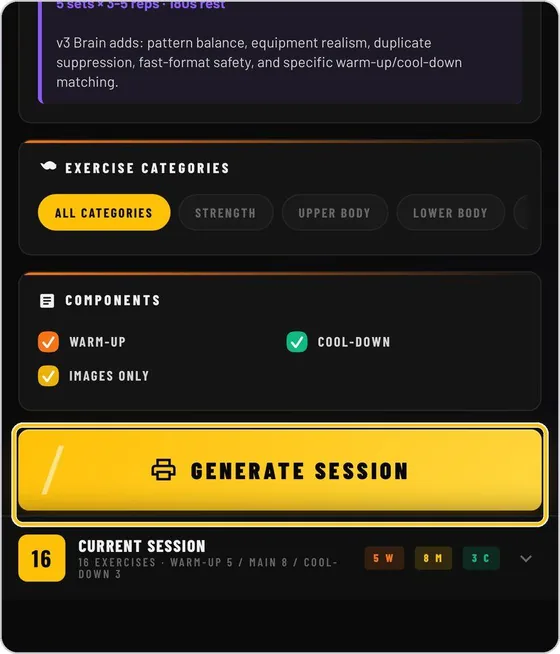
Choose the session length, the equipment available and the intensity. Narrow the pool with category chips or leave all categories on.
Guide: QuickBuilder →Generate and read the document
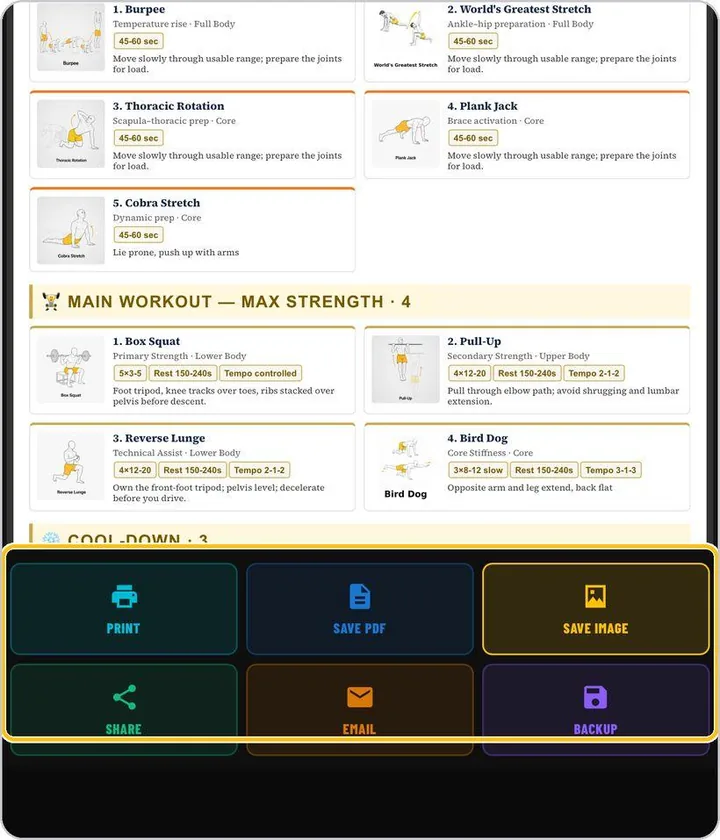
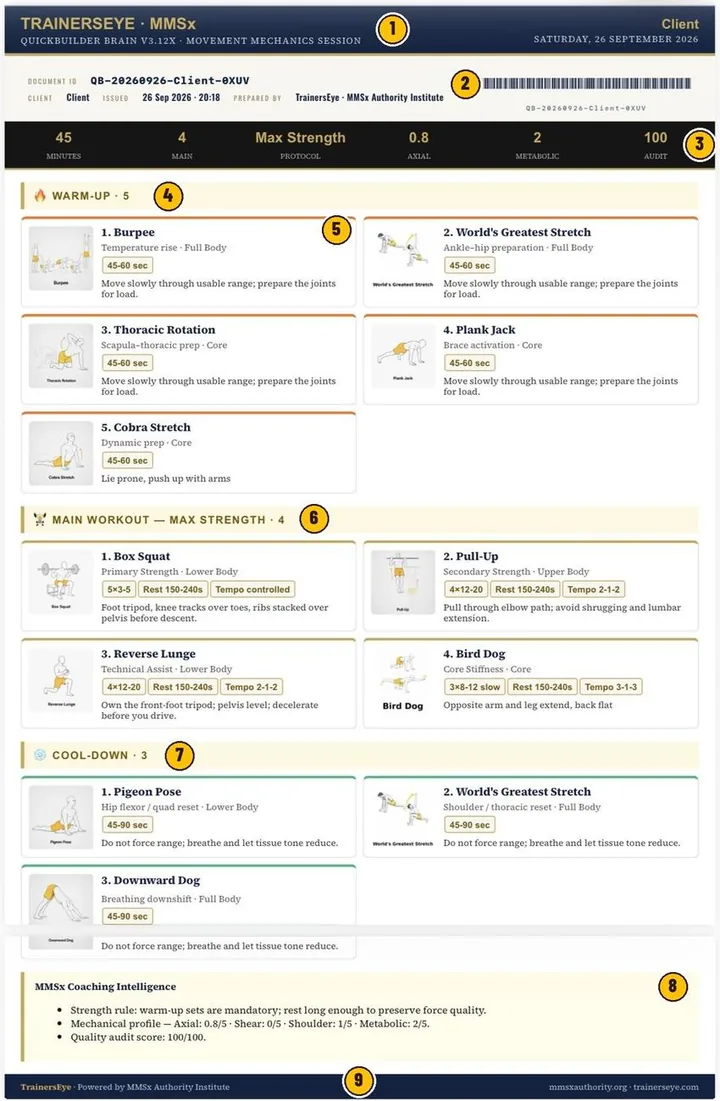
In about thirty seconds the session opens as a document with client, date, document ID and barcode, and every exercise with its picture, dose and cue.
Guide: QuickBuilder →Print, save or share
Print, Save PDF, Save Image, Share, Email and Backup sit under the preview. The clock icon brings back earlier sessions.
Guide: QuickBuilder →What you actually see
The document your client or colleague receives
Documents you can hand over
- A client-named session document with exercise pictures and doses
- PDF or image you can send straight to the client
- A daily one-page workout sheet from Session of the Day
- Mobility sessions from ProMobility to pair with strength days
Built for working professionals
- Independent personal trainers who write many programmes each week
- Coaches who want a professional document without a design tool
- Gym and studio teams who need a consistent session format
The tools behind this workflow
QuickBuilder
A complete professional training session for a client in about thirty seconds.
Common questions
How long does a session take to build?
About thirty seconds in AI Mode from the first choice to the finished document.
Can I choose every exercise myself?
Yes. Switch to Manual to browse the library and build the session exercise by exercise.
What does the client receive?
A document with their name, the date, a document ID, and every exercise with a picture, dose and cue. You can send it as a PDF or an image.
Does it work in other languages?
The app runs in English, Hindi, Spanish and Arabic.
Can I try it free?
Every new user gets full access to all 23 tools for 7 days from download.
Practising professional? Try it with a longer access code.
We are inviting working movement professionals to use TrainersEye for one or three months and tell us how it fits their real workflow. Request a code and a feedback slot; we reply with instructions.